

If your live or recording setup is based around a Dante network, Hear Tech’s latest ‘more me’ mixer could be the perfect monitoring solution.
 Whose job is it to sort out what a performer hears during their performance? In live sound, that can fall to a dedicated monitor engineer, whose particular combination of technical and interpersonal skills deserves considerable respect. In the studio, it usually becomes another job for the recording engineer.
At least in the studio you can stop and make adjustments. But that still means communicating what you want: “Can you turn the guitar up? No, that’s too much. Split the difference. Yes, there.” During a band session, everyone else gets to follow these negotiations too. Fundamentally, you’re asking somebody else to turn a knob for you. If it was within reach, you could simply turn it yourself.
Putting that knob where it’s needed, beside the performer, is hardly a new idea. Studios have long pressed small analogue mixers into service for personal monitoring, while purpose‑built systems distribute individual sources or stems to dedicated hardware controllers. Give musicians clearly labelled controls for drums, bass, guitars and vocals, and they can arrange things to suit themselves.
The simplest expression of this is “More Me”: a mix of everyone else, with a separate control for your own voice or instrument. Notice that it’s never called “Less Me”! Whether you need that basic balance or a more elaborate personal mix, the benefit is the same: fewer requests across the talkback and more control where it’s needed. The interface just has to be appropriately simple for the user, while still providing the necessary level of control.
One popular solution is Hear Technologies’ Hear Back Pro, which takes the dedicated system approach: distributing audio from a central hub to individual personal mixers. The Switch Back Plus being reviewed here takes a different route. Like the earlier Switch Back M8RX, it connects directly to a Dante network, dispensing with the central hub and allowing audio to be routed from other Dante‑equipped devices, and unlike the more limited M8RX, it offers similarly comprehensive mix control to the aforementioned Hear Back Pro.
So what does native Dante connectivity offer in practice, and what are the trade‑offs compared with a dedicated hub‑based system?
Physical
Before answering that, what of the unit itself? Although I don’t have a Hear Back Pro to compare it with, the Switch Back Plus seems to share much of the same construction. It’s reassuringly weighty, and while it’s an all‑plastic affair, the plastic is far from flimsy. This is a tough unit.
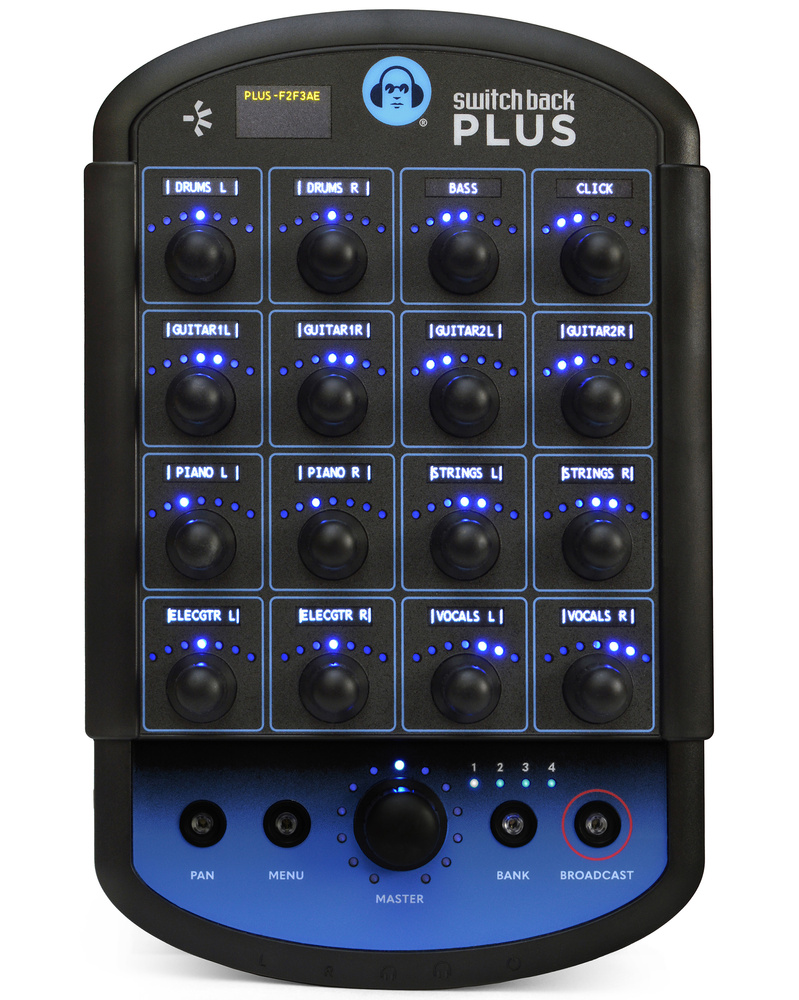
It can be mounted on a mic stand using a standard US‑style large (5/8‑inch) stand adaptor, and has 16 rubber‑coated endless encoders, a large main volume encoder at the bottom, four illuminated buttons and small single‑line OLED displays above each of the 16 encoders, plus a slightly larger OLED on the top panel for contextual information. The Switch Back logo illuminates in different colours to indicate status and errors.
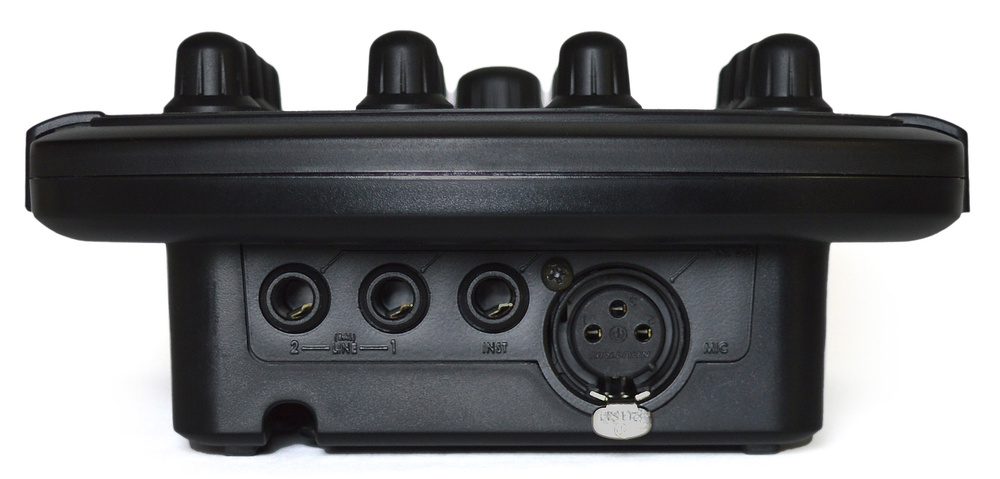 Along the top of the unit are a pair of line‑level inputs, a mic input and a Hi‑Z instrument jack. These inputs are made available to any other device on the Dante network.
On the rear panel are an XLR mic input, a quarter‑inch Hi‑Z instrument input and a pair of balanced line inputs, also on quarter‑inch jacks. The front panel carries an RJ45 network port with status lights, headphone outputs on both quarter‑inch and 3.5mm jacks, and a pair of balanced line outputs on quarter‑inch jacks, ideal for wireless IEM transmitters.
There’s no power input. The unit is powered using PoE+ via the Ethernet cable, which can be routed through a channel underneath the unit and retained there, providing excellent strain‑relief.
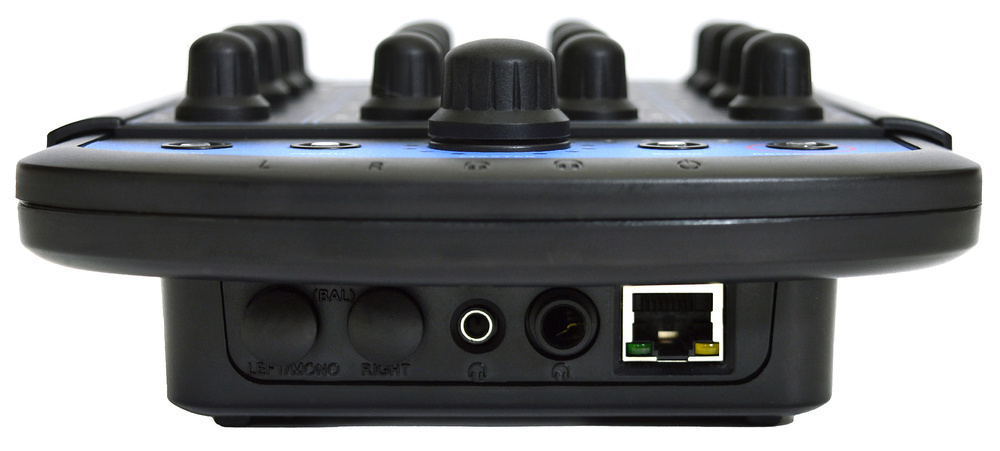 The Switch Back Plus connects to a Dante network via Ethernet, and offers both large and small headphone outs, plus balanced stereo line outputs.
If you’re experienced in setting up Dante, initial configuration is very straightforward. Discovery is automatic in Dante Controller, and routing is identical to any other Dante peripheral. I grudgingly acknowledge that Dante Controller is a very functional and universal piece of software, even if it is a very joyless place to spend time.
I was initially confused about how to label inputs so that the corresponding names appeared on the Switch Back Plus’s OLEDs. After much fiddling in Dante Controller, I eventually got things working. Only after completing this unnecessary and laborious task did I discover Pro Connect, Hear Technologies’ dedicated configuration app. It makes the process extremely straightforward: labelling is trivially simple, and the app provides real‑time status information and control for the mix.
I wish I’d bothered to do some reading before starting the setup, but there we are. We live and learn.
Building A Personal Mix
Because of its banking behaviour, you’re not limited to 16 sources just because there are 16 encoders on the hardware: the Switch Back Plus can accommodate up to 32 stereo inputs. Each of the four available banks of 16 encoders is displayed in Pro Connect as a 4x4 grid, with a disclosure arrow on each encoder window providing access to the available sources. These include the 32 Dante inputs, local inputs, MIDI and various setting parameters, all of which can be assigned to an encoder.
It’s also in this window that labels are set up for display on the small OLEDs above each encoder. Any combination of inputs can be displayed, and if you want to, you can display the same input more than once. This might sound like a minor detail, but it reflects the fundamental idea behind the Switch Back Plus: the unit is designed for individual, per‑case...
You are reading one of the locked Subscribers-only articles from our latest 5 issues.
You've read 30% of this article for FREE, so to continue reading...
- ✅ Log in - if you have a Digital Subscription you bought from SoundOnSound.com
- ⬇️ Buy & Download this Single Article in PDF format £0.83 GBP$1.49 USD
For less than the price of a coffee, buy now and immediately download to your computer, tablet or mobile. - ⬇️ ⬇️ ⬇️ Buy & Download the FULL ISSUE PDF
Our 'full SOS magazine' for smartphone/tablet/computer. More info... - 📲 Buy a DIGITAL subscription (or 📖 📲 Print + Digital sub)
Instantly unlock ALL Premium web articles! We often release online-only content.
Visit our ShopStore.