Here's a collection of the most recent 100 Pro Tools Notes articles from SOUND ON SOUND magazine. The most recently-published 5 workshops are locked and accessible only to subscribers, but the others are now free for all to enjoy.

(Use the SEARCH page to find even more past articles.)

Making The Most Of PRO TOOLS

Keyboard Editing Shortcuts

Pro Tools Notes

Pro Tools lets you edit audio from the keyboard, without even touching the mouse. Here’s how.

Editing Using The Keyboard

Pro Tools Notes

Save time and protect yourself from RSI by learning to edit audio in Pro Tools from the QWERTY keyboard.

Pitch-correction Plug-ins

Pro Tools Notes

Pitch-correction plug-ins are the key to the current trend for weird vocal effects. Here’s how to achieve them in Pro Tools.

Mac OS Finder

Pro Tools Notes

For those with a large collection of audio files to manage, we look at two applications that bridge the gap between Pro Tools and the Mac’s Finder.

Pro Tools 9 — What's New?

Pro Tools Notes

New to Pro Tools 9? Here’s how to get the best from all the features that were HD‑only until now!

Previous 100 PRO TOOLS NOTES workshops (unlocked)

Cloud Service Backup

Pro Tools Notes

The ‘cloud’ is great for backing up Pro Tools projects — if you know what to upload. We look at a service that can do it automatically.

iLok Dongle

Pro Tools Notes

The iLok dongle is more important to Pro Tools users than ever. So should existing users make the move to the new version, and how do new users get started?

Convolution Plug-ins

Pro Tools Notes

For Pro Tools users who are tired of conventional effects, convolution plug‑ins open up a huge range of new possibilities.

Synchronised Singing

Pro Tools Notes

Backing vocals sound better when they’re perfectly in time — if yours aren’t, Pro Tools can help you fix them.

I/O Setup Window in Pro Tools 9

Pro Tools Notes

Behind the scenes in Pro Tools 9 there are some major changes to how the I/O Setup window works.

Structured Music

Pro Tools Notes

Once you've created a basic Structure instrument, there are lots of things you can do to improve the way it sounds and plays.

Elastic Audio = Springy Sound

Pro Tools Technique

Elastic Audio in Pro Tools can do more than time-stretching: it can also be your route to some killer pitch-based mixing techniques.

Tempo Tantrums

Pro Tools Notes

We explain how to create a tempo map in Pro Tools that will follow your musicians wherever they decide to go!

Super Conductors

Pro Tools Notes

Pro Tools' rulers not only show the passage of time, they allow you to control it!

Pro Tools: Making Monitor Mixes

Pro Tools Notes

Like any hardware mixer, Pro Tools’ Mixer can be used to give the musicians on your session exactly what they want...

Drive Time

Resolving Hard Drive Problems In Pro Tools

Does Pro Tools sometimes take an unwarranted dislike to one of your hard drives? Here’s how to deal with it, and how to let non-admin users join the Pro Tools party.

Pro Tools | Classic Stereo-widening Tricks

Pro Tools Notes & Techniques

When you need to really open up your mix, it’s time to employ some classic stereo widening tricks. We show you how to implement them in Pro Tools.

Pro Tools: Plug-in Hygiene

Pro Tools Notes & Techniques

Keeping your Pro Tools plug-ins up to date is vital if you want to maintain a reliable system — and now there’s a helpful utility that will do it for you.

Pro Tools: Xpand Xpertise

Pro Tools Notes & Techniques

It might be a free plug-in, but the Xpand! sample player bundled with Pro Tools has some serious potential.

Keep Your Headroom

Pro Tools Notes & Techniques

Know how to use the Pro Tools master fader properly and you need never suffer clipping in your mixes again.

Pro Tools: Breaking Links

Pro Tools Notes & Techniques

The point of Pro Tools’ option to unlink the timeline and edit selections isn’t obvious, but there are situations in which it can be a lifesaver.

PT8's New AIR Plug-ins

Pro Tools Notes

We conclude our tour of the new PT8 AIR plug-ins with neat tricks for filtered rhythmic gating, creating kick and snare tracks from a stereo drum mix, and widening electric guitars.

Pro Tools: Hot AIR!

Pro Tools Notes & Techniques

Avid-Digidesign's Pro Tools v8 comes bundled with a new suite of AIR plug-ins, some of which are more powerful than they appear. We expose their hidden depths...

Automation Stations: PT8

Pro Tools Notes & Techniques

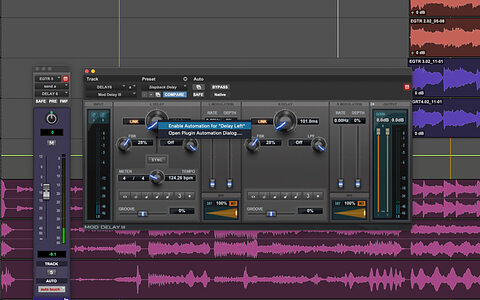
Automation in Pro Tools goes way beyond the usual volume, pan and mute controls. We look at what else you can automate, and what’s changed in Pro Tools 8.

Elastic Audio — Better Than Beat Detective?

Pro Tools Notes & Techniques

Many long-term Pro Tools users still rely on Beat Detective, but the newer Elastic Audio often produces better results in half the time.

Pro Tools: Region Variations

Pro Tools Notes & Techniques

We delve once more into the power hidden in Pro Tools’ unassuming Region List window.

Pro Tools | Region Control

Pro Tools Notes & Techniques

The Region List in Pro Tools is easy to overlook, but provides the most powerful way to keep track of what’s in your Session.

Pro Tools: Splitting Sessions

Pro Tools Notes & Techniques

Working on lots of songs within one project can be annoying. Why not use Pro Tools’ advanced features to create a tailor-made Session for each one?

Pro Tools: Missing Files

Pro Tools Notes & Techniques

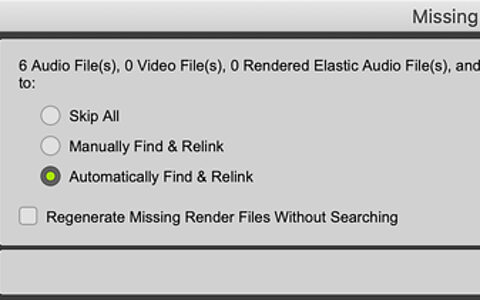
What to do when Pro Tools reports that files have gone missing? Find out in this month’s invaluable assortment of tips and tricks.

Pro Tools Troubleshooting

Pro Tools Notes & Techniques

Newcomers and power users alike need to know how to make things right when their Pro Tools Sessions run into trouble.

Pro Tools: Top Tips

Pro Tools Notes & Techniques

We continue our newcomer’s guide to Pro Tools with a selection of techniques that every user should know.

Getting Into Pro Tools

Part 2: Installation & Session Basics

Our short series on getting started with Pro Tools continues with some advice on configuring the software and your first Sessions.

Pro Tools: Specifying & Buying Your First System

Pro Tools Notes & Techniques

Tempted to invest in a Pro Tools rig but don’t know where to begin? You need our handy guide to choosing a system.

Track Comping In Pro Tools 8

Pro Tools Notes & Techniques

One of the major new features in Pro Tools 8 is a system for easily assembling 'comp' tracks from multiple takes. We explain how it all works.

Using Pro Tools 8’s MIDI & Score Editors

Pro Tools Notes & Techniques

At the heart of Digidesign’s drive to turn Pro Tools into a serious tool for music creation are the MIDI and Score editors in Pro Tools 8. We explain how to get the best from these new heavyweights.

Using Window Configurations In Pro Tools

Pro Tools Notes & Techniques

You can save time and cut down on mouse-clicks by using Pro Tools' window management features.

Inside Transfuser

Getting The Best From Digidesign's Groove Instrument

Digidesign's Transfuser plug-in is a sequencer within a sequencer — not to mention a sampler, loop-slicer, synth, drum machine and effects unit! We offer some expert tips to help you get to grips with it.

A Guide To Pro Tools' Contextual Menus

Pro Tools Notes & Techniques

The addition of comprehensive support for right-clicking in recent versions of Pro Tools has revolutionised the user experience. We explain how to get the best from the new functionality.

Pro Tools: How To Use VCA Groups

Pro Tools Notes & Technique

Used correctly, VCA groups can make a big difference when you're faced with a complex mix and lots of automation.

Disaster Management In Pro Tools

Pro Tools Notes & Techniques

Has a broken iLok or a power cut brought your Pro Tools rig to a shuddering halt? All may not be lost...

Writing Final Mixes From Pro Tools

Pro Tools Notes & Techniques

When your Pro Tools mix is finished, you'll need to export it as a stereo file. We explain why the obvious Bounce To Disk option might not be the best choice for you...

Pro Tools Plug-in Masterclass: TL Space

Pro Tools Notes & Techniques

Like many DAW manufacturers, Digidesign offer their own convolution plug-in as an add-on for Pro Tools. We explain how to get the best from TL Space.

Creating Your Own Pro Tools Shortcuts & Macros

Pro Tools Notes & Techniques

Pro Tools doesn't officially support macros or assignable keyboard shortcuts, but with a little know-how and a copy of QuicKeys, you can use custom key commands to bring up anything from simple menu items to complex chains of commands.

Pro Tools: Using Templates & Real-time Backups

Pro Tools Notes & Techniques

The focus is on better project management in this month's Pro Tools workshop, as we explain the advantages of using template Sessions, and look at some tools that can help you avoid data loss.

Getting The Best From Digidesign's Command 8

Pro Tools Notes & Techniques

Small and affordable it may be, but Digidesign's Command 8 is also a surprisingly versatile and powerful tool for controlling Pro Tools.

Free Utilities & Plug-ins For Pro Tools

Pro Tools Notes & Techniques

Improving your Pro Tools system needn’t always cost money. We look at some essential add-ons that can be downloaded for nothing.

Getting The Most From Your Pro Tools System

Pro Tools Notes & Techniques

We’ve all been in that situation — desperate to add one more plug-in, but with a computer on the verge of collapse. We explain how to wring that last ounce of power from your Pro Tools rig.

Affordable Synchronisation For Multiple DAWs

Pro Tools Notes & Techniques

In sound for picture, there’s often a need to lock multiple Pro Tools rigs together. We uncover a neat way to obtain professional sync facilities for a fraction of the price of conventional systems.

Digidesign Ignition Pack 2

Pro Tools Notes & Techniques

If you’ve time enough to install it all, the extra software bundled with new Pro Tools systems has a lot to offer — particularly if you have the Pro version of Digidesign’s Ignition Pack 2.

Managing Inputs & Outputs In Pro Tools

Pro Tools Notes & Techniques

Ever found yourself struggling to remember what you have connected to Input 7, or which effect is on Bus 3-4? Five minutes’ work in the I/O Setup window will end your confusion forever...

Backing Up & Archiving Your Pro Tools Sessions

Pro Tools Notes & Techniques

Backups may be boring, but if you get your backup strategy right now, there will come a time when it saves your life!

Working With Multiple Disk Drives In Pro Tools

Pro Tools Notes & Techniques

Pro Tools doesn't support RAID arrays, but does have its own disk management features that allow you to 'stripe' audio files across multiple disks, or record additional safety copies of everything.

What's New In Pro Tools 7.3: Part 2

Pro Tools Notes & Techniques

In last month's overview of the new features in Pro Tools 7.3, we saw that some of them deserve a more in-depth look. Here's what you can do with Key Signatures, the new Dynamic Transport Mode, and enhanced editing and video functions.

What's New In Pro Tools 7.3

Pro Tools Notes & Techniques

In this month's column, we give you the low-down on the wealth of new features coming your way in the version 7.3 updates to Pro Tools TDM and LE.

Setting Up Pro Tools Preferences

Pro Tools Notes & Techniques

It takes five minutes to set up your Pro Tools Preferences, but getting them right can smooth your workflow and even allow you to run more tracks from your hard drive.

Using Fades & Crossfades in Pro Tools

Pro Tools Notes & Technique

If you edit audio in Pro Tools, you need to know about fades and crossfades. As well as being vital editing tools, they can also be used in surprisingly creative ways...

Choosing Channel Strip Plug-ins For Pro Tools

Pro Tools Notes & Techniques

The trend among plug-in designers is to integrate commonly used processes such as EQ and compression into a single plug-in. It saves on insert slots, but do channel strips offer any other benefits, and which ones stand out from the crowd?

Getting The Best From Quick Punch & Track Punch

Pro Tools Notes & Techniques

Pro Tools offers punch-in features designed to make it work like a tape machine - except that you can change your mind later about where, when and what to drop in...

Choosing & Using Enhancement Plug-ins In Pro Tools

Pro Tools Notes & Technique

In this month's Pro Tools workshop, we concentrate on the top and bottom of the frequency spectrum, looking at plug-ins that claim to enhance treble and bass. How do they work, how should you use them, and most importantly, which ones are the best?

Using Region Groups In Pro Tools 7

Pro Tools Notes & Technique

The new Region groups feature in Pro Tools 7 enables us to work with multiple Regions as though they were a single object. In this month's workshop we also take a look at two new training resources from Digidesign.

Pro Tools: Working Methods

Pro Tools Notes & Techniques

We've had a good look at some of the tools available for mastering in Pro Tools. So what are the best ways to use these tools?

Pro Tools Mastering Limiter Shootout: Part 2

Pro Tools Notes & Techniques

We follow up our comprehensive round-up of mastering limiter plug-ins for Pro Tools with a look at hot new products from three further manufacturers.

Region Looping In Pro Tools 7

Pro Tools Notes & Technique

When your project includes repeated MIDI or audio parts, the new Region Looping tools in Pro Tools 7 enable you to work faster and with greater flexibility.

Addressing Latency Problems in Pro Tools LE

Pro Tools Notes & Technique

One of the best features of TDM-based Pro Tools systems is the negligible latency, or input-to-output delay, while recording. So what is the best way to deal with this problem if you have only an LE system?

Pro Tools Mastering Limiter Shootout

Pro Tools Notes & Technique

If you want to get maximum level out of your Pro Tools mixes, you need a mastering limiter. But which one? We put the leading contenders to the test.

Surround Sound In Pro Tools TDM & LE

Pro Tools Notes & Technique

More and more post-production work is ending up in surround-compatible formats, such as DVD. We explain how to set up your Pro Tools system to do that work, and give some guidelines on recording and mixing in surround.

Working with Video in Pro Tools

Pro Tools Notes & Technique

Once you have got your video and sync audio files into a Pro Tools Session, what do you do with them? Our short series on sound for picture concludes by explaining the ins and outs of dubbing, sound effects and Foley.

Working With Video In Pro Tools

Pro Tools Notes & Technique

You've got your system set up, and you've received the video files from the director. This month we explain how to get the video and its associated sound files into a Pro Tools Session ready for you to start work.

Working With Video In Pro Tools

Pro Tools Notes & Technique

This Pro Tools workshop is the first in a series where we will explain how to use Digidesign's DAW to work to picture. First of all, we look at the decisions you need to make in setting up your system.

Advanced Timing Correction In Pro Tools

Pro Tools Notes & Technique

We all know that Beat Detective can be used to fix up dodgy drumming. But how about creating a tempo map from a freely played keyboard part? Or replacing a piano track with note-for-note accuracy? You can achieve amazing results when you know how...

Managing iLok Plug-in Licences

Technique

There can't be many Pro Tools users left who have not had to invest in an iLok key in order to run their favourite plug-ins. But did you know that you can insure, transfer and even buy and sell iLok plug-in licences electronically? Find out more...

Pro Tools Notes

News & Tips

Once again, there's a bumper crop of news from Digi-world to report, including the long-awaited jump to version 7 of Pro Tools.

Using Pro Tools' Strip Silence Function

Workshop

The Strip Silence window in Pro Tools allows you to automate complex edits that would take hours to do by hand. Find out how...

Pro Tools Notes

News & Tips

This month there's news of further maintenance updates to Pro Tools, plus some intriguing plug-in launches...

Pro Tools Notes

News & Updates

It's update frenzy this month, as Digidesign deal with the move to Tiger and iron out more of the bugs in Pro Tools 6.9.

Hidden Keyboard Shortcuts In Pro Tools

Workshop

You'd be surprised at the things that you can do without opening a menu in Pro Tools. And if there's no shortcut for the command you need, why not create your own?

Pro Tools Notes

News & Updates

News of a new hardware DSP system from Waves; a mini-review of a keyboard sticker set for Pro Tools from Editor's Keys; the latest information on compatibility with Mac OS 10.4, and plenty of plug-in news.

Comparing Audio Restoration Plug-ins In Pro Tools

Workshop

We line up three of the most popular audio restoration packages available for Pro Tools. Which gives the most natural results, which is easiest to use, and how do you get the best from them?

Keeping Your Pro Tools Sessions On Track

Workshop

In a busy recording studio, no-one wants to be hanging around while you duplicate individual tracks or try to locate take six. This month‘s Pro Tools workshop lifts the lid on some essential session-smoothing tips and techniques.

What‘s New In Pro Tools v6.9?

Pro Tools Notes

Version 6.9 of Pro Tools is here, bringing with it the usual slew of improvements and changes — and the odd pitfall for the unwary. Here‘s what you need to know if you are thinking of taking the plunge.

Pro Tools updates & free EQ plug-in

Pro Tools Notes

This month sees a high-quality, free EQ plug-in gracing the Digirack suite, some intriguing options for collaboration via the Internet, and a host of updates.

Using Pro Tools' Keyboard Commands Focus

Workshop

Most people find that learning keyboard commands for their DAW enables them to get things done faster, and for the advanced user, Pro Tools has a special mode which turns the entire QWERTY keyboard into a bank of one-press shortcuts.

Pro Tools: latest news

Pro Tools Notes

Our new-look Pro Tools Notes column brings you all the latest news from the Digidesign universe...

Troubleshooting Your Pro Tools System

Masterclass

Whatever computer recording system you use, the chances are it's going to fall over sooner or later, and Pro Tools is no exception. So before you call Digidesign's technical support line, take a look at Sound On Sound's guide to diagnosing and fixing the most common faults.

Pro Tools: Achieving Better Vocal Sounds

Pro Tools Notes

We look at a range of techniques you can try to help you produce a better vocal sound for your project.

Pro Tools: Tick-based Audio Tracks

Pro Tools Notes

In this month's Pro Tools Notes we are going to take a closer look at one of the more understated improvements introduced in the version 6.7 upgrade. What are tick-based audio tracks, how do they work, and what can you do with them?

Pro Tools: The Mysteries of Shuffle Mode Reavealed...

Pro Tools Notes

Pro Tools was originally designed as an audio editor, and it still has some very powerful tools for quick and accurate editing. This month's Pro Tools Notes explains the mysteries of Shuffle mode, and looks at the ways in which key commands and memory locations can speed up your editing.

Pro Tools: New MIDI Tools In v6.7

Pro Tools Notes

Our new columnist provides the detailed lowdown on a new version of Pro Tools...

Help! I Need A Pro Tools Book...

Pro Tools Notes

There's an outbreak of literary criticism in this month's column, as we take a look at some of the Pro Tools books currently doing the rounds.

MIDI Sequencing In Pro Tools

Pro Tools Notes

While Pro Tools is widely known for its dominance in the field of computer-based audio recording, little is made of the fact that it also features fully fledged MIDI sequencing facilities.

Using SampleCell libraries with Pro Tools

Pro Tools Notes

Digidesign's SampleCell products once had a huge army of users, many of whom still have well-loved sample libraries stranded in this format. We look at the options available to continue using these sample patches in Pro Tools.

Pro Tools Tips

Pro Tools Notes

We feature a bumper crop of handy tips in this month's guide to all that's good in Pro Tools...

Pro Tools v6.4 update

Pro Tools Notes

PT version 6.4 comes with some surprising and long-awaited new features.

Avoiding grief when moving PT Projects

Pro Tools Notes

A common occasion for grief in Pro Tools is when moving projects from one system to another. Here are some tips to help you keep your hair.

Controlling Pro Tools

Pro Tools Notes

You don't need a Pro Control to get some hands-on control of Pro Tools. You don't even need one of the 'supported' MIDI control surfaces: pretty much anything with knobs on will do. Read on...

Pro Tools advice & tips

Pro Tools Notes

Public service time in Pro Tools Notes this month as we respond to user queries on recording via plug-ins and Rewire, creating gated effects, and bouncing.

Tempo-shifted Vocals

Pro Tools Notes

All Pro Tools systems now come with a bundle of extra software: Reason Adapted, Live Digidesign Edition, Amplitube LE, Sampletank SE and T-Racks EQ. This month we use Live's powerful time-warping features to run tempo-shifted vocals alongside a remix.

Calibrating Pro Tools

Pro Tools Notes

Many users probably never venture into Pro Tools's Calibration Mode, but you could be compromising the sound quality of your Pro Tools rig and external gear if you don't think about lining up your analogue connections correctly.

Pro Tools Effects, Plug-in Converter and more...

Pro Tools Notes

It's Christmas, so we've rounded up some free effects and other goodies. On the news front, meanwhile, there's word of a VST-to-RTAS plug-in converter from FXpansion.

HD Accel Card

Pro Tools Notes

HD Accel is the latest processor card for Pro Tools HD TDM systems. We investigate, and try to clear up some of the confusion surrounding the release.

Making The Most Of D-Verb

Pro Tools Notes

Since Pro Tools 6, there's been some additions to the set of built-in plug-ins. This month we look at how to get the most out of the D-Verb reverb.

Using ReWire in Pro Tools

Pro Tools Notes

Pro Tools 6.1 adds ReWire support for both TDM and LE users. Here's a look at what it is, how it works, and how to get the best out of it.

Extracting Tempo/Timing From A Recording

Pro Tools Notes

Last month we looked at using Pro Tools' Beat Detective tool for chopping up and quantising drum recordings. Now it's time to look at the other side of the coin: extracting and using the tempo and timing of a recording.

Digital Audio Clocking

Pro Tools Notes

The subject of clocking in digital audio systems is often a hazy area of understanding among us users, perhaps because we've been turned off by propellerheads who love arguing about it. Here's what you need to know in Pro Tools from a practical angle.


Email: Contact SOS

Telephone: +44 (0)1954 789888

Fax: +44 (0)1954 789895

Registered Office: Media House, Trafalgar Way, Bar Hill, Cambridge, CB23 8SQ, United Kingdom.

Sound On Sound Ltd is registered in England and Wales.

Company number: 3015516 VAT number: GB 638 5307 26


All contents copyright © SOS Publications Group and/or its licensors, 1985-2012. All rights reserved.
The contents of this article are subject to worldwide copyright protection and reproduction in whole or part, whether mechanical or electronic, is expressly forbidden without the prior written consent of the Publishers. Great care has been taken to ensure accuracy in the preparation of this article but neither Sound On Sound Limited nor the publishers can be held responsible for its contents. The views expressed are those of the contributors and not necessarily those of the publishers.

Web site designed & maintained by PB Associates | SOS | Relative Media