

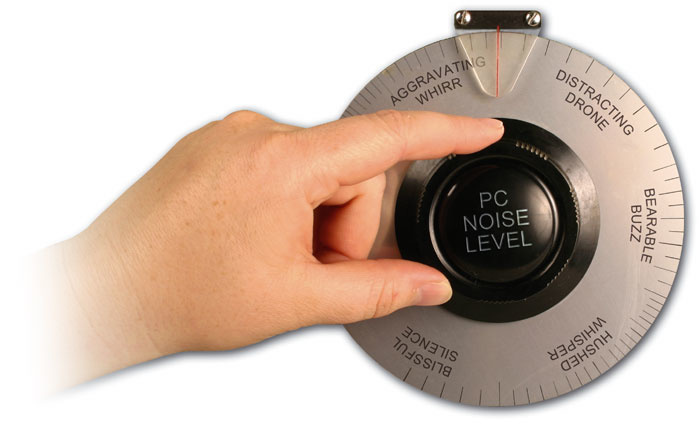
If you have to record in the same room as your PC, the acoustic noise the computer produces can be more than a mere irritant: it can also compromise sensitive recordings. We take a look at what you can do to restore peace.
While most Mac users have to live with whatever acoustic noise emerges from their computer, the careful choice of quiet components is an integral part of the design of every individual music PC, for DIY builders and for specialist music PC retailers. We've already covered the basics of keeping your PC cool, quiet and stable, back in SOS December 2004, but the SOS PC Music forum is still awash with discussions about exotic silent cases, the quietest PSU, the most suitable cooling airflow direction and so on. The term 'quiet' is also open to more debate these days, given that the DIY-er can now achieve reasonably low-noise results by upgrading a few key cooling components, so expectations of a commercial DAW are rather higher. Increasingly, customers expect a near-silent PC, something that becomes even more difficult to achieve as CPUs get faster and require more cooling. This feature will therefore look closely at some fundamentally different cases designed specifically for lower noise, as well as examining some of the latest silencing devices. Let's start by re-examining what we're trying to achieve.
Real-world Noise Floors
The main reason why musicians are so annoyed by computer noise is that so many of them are trying to record their vocals, acoustic guitars, pianos and other acoustic instruments in the same room as the computer. As a rough guide, a shouting person generates around 80dB SPL (Sound Pressure Level) and normal conversation about 60dB SPL, while the noise level of a typical quiet office is 40dB SPL and the background noise level (aka the Noise Floor) of a typical professional studio is reported to be around 26dB SPL. A typical high-street PC may emit 30dB to 40dB SPL at a distance of one metre, but a purpose-built quiet PC only about 24dB SPL — around half the level of the quietest mainstream offerings.
 To find out what dynamic range your acoustic recordings have, just analyse the Average RMS Power of a 'silent' section and compare it with that of a section of music.So when close-miking studio vocals or instruments, we might expect a peak level of around 80dB SPL and a background noise level of 26dB SPL — a dynamic range of 54dB. You can get an approximate measure of the dynamic range of your studio acoustic recordings by selecting a typical section of one and using your audio software's analysis function to find its Loudness or RMS Power (I used Wavelab 's Global Analysis). Then select a 'silent' section before or after the take and analyse this in the same way. The difference between the two is your dynamic range.
While a professional studio might achieve the previously mentioned 54dB dynamic range, some PC musicians may only measure 30 to 40dB and be able to hear the sound of their PC whirring away in the 'silent' background, particularly in the case of recordings featuring gentle vocals, finger-picked guitar or other quiet instruments. If this proves to be the case for you, you really do need to pay more attention to PC silencing, as this unwanted noise is compromising recording quality and will be far more difficult to remove afterwards.
Those whose tracks totally rely on synths and samples may now be thinking that they're immune to the effects of computer noise, but even if it's not present on your recordings it can still affect your mixing decisions. Unless you always work with heavily compressed music styles, it will be more difficult to make critical listening decisions about EQ and balance if the quieter sections of your music are masked by a continuous background whirr.
Hints & Tips For Keeping Quiet
- Hot Stuff: While trying to keep our PCs as silent as possible, we still have to ensure that their components run within safe temperature limits. Choosing components that dissipate less heat will help. For example, some AMD Athlon processors have significantly lower cooling requirements than Intel Pentium models of equivalent power. On the other hand, Intel's Pentium-M processor range (as used in Centrino laptops) offers excellent performance with extremely low power dissipation, and can also be used in desktops with a suitable motherboard or adaptor.
- Fan Tale: Some exotic 3D graphic cards require up to 80W of power by themselves, need fan cooling and may prevent the adjacent card slot being used. Replacement quiet graphics card fan-coolers are available, but you may still lose a slot. More modest models of graphics cards are quite powerful enough to run audio applications, yet may typically only require 30W of power and demand no cooling fans. Reducing the overall power dissipation of your PC generally also lets you run case fans at slower speeds, generating less noise.
- A Smaller Drive: If you're prepared to compromise performance slightly, instead of fitting the usual 3.5-inch hard drive, try fitting a 2.5-inch notebook drive with a 2.5-inch-to-3.5-inch adaptor. Some of these drives offer extremely low noise and reduced operating temperatures, yet will still offer sustained transfer rates sufficient to provide lots of audio tracks.
- Cracking PC, Grommet: When fitting low-noise case fans, mount them using suitable grommets, gel mounts or gaskets (available from various specialist suppliers), to ensure that any remaining vibration and noise are not coupled into the rest of the case. Similarly, don't amplify any remaining case noise by coupling it into a wooden floor. Fit squashy 'Sorbothane' feet.
- Post-noise Rescue: In an emergency, it's possible to partially remove continuous computer noise from existing recordings, with a specialist noise reduction plug-in that analyses a section of noise and then uses this 'fingerprint' to remove the same noise spectrum from the entire recording. However, this will never be as successful as silencing your PC in the first place.
- Use Your Head: Headphones don't provide the ideal mixing environment, but if you're really suffering from PC noise, monitoring through them can cut background noise levels by between 10 and 30dB, depending on whether the cans are open- or closed-back designs.
Back To Basics
If you're struggling to record in the same room as your PC, the first thing is to identify the noisiest component and deal with that. In many cases this will be the power-supply fan which, on budget PCs, is left running flat-out to cope with worst-case conditions. Replacing the PSU with a more up-market model having a thermostatically-controlled fan will not only make your PC significantly quieter but is also likely to make it more reliable in the long term (many random crashes, and even damage to PCI expansion cards, can be tracked down to a cheap PSU). Recommended manufacturers of the right type of PSU include Antec (www.antec.co.uk), Enermax (www.enermax.co.uk), SilenX (www.silenx.com), Thermaltake (www.thermaltake.com), and particularly Seasonic (www.seasonic.com).
 If you want to place a computer in another room, Belkin have an extensive range of cable extenders and switchers for controlling it remotely.
The next component to tackle is probably the CPU heatsink/fan. There are now dozens of quiet designs available from companies like Akasa (www.akasa.co.uk), Scythe (www.scythe-eu. com) and Zalman (www.zalman.co.kr). For lowest noise, you need to be careful to drop the fan speed sufficiently to ensure that your CPU never exceeds about 55 degrees Centigrade when stressed on the hottest likely day (see www.soundonsound.com/sos/ dec04/articles/pcmusician.htm for more details on measuring temperatures and stress testing).
The next candidates for silencing are probably your hard drives, but by now you may be reaching the point at which it's more effective to treat the case rather than further components. Many budget cases use thin metalwork that not only let fan and other noises pass through it into the outside world, but are often ill-fitting enough to rattle and 'ring' in sympathy with the internal vibrations of fans and drives, thus amplifying the noise.
The most effective approach is to line each large unsupported panel with a thin, self-adhesive damping material similar to that used in car 'silencing' to prevent ringing, and then on top of this add a thicker layer of acoustic foam to reduce sound transmission through the case. In addition, fill unused drive bays with acoustic foam blocks. There are now quite a few kits available that include all the material you'll need, such as the Acousti Products (www.acoustiproducts.com) range, available from a wide range of suppliers.
Should You Blow Or Suck?
Most PC cooling schemes are fairly straightforward — if there's a fan mounted on the front (or occasionally the bottom) of the case, it will suck in cool air from outside, while rear-mounted case fans and single-fan power supplies will blow (exhaust) the hot air from the case after it has been warmed up by the components inside the PC. If a PSU has two fans, the first one is likely to suck cool air into the PSU, prior to exhausting it via the second fan.
However, deciding whether to make your fans suck or blow becomes more complex when there are side-panel case fans and specialist CPU fans. Since side-panel case fans are mostly at least halfway up the case it can be argued that they should suck in further cool air closer to the CPU, or alternatively that they should help the top-rear case fan in blowing warm air out. Similarly, while most CPU coolers blow air on to the CPU heatsink (you certainly need airflow over it), it's also possible for them to be switched to 'suck mode'. The fan wiring remains the same, but you turn the fan itself upside down.
The most effective fan direction for cooling could well vary depending on the individual PC, and if you want to see which is best for your PC you should stress-test your CPU for at least 10 minutes with a particular fan running in one direction, measure the final temperature, power down, turn the fan over, and then repeat the process. Whichever gives the lower reading is the best option. However, there's one way to give CPU 'suck mode' a head start: fitting a duct over the CPU so that the warm air that's just passed over the CPU heatsink can be directly exhausted to the outside world. This ensures that the warm air from the CPU isn't re-circulated inside the case. The PaQ case (see main text) uses this approach, although you may also have to choose your CPU cooler carefully to benefit. Thermalright's XP120 model (one of the first to fit a 120mm fan) is one that seems to work just as well with airflow in either direction.
Cupboard Love
If all this seems like hard work, there's another, completely different approach to quietening a PC. If you can double the distance between your ears and your PC, this will cut its noise level by 6dB (although this figure is reduced by the reflective surfaces in an enclosed room), so rather than reducing the noise at source, you could instead move it further away. Each time you double the distance between mic and PC, the noise will drop by a further 6dB, so recording at the other end of the room may yield an appreciable noise reduction.
 Another way to silence your computer is to place it inside an isolation box, such as the commercial Isobox shown here. DIY solutions are also possible.There's an even more radical way to silence your PC and that's to place it in another room altogether. Commercial studios often have separate 'machine rooms', but many musicians have taken a similar approach by drilling holes through the wall into an adjacent room, installing their PC there and then extending the keyboard, video and mouse leads. It also greatly helps to have a USB CD or DVD player/burner, so that you don't have to walk to the other room every time you want to install a new application or play music or video. You'll probably need a hole of around two inches in diameter to get all the cables through easily.
There are, of course, some practical limitations to what you can do. USB keyboard and mouse cables can be extended up to five metres and PS/2 ones up to 30 metres or so, but the link between your graphics card and your monitor is more critical. Probably the easiest approach is to buy a combined KVM (Keyboard Video Mouse) extender cable, but don't be tempted to skimp on quality, or there's a chance that your monitor image could suffer (low-loss cables will minimise ghosting and maximise sharpness with RGB video). Prices for these cables vary from around £20, for a three metre DVI+USB cable that will be suitable for attaching a TFT monitor to a single PC, to over £200, for much longer active KVM extenders capable of switching your monitor, keyboard and mouse between multiple computers at the far end of over 100 metres of cheap Cat 5 networking cable.
Yet another approach is to place your computer (or, indeed, any other noisy gear) inside a purpose-built Iso (Isolation) box. A well designed commercial model such as the patented Isobox (www.iso-box.com) or Noren Acoustilock range (www.norenproducts.com) can reduce noise by as much as 30dB, and such boxes are used by many professional film, television and recording studios. However, those of a DIY bent can construct their own, as long as care is taken to allow cool air in and warm air out. There are various designs available on the Internet (see 'Further Information & Suppliers' box).
Heatpipes & Water Cooling
Heatpipes are copper tubes containing a special liquid that turns to gas when it gets hot and back into liquid as it cools. They're increasingly used in CPU, hard drive and graphics card coolers, as well as in some PC cases, including the Zalman TNN series (see main text). The heatpipe connects the hot component to a heatsink, so the gas inside travels to the other end of the pipe, is cooled by the heatsink, turns back into liquid and is recirculated. This cooling cycle continues. The beauty of heatpipe technology is that moving the heatsink further away from the motherboard allows the heatsink to be made a lot bigger and also means that a much larger, slower, and quieter fan can be used. The heatsink may also be placed closer to a case exhaust port, for more efficient convection cooling, and if the heatsink is large enough you could dispense with a fan altogether.
Water cooling is another option widely favoured by those seeking low noise or the ability to overclock, because it makes it possible to do away with fans. CPU, chip set and hard drive coolers are required, as in a more typical air-cooled system, but each has an inlet and outlet connection rather than a cooling fan. You connect the outlet of each device to the inlet of the next in a chain, using plastic tubing, then the loop is completed by an almost silent water pump and reservoir, similar to that used in garden ponds, plus some sort of radiator or heatsink, often mounted outside the computer. Essentially, this works like most car cooling systems: the pump forces cold water from the reservoir to flow through the various coolers, which warms the water up, then the radiator cools it down again. The main benefit of a water cooling system for the musician is that it can remove heat efficiently from every hot component in a PC, and may do away with the need for cooling fans, given a sufficiently large radiator. Those with good mechanical skills can build complete DIY solutions on a budget, but if you're interested in exploring a commercial solution, some companies to investigate are Asetek (www.asetek.com), Swiftech (www.swiftnets.com) and Thermaltake (www.thermaltake.com).
Exotic Cases
Many of us don't have the option of drilling holes in walls or using isolation cabinets, so if you need a computer quiet enough to house in the same room that you record in, you'll have to move beyond the quiet PC to the near-silent one. And beyond the basic PC silencing techniques already discussed, you reach a certain point where you're at the mercy of the case design.
 One way to significantly reduce acoustic noise is to choose a PC case with a bottom-mounted air intake, such as the Lian-Li PC6070 used in this Philip Rees PC, which also has a substantial front door to cut down on CD/DVD noise.Many PC cases take in cool air via a grille or other aperture at the bottom of the front panel, and this cool air passes over all the components, becomes warmer, rises, and is exhausted either via the power-supply cooling fan, a case fan mounted at the top of the rear panel, or both. All this makes perfect sense for cooling, but for low noise the last thing you need is any sort of hole on the front panel, since internal noise from the CPU fan, hard drives and so on can easily escape.
Front-panel openings therefore become a limiting factor, and one solution is to fit some kind of door, baffle or other acoustic muffler to the front panel to minimise the escape of noise. This approach also helps to reduce noise from DVD and CD drives when they are being accessed, and is appropriate for both rack and tower cases. In the case of tower cases, another alternative is to arrange for the cool air intake to be on the base of the case, along with some larger feet to ensure that the case is lifted sufficiently off the floor to allow this.
This is exactly the approach taken by case makers Lian-Li (www.lian-li.com) with their £120 PC6070 case, as used in the Phil Rees PC I reviewed in SOS January 2005, which has a base intake and a hinged front door sealed with a rubber gasket. Coupled with various engineering tweaks of Mr Rees' own and a proprietary central fan-control system linked to CPU temperature, this case resulted in one of the quietest PCs I've heard to date.
Another popular case with both the DIY musician and commercial DAW builder is Antec's P180, at around £90 (as used in the Millennium system reviewed in SOS March 2006). This case also has a (rather more flimsy) door, but couples it with a rather different approach. The PSU and hard drives are mounted in a separate lower chamber that runs front to back, to isolate their heat and noise from the rest of the system, while the side panels comprise three layers (aluminium, plastic, aluminium) to make them non-resonant and dampen noise.
 It looks like a radiator, and that's exactly what it is. Zalman's TNN500A case uses no fans and acts like a huge heatsink, making it noiseless, but at around £800 it may be impractical for many musicians.The front door is, again, an aluminium/plastic composite, behind which there are two air intakes: one for the lower PSU and hard drive chamber and the other for the upper motherboard, CPU and optical drive. There are also lots of neat touches, such as a silicon-rubber gasket for the PSU and a soft grommet mounting for the hard drives. Low-speed 120mm exhaust fans for the upper chamber can be fitted either on the back or top panels, although rear-mounting will normally result in significantly lower noise if your PC is placed on the floor.
The ultimate case for the PC musician is probably Zalman's TNN (Totally No Noise) range, which uses no fans at all, instead relying on heatpipe technology (see 'Heatpipe and Water Cooling' box) to transfer the heat from the PSU, CPU and graphics card to the case, which acts as a huge passive heatsink. The flagship TNN500A model is made of 5mm and 7mm aluminium and weighs a massive 25kg, effectively blocking hard drive noise and leaving you with a system whose noise level is below 20dB. There's only one drawback, but it's a major one: at around £800 the case is probably beyond the reach of many musicians. There is a cheaper TNN300 model, at just under £400, but this can only accommodate the smaller Micro ATX-format motherboards and support CPUs with a thermal design power of up to 70W, which rules out the latest dual-core processors.
For me, one of the most exciting yet affordable designs for the musician is from a new company called PaQ (Powerful and Quiet). For the past few days I've been running an Athlon X2 4200+ dual-core system in one of their prototype cases, and it's one of very few that I've tried recently (the other being the Lian-Li PC6070 system from Philip Rees) that qualifies for 'Have you switched it on yet?' status. Although surprisingly different in some respects from other designs, the engineering concepts seem blindingly obvious — with hindsight. First of all, there are acoustic foam baffles fitted at both front and back of the case, to prevent internal noise escaping. There are three 120mm cooling fans mounted in a line about halfway between front and back of the case (see diagram, right), but all running very slowly, with a 5V rather than a 12V supply. This still provides plenty of airflow but greatly reduces operating noise, especially since the fans are already buried deep inside the case.
 This engineering drawing shows the rear of the PaQ (Powerful and Quiet) case, which is extremely quiet. You can see the perforations of the acoustic mufflers mounted on both front and rear panels, and two of the three low-speed, low-noise 120mm case fans halfway across the case.
The case itself is made of 3mm damped composite material and completely lined with very dense acoustic foam, while various components (hard drives, optical drives, PSU) are all force-fitted securely into cut-outs in further foam blocks, and are then further clamped into place once you bolt on the side panel, so all component vibration is absorbed at source before it can be transmitted to the case. Finally, the CPU heatsink and associated 120mm fan fits into a carefully constructed duct, sucking warm air from the CPU straight out of the rear of the case through the muffler, instead of blowing onto the CPU and re-circulating this heat so that the other internal components end up hotter.
Another very clever feature of the case is that you can install the optical and floppy drives vertically or horizontally, so the case can either be floor-standing or can be bolted into a 4U rackmount case using an optional set of brackets. The case is expected to retail at around £120, and you can find more details at www.paq.ltd.uk. I'm so impressed with the incredibly low noise of this PaQ case design that I've pre-ordered one for my next PC.
Further Information & Suppliers
There are now quite a few web sites that specialise in offering quiet components, reviews or advice. Here are some of the best I've come across in my travels:
- The Cooling Shop (www.thecoolingshop.com)
- KoolnQuiet (www.koolnquiet.co.uk)
- Kustom PCs (www.kustompcs.co.uk)
- Quiet PC (www.quietpc.com)
- The Silent PC (www.silent.se)
- Silent PC Review (www.silentpcreview.com)
- Water Cooling (www.water-cooling.com)
- Building An Isolation Box (www.overclockers.com/tips873)