

Mixing on cans is often frowned upon, but if you know what you're doing, you can get good results with only occasional checks on monitor speakers.
There are those who say it's impossible to mix on headphones, but that hasn't stopped plenty of professional musicians, engineers, and producers doing just that. Actually, it's rather important to make sure your mixes sound as good on 'cans' and 'earbuds' as they do through loudspeakers, but listening to some commercial material, I'm convinced that plenty of it is never checked on headphones before release. On the other hand, if you work late at night or have a studio with poor acoustics, or a family that doesn't appreciate hearing the same two bars looping round, you might have no choice but to work on headphones! What's more, headphones can expose lots of tiny details in your mixes that you might miss on speakers. So, with the right approach, getting it right in the cans can result in an even better speaker experience — it's just a matter of adapting and learning to rely on your 'phones.
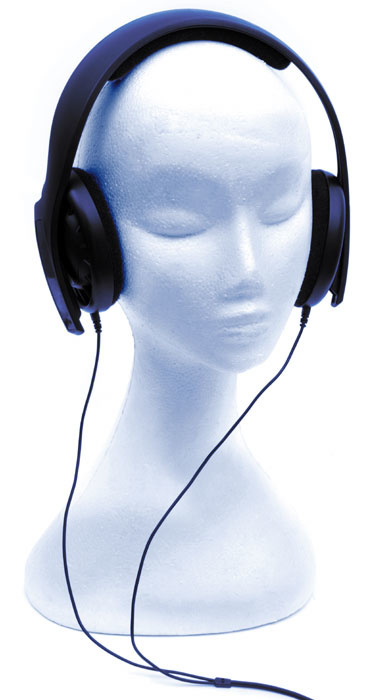
While it's certainly tricky to replace loudspeakers completely during the mixing process, it's quite possible to do about 90 percent of your mixing on headphones. With occasional speaker reality checks, you should be able to create finished results that sound equally impressive (although different) on both speakers and 'phones. So it makes sense to test your mixes on headphones, and to learn how to work with 'phones to create mixes that work well on speakers. Here's how.
Commercial Mixes
Many commercial mixes can sound rather weird over headphones. When listening to loudspeakers, your right ear receives sounds from the left channel as well as the right, but slightly later and at a slightly reduced level. This is due to the 'shadowing' effect of the head, and in particular the external parts of the ears, which act like complex direction-dependent tone controls. You also hear additional reflections from walls, ceilings and floors. This all sounds perfectly natural, because that's how we experience every sound around us.
 If you want to avoid unpleasant one-ear headphone sounds in your mixes, just back off slightly on those extreme pan settings. Here, for instance, using Cubase 4 as an example, the pan setting for channel 1 will sound odd on headphones, while that of channel 2 (highlighted) should sound fine.On headphones, you hear only the left channel in your left ear and the right in your right ear. Any hard-panned sounds will be heard through one ear, which sounds very unnatural. In fact, it can cause headaches and induce nausea over prolonged periods. When sounds panned to the middle are played through loudspeakers they are heard 'in front', but the same sounds on headphones appear to be emanating from inside your head. You can get used to the skewed spatial response, and you can even enjoy its intimacy, but the one-ear phenomenon remains unpleasant for some.
Some headphone amps, accessories and plug-ins (see the box on page 82 for examples of the latter) provide optional 'crossfeed' that mixes a little of the left-hand channel into the right and vice versa, to mimic the natural behaviour of our ears. This technique is sometimes known as acoustic simulation. Since our heads and ears absorb and reflect sounds at higher frequencies, the crossfeed signals are generally rolled off by a few dBs above about 2kHz. Crossfeed can make hard-panned sounds appear to come from similar points in space as they would on a pair of frontal loudspeakers, and I recommend it for listening to albums that otherwise seem 'unlistenable' on headphones. This includes lots of stereo albums released before high-quality headphones were popular, such as Beatles and early Pink Floyd LPs, and many releases from the '60s and '70s.
There is actually a small selection of high-quality orchestral, sound-effects and virtual-reality recordings available that are specifically intended for headphone listening. These 'binaural' recordings are made using a dummy head fitted with ear mics, such as Neumann's KU100, and can be far more realistic than loudspeaker stereo. They accurately capture how we hear sounds through our own two ears, so when you're listening to a binaural recording on headphones, you can locate sounds coming from behind as well as in front, and even above and below your head. However, this positional information is lost when played back through loudspeakers and, for this reason, binaural recording remains a specialist interest.
Hints And Tips
- For mixes that sound good through speakers and headphones, it's sometimes quicker and easier to start a mix on loudspeakers and then tweak it for headphone listeners than the other way round.
- Don't be tempted to keep edging up headphone levels, or you'll end up with a headache, listening fatigue, and eventually hearing damage. Try instead to take regular short breaks, which should keep your decision-making processes fresh.
- If you're using circumaural headphones, try experimenting with how you position them on your head. I've found that wearing my Sennheiser HD650s slightly lower (by extending the headband) and slightly forward on my ears gives noticeably sharper imaging.
Spatial Anomalies
We've established that one-ear mono sound is the biggest barrier to successful headphone mixes: now let's see how to avoid it. In general, it's not a problem with most classical recordings, since they are invariably captured with relatively distant coincident mic pairs or spaced mic arrays. Even if additional close-up mics are used for solo performers, these are primarily used to alter solo/accompaniment balance, and are rarely, if ever, panned to extremes.
It is with rock and electronic music, using multiple, panned mono and stereo sources that we need to be particularly careful. One obvious cure is simply to pull back extreme L/R panned instrument settings slightly. I find L90 and R90 suitable positions for this on a Cubase pan control, which has a ±100 calibration. Despite abandoning the final 10 percent in each direction, you'll scarcely hear the difference through most loudspeakers, yet it makes a world of difference for headphones. Don't be tempted to pull them in much more than this, though, since this will compromise the loudspeaker experience (remember that stereo played through loudspeakers will always have a significantly narrower stereo image than when heard on headphones).
 Consider adding a tiny amount of reverb to up-front exposed sounds, even at levels as low as this, to help them 'sit' better when heard on headphones without the usual room acoustics to 'glue' them into the mix.It's possible to manually set up crossfeed effects using a pair of global FX sends (each with a high shelving EQ set to roll off above 2kHz and panned hard left and right), to which you send a small amount of your hard-panned right and left tracks respectively (-20dB is normally sufficient). In my experience, though, this isn't worth the extra fiddle over simple pan tweaks. However, if you want to keep extreme pan positions, you can send your extreme-panned sounds to a reverb, set totally wet (no direct sound) at a fairly low level, and panned hard to the opposite extreme. This will let you achieve even wider loudspeaker mixes, while avoiding headphone unpleasantness.
Some people are convinced it's impossible to get around the different spatial impression that headphones give when trying to create an overall mix that works well on loudspeakers, but I've never found this to be a problem. When positioning your other instruments in the stereo headphone field, you just need a little practice to get used to the fact that they will sound further apart here than on speakers. Many musicians have a set of pan-control starting points that they always use with loudspeakers, such as central, quarter, half or full pan in each direction, and you can use exactly the same guideline positions as headphone mix starting points (just relaxing the full pan settings slightly) until you adapt to the different width.
With stereo instruments, such as drum kits, try to refrain from spreading their individual sounds all the way across the stereo image. This can sound odd enough through loudspeakers, but on headphones it becomes bizarre (though it may be an effect you want!). Stereo synth preset sounds are often extremely wide by default, particularly when effect-laden, and can easily take over a mix. The cure for both problems is a stereo-narrowing plug-in (see this month's PC Musician feature for Mac/PC examples), to restrict their width and allow more space for everything else.
Even when I'm mixing on speakers, I generally switch to headphones to make such width adjustments, because you can hear everything so much more clearly. As with mono sounds, stereo drum or percussion ensembles should be restricted to a maximum width of around 90 percent to avoid unpleasant one-ear results if they contain individual panned instruments or auto-pan effects, while even at 30 percent of normal width, most synth sounds can still provide plenty of stereo effect without swamping the mix.
Choosing Headphones For Mixing
Just as with loudspeakers, each make and model of headphone sounds different, and you generally get what you pay for. However, you can find some superb 'phones for less than the price of a pair of entry-level monitor speakers, so don't compromise unless your budget is really tight.
Unlike most speaker manufacturers, headphone designers are not striving for a ruler-flat frequency response: most headphones exhibit a hump of up to 4dB between about 40Hz and 500Hz, to compensate for the fact that you don't 'feel' the bass frequencies through your body as you do with loudspeakers. At higher frequencies above 1kHz they generally exhibit a gentle roll-off (perhaps 5dB down at 20kHz), to compensate for the fact that the drivers are right against your ear.
There are quite a few different types of headphone available, and some are more suitable for mixing than others. Traditional headphones or 'cans' are more correctly termed circum-aural devices, since they cover the outer ear, while the supra-aural type sit on top of the ears, and both are available in open and closed varieties.

 If you want to create headphone mixes that translate well to loudspeakers, using high quality headphones models like Sennheiser's HD650 and AKG's K701 (shown here) will help you judge bass and spatial detail more easily.Open-backed designs have grilles that expose the drivers to the outside world, which in turn reduces resonant cavity effects and inherently provides some cross-feed between the ears, giving these designs a more natural and 'airy' sound when mixing. However, they are of little use for performers during tracking because their sound will spill into your mic recordings. For this purpose, closed-back headphones are far more suitable, and they're also better for mixing if you're in a noisy environment and want to block out the world. However, this isolation can also result in sweaty ears, making closed cans less suitable for long mixing sessions.
Meanwhile, most portable CD and MP3 players are shipped with 'ear buds' (US) or earphones (UK) that clip into the outer ear. These generally offer pretty average audio quality, but sensibly provide little isolation so you can hear that car coming up behind you when jogging. Finally, canal 'phones (or 'in-ear monitors') sit inside the ear canal and are supplied with a selection of differently shaped 'seals' to suit different ears. If (and only if) you get an effective seal, you get both a good bass response and effective isolation from the outside world. Standard canal 'phones can therefore be a little hit and miss for judging the bass end of mixes, but with custom-moulded in-ear monitors, you get increased isolation plus perfect fit and a very consistent bass response.
Nevertheless, for mixing, the majority of recommended models tend to be open-backed (for comfort and cool ears over long periods) and circumaural (for the deepest and most natural bass end). Sennheiser's HD650s (www.sennheiser.co.uk) are very highly regarded in audio circles for their incredibly detailed yet neutral sound and for their bass extension. For those who consider the sound of HD650s slightly laid-back (I don't), the Grado RS2 (www.gradolabs.com) might suit for exposing ever-more minute details, while others say that AKG's K701s (www.akg-acoustics.com) have the cleanest sound around.
Your choice of headphone amplification may sway you one way or another, as each of these models can sound slightly different depending what you plug them into. If you need isolation, one closed-back model that manages the trick of sounding really natural and providing extended bass, yet remaining comfortable over long periods is Sony's MDR7509 (www.sony.com), which also features a neat folding design that's handy for location recording. Sony have recently discontinued this model (though a few dealers may still have them in stock), replacing it with the MDR7509 HD, which I've not had the pleasure of testing.
Judging Bass End
Having resolved spatial issues, bass levels provide the main obstacle for mixing on headphones. Deciding how much bass sounds 'right' on headphones is a perennial problem because, although you hear bass through your ears, you don't get the physical full-body feelings that you do from the bass that emerges from loudspeakers.
Some musicians, particularly drummers working with electronic instead of acoustic kits, have tried vibration transducers in their seats, such as Sensaphonics' Aura Bass Shaker (www.sensaphonics.com) to replace the physical aspect. While this can make the experience more realistic, I still wouldn't like to make mixing decisions using such techniques.
Regularly comparing your in-progress mix with commercial tracks of a similar genre always helps, but the bass end on many cheaper headphone models doesn't sound like the bass you'd hear from loudspeakers, so you can easily misjudge it. As a result, it's quite possible to end up with a mix where the bass guitar and kick drum levels seem to be the same as on your favourite CD, yet they sound 'bloated' when heard over speakers, with too much bass at 80Hz and below and, paradoxically, too little in the next octave between 80Hz and 160Hz, where your 'phones offer much greater clarity.
Having said that, my headphone mixing decisions became far easier after buying a pair of higher-quality Sennheiser HD650 'phones, since I immediately heard 'real' bass that sounded much closer to what you hear through loudspeakers, making it significantly easier to judge bass levels. So, if you've experienced bass mix problems in the past, don't rule out headphone mixing until you've tried some quality 'phones!
Another approach (sometimes the only foolproof one) is to periodically check your mix through speakers, if only for a few seconds at a time. Once you know how a mix sounds on loudspeakers you can also make comparative adjustments when back on your 'phones. I've successfully revisited mixes late at night entirely on 'phones after hearing them elsewhere through loudspeakers.
Some balance and level issues can be trickier with headphones. Just as when you use good monitor speakers in a well treated control room, with a good set of headphones you'll be able to hear so far into the details of a mix that each instrument will be clearly audible even when its level is too low. If you are not used to working at this level of detail, you may still find that when you go back and check your mix on speakers, such imbalances become much more obvious.
One trick that may help is that just as you can use the 'standing outside the studio with the door open' trick to judge speaker mix balance, turning headphone mixes to whisper-low levels is a handy way to check that nothing 'sticks out' of your mix. Conversely, it's tempting to whack up headphone listening levels beyond that of speakers because you can, but do take care to keep them within safe limits.
Don't be tempted to hype the bass end if you're using lightweight 'phones (keep referencing similar material to check), and remember that just as you can listen to your mixes through ghetto-blasters and in the car to check that they translate well, having a few pairs of cheap earphones around can help as well. After all, many people may end up listening to your mixes on such models! They may also help you decide whether or not to compensate for the lack of low bass with bass harmonic enhancer plug-ins like Waves' Maxx Bass or Renaissance Bass (www.waves.com), which give the impression of bass even when the fundamental frequencies are almost absent.
Simulating The Loudspeaker Experience With Crossfeed Plug-ins
If you want to try simulating the loudspeaker experience on headphones, why not try out some crossfeed plug-ins? As discussed in the main text, these mix a little of the left-hand channel into the right and vice versa, and can therefore position sounds more as they would appear through loudspeakers. Some applications are already bundled with plug-ins that reproduce such effects. For instance, Wavelab 's Externalizer provides a single fader that progressively moves the virtual speakers both forward and apart, although I find it adds a harsh tonality.
VNOPhones is a simple Mac/PC freeware plug-in by SkoT of Vellocet (http://vellocet.com/software/VNoPhones.html), which provides two sliders: one controlling the amount of crossover, and the other the time delay that corresponds to the width of your head. I found it quite effective and neutral in operation. However, its design doesn't compensate for the fact that your head and ears also absorb and reflect a significant proportion of frequencies above a couple of kHz.
 Fed up with having your head turned inside out while listening to your album collection on headphones? Some time spent tweaking this freeware Crossfeed EQ plug-in for your ears and headphones will result in far more natural results. To mimic this behaviour and make headphone listening more natural, the most effective approach is to slightly blend the left/right channels only at lower frequencies. People have been designing and implementing such 'crossfeed' circuits for decades. For Mac, the freeware Canz3D plug-in (www.midnightwalrus.com/Canz3D) seems perfect for experimentation, offering a host of parameters, including crossfeed, frequency shaping and delays to simulate a 3D environment. The before-and-after examples using commercial music are quite impressive.
The most effective PC plug-in I discovered during my research was the freeware Crossfeed EQ (www.ohl.to/audio/crossfeed_eq/crossfeed_eq.zip). This comes with a help file that does a good job in explaining how all the different controls work, and how to adjust them to reposition extreme panned sounds to approximate 'front speaker' positions. There's also a five-band EQ section to compensate for any small rise in bass levels due to the summing used (a low-shelf EQ starting at 500Hz and rolling off to about -2dB should be about right), as well as various test signals to help you optimise the settings, including uncorrelated pink noise to test for changes in tonal quality with and without crossfeed.
Whatever you decide to use, try to minimise the inevitable comb-filtering effects and other subtle changes in timbre you hear with crossfeed when mixing in delayed versions with the original signal. There are no 'best' settings, as they will need adjusting to suit both different headphones (for instance, open-backed models designed for monitoring will require lower crossfeed settings than the closed-back ones more commonly used for recording) and different listeners.
I've found Crossover EQ an extremely useful tool for listening on headphones to existing recordings, and also during the mixing process to quickly check how a mix is likely to sound spatially through loudspeakers. However, it's better to work on your own mixes without crossfeed, so they sound good to all headphone listeners.
It's All In The Details
The fact that listening on headphones makes it possible to hear all the tiny details that you often don't notice through speakers has many positive aspects, too. It makes headphones good for spotting unwanted clicks, background hisses, tiny amounts of distortion and so on. Moreover, since headphones eliminate the contribution of the studio/listening room to the sound, some engineers and producers take their favourite 'phones with them when mixing in unfamiliar venues, so they can hear the sound of the recording without that of the room. With a decent set of 'phones, most musicians shouldn't find making decisions about EQ or compression any more difficult than through loudspeakers. In fact, you may even find it easier to notice the tell-tale effects of over-compression, such as distortion or pumping, when listening on headphones. However, this level of detail does make reverb levels more difficult to judge, as you can hear so far into the mix that even a tiny amount of reverb is fairly audible. As a result it can be easy to underestimate the amount of reverb required for a loudspeaker mix, where it needs to be heard over the additional room acoustics. You'll adjust with practice, but until then just remember to add a little more reverb on headphones than initially feels right, and keep referring to commercial mixes for comparison.
Sometimes the room sound can be the final 'glue' that holds some aspects of the mix together, so when creating a mix that will be played on headphones you may need to add some final touches to your reverb treatments. For instance, if you have exposed up-front solo instruments or vocals that work fine 'dry' through speakers, and you don't want to add obvious reverb or ambience effects to them, they may still benefit from a tiny dab of wide room or hall reverb. Even adding reverb at levels about 40dB lower than the direct signal can help sounds 'sit' better in headphones, and you should find that it doesn't push the sound further away when listening on loudspeakers.
Another advantage to the clarity of headphone playback is that you can use it to add nuances and fairy dust to your mixes. These subtle little details improve the loudspeaker experience as well, but they are far easier to judge with headphones because you can hear the result of every tiny parameter change. Some examples include almost subliminal tempo-related echoes that add low-level interest, occasional auto-pan effects to create mix movement, transient enhancement, incidental percussion and ambient effects. You could also experiment with more extreme effects, using heavy compression, distortion and so on, but mixed in occasionally at very low levels. It's just so much easier and more fun to add such effects when you're working on headphones, and the result is a rich patina of low-level detail.
The only effects that will not work on headphones are 3D placement plug-ins that are designed for use with loudspeakers (the converse applies too). For instance, QSound's 'beyond the speaker' plug-in effects are extremely effective at making spot effects jump out or ambient washes extend into the room, but on headphones they can sometimes make audio actually sound narrower than it did without the effect. Nevertheless, they are so effective with loudspeakers that I wouldn't abandon them completely. Similarly, headphone-specific 3D placement effects may dilute the speaker experience. On the other hand, if they sound amazing on 'phones it may still be worth it, and you really need to judge each case on its merits.
Overall, it's quite possible to do the majority of your mixing on headphones as long as you can check occasionally through loudspeakers, as well as enhancing them for both playback systems. If this makes your music more attractive to the vast number of iPod users out there then all the better — remember, many potential purchasers may be auditioning your on-line tracks on headphones in the first place!
Headphone Amplification
To get the best from your 'phones you need to consider amplification. Because of their low impedance range (usually between 32Ω and 600Ω), you can't plug headphones into line-level outputs, and you may damage these outputs if you try. Many hi-fi amps include a headphone socket that is simply wired to the main speaker outputs via a large series resistor, but there's some evidence to suggest that this can result in a boost of several dBs at bass frequencies with some 'phones, making them sound bloated and bass-heavy. The dedicated headphone sockets found on many CD players can sound slightly better, although many use cheap integrated circuits. Meanwhile, headphone outputs on portable CD and MP3 players are designed for long battery life rather than sound quality, and often distort the bass if you turn the level up.
 For the ultimate headphone listening experience you could connect the digital output of your audio interface to an external DAC with built-in monitor controller and headphone amp, such as the Benchmark DAC1 or the Grace M902 (pictured).Significantly better audio quality can often be obtained by connecting your line-level signals to a dedicated headphone amp, which provides higher output levels with lower distortion, a tighter, more muscular bass end, and a more delicate mid- and high-range with improved stereo imaging. Even MP3 players can sound surprisingly good!
Sadly, although an international standard recommends that headphones should expect a 120Ω source impedance (regardless of the headphones' own impedance), this is often ignored by headphone and headphone-amp manufacturers, so you may experience less bass from your 'phones when fed from a low-impedance source, and more from a high-impedance source.
Commercial headphone amps range from the budget utilitarian through to the audiophile, sometimes with exotic circuit elements such as valves. If your soldering skills are up to scratch, there are also plenty of DIY designs available (see http://tangentsoft.net/audio). You can even buy the HPA2 audiophile-grade headphone amp, found in Benchmark's DAC1, as a ready-assembled circuit board to incorporate into your own case (www.benchmarkmedia.com).
Some of the better amplifiers for headphone monitoring include Graham Slee's Monitor Class Intro model at £333 (www.gspaudio.co.uk), the £750 Benchmark DAC1, and even better (if you can afford it) is the £1400 Grace M902 (www.gracedesign.com). Both of the latter are basically low-jitter 24-bit/192kHz D-A converters that can be used as monitor controllers as well as headphone amps, so you can connect them directly to any S/PDIF output to provide superlative audio quality for both your speakers and headphones.