

I noticed a dent in the tweeter of one of my Yamaha MSP10 monitors this morning (the kids, I'm sure). Is this something to be concerned with or will it be OK? It isn't ripped, but a third of the silver cone is dented.
SOS Forum Post
Technical Editor Hugh Robjohns replies: This is a problem which we have encountered before in these pages and which comes up regularly in the SOS Forum.
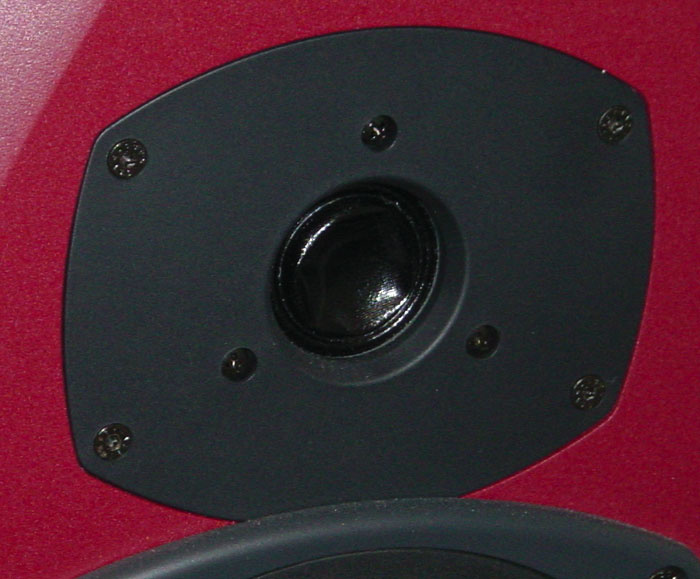 A dented tweeter can be repaired but its performance will be permanently compromised.
It's usually possible to suck dents back out (of which more later), but the bottom line is that once dented, the tweeter will be damaged and never perform exactly as intended. I'm afraid the only way to regain perfect performance is to replace the damaged tweeter. To maintain stereo imaging precision, ideally you should change the other speaker's tweeter too. That way, both drivers will be the same age and, hopefully, close to the same specifications.
However, how audible the damage is and how much it bothers you will depend on how good the complete monitor is in the first place and how good your ears are! With a relatively affordable monitor like the MSP10, there is a good chance that you will not be able to hear a great deal of difference in the tweeter if you 'repair' the dent, so it is worth attempting to fix yourself.
A commonly suggested technique is to use sticky tape to pull dents in the cone back out. This can work, but I have seen more tweeters further damaged (by ripping off the coating or else leaving a residue) than I have seen fixed this way. So I would strongly advise against this technique.
Instead, I would recommend trying to gently suck the dent back out. I know lots of people who have been successful sucking the tweeter back out with nothing more than their mouths — the minimal amount of moisture the tweeter is exposed to during this process doesn't seem to cause any problems.
If you don't like the idea of getting up close and personal with the speaker, I have had many successes using a vacuum cleaner. The trick is to hold the nozzle very, very steadily, and to start with it a couple of inches away from the tweeter before drawing it up slowly towards the tweeter. Do not allow the vacuum cleaner nozzle to touch or fully enclose the tweeter as you are likely to damage it further, but as you get close the tweeter will probably pop back into the right shape.