

I've recently upgraded to an Intel iMac with Logic Express 7, and have been experiencing a few problems while transferring onto this format. My previous setup was an old Mac Performa running Opcode's Studio Vision. I was using this with an Emu ESI2000 sampler. I had been running all of my audio in the sampler using samples, recorded audio and various instrument and synth presets. Working this way I developed a style and sound that I really like, especially with drums, but I had real problems mixing and finishing tracks.


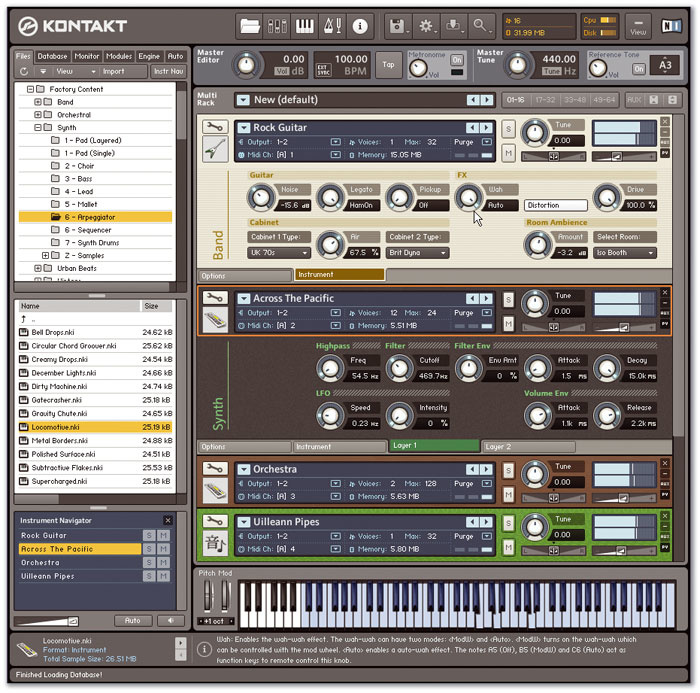 The ESI2000 (top) can be fitted with a Turbo board to add extra outputs, if you want to record multiple instruments at once, but a soft sampler, such as Logic's own EXS24 or Native Instruments' Kontakt, can be much easier to use and more powerful than older hardware samplers. You can easily trigger imported samples from such soft samplers.I'm still using the sampler to make beats and then I'm trying to transfer them into Logic. I'm finding this a really awkward process, as my audio always plays back in a different place. So, if I record different tracks individually, it's always difficult to get the timing spot on. How can I change this? Also, is there a way that I can record my drum samples into Logic, and then play them in Logic as MIDI, such as I would when using a soft synth or internal instrument? I don't seem to have a software sampler with Logic Express, so maybe I need the new Logic 8? The problem at the moment is that I want flexibility to edit the MIDI data right up to the final stages — editing audio is obviously much more restrictive with things like beat programming. I also want to be able to use the production facilities on offer in Logic while using MIDI programming.
Adam Hurst
Reviews Editor Matt Houghton replies:
If you're finding that the timing is not sufficiently consistent to record the different parts in separate takes, you could try recording the different sampled instruments simultaneously to different tracks in Logic. If you do that before you add other elements to your project, they'll all be in time and you can calculate the tempo and adjust the project in Logic to suit before adding other elements. This will require your sampler to have sufficient outputs (there are four, but it is expandable to eight, with further digital channels available, if you have the Turbo board installed), and you'll need a soundcard with the same number of inputs.
I'd recommend getting a soft sampler, though, as you'll eventually find it much easier to use, and much more powerful than your old system — and if you want to you can import all your old samples from the Emu into the soft sampler and trigger them in there instead.
Logic Express 8 includes the EXS24 soft sampler, whereas v7 only includes the cut-down EXS24P (which will only play back pre-programmed libraries). EXS24 is also part of the 'full fat' version of Logic, so you'll need to upgrade to Logic Express 8, Logic Pro 7 or Logic 8 if you want to use EXS24. Alternatively, you could buy a third-party soft sampler like Native Instruments' Kontakt, or maybe even download a freeware sampler: try the database at www.kvraudio.com if you want to search for one.
In most soft samplers, you need to record your samples in as WAVs or AIFFs using a program like Logic (any audio recording/editing software will do) and then load the samples into the sampler. We've run a number of workshops on EXS24 in the past, and the basics haven't changed a great deal, so you might find it helpful to read a few of them if you're new to all this. Try this one to get started: www.soundonsound.com/sos/aug02/articles/exs24.asp.