
Published 14/5/13

 SOUND ON SOUND
To find the exact phrase, put the words in quotes or join them together with a plus sign e.g. live+recording or "live recording".
To find, say, all live recording articles that mention Avid, enter: live+recording +avid - and use sidebar filters to narrow down searches further.
Yes. The Tablet is available from soundonsound.com as a part of our Digital subscription bundle (Tablet/Phone + Web + Full Issue PDF + Digital page-turner Magazine access). Click here to go to our subscriptions department.
When you buy a Tablet subscription from inside the iPad app, you are buying it from Apple.
When you buy a DIGITAL subscription from the SOS website (at www.soundonsound.com/subscribe) it comes directly from us and is linked to your SOS user account, which provides the additional benefit of web article access (not available to Apple customers). Both subscription methods enable the same issues to be downloaded to your iPad.
Apple require all Apps to be sold through the App Store but we can sell direct from the SOS website too.
We have now changed our old Print, Tablet and Web subscription to Print + Digital (inc Tablet & Web).
To discuss your options please email us details of your current subscription to subs-upgrade@soundonsound.com
or
Telephone our Subscriptions Dept
(UK business hours 9:00am to 5:00pm Mon-Fri)
Tel +44 (0)1954 789 888
If your original purchase was with Apple, due to GDPR rules, Apple do not share your contact or subscription information with Sound On Sound, so transferring your iOS Subscription regrettably is NOT something we can do for you.
You should Cancel your Apple sub and buy a Digital sub from SOS directly.
NOTE: Apple will auto-renew your iPad subscription on your device, after 12 months, unless you specifically Opt Out.
The Sound On Sound App works with iPad 2 and newer models, iPad mini and iPadPro provided they can run iOS 12 (or higher) operating system.
Yes, you can download any digital edition available to your tablet for offline reading. Please note, issue download file sizes vary but average about 250 megabytes.
You can also archive issues off your tablet (using the App's MANAGE ISSUES screen) and restore them at any time in the future by re-downloading them without further cost. Archiving removes the issue and frees up tablet storage space.
Yes. You can rotate from portrait to landscape when you like.
Yes. The SOS App works on iPads, iPhones, Android Tablets and SmartPhone as long as you have the latest iOS / OS installed.
Pinch-Zoom is available on all article images and adverts. Tap the image or place two fingers on the area.
Tapping adverts will click-though and take you to the advertiser's website.
On the iPad: Launch the App Store app on your iPad and search for Sound On Sound, making sure you’ve got “apps” selected as the category. The app icon will be an image of the current issues cover. Simply tap on the icon and then “Install”. Enter your Apple ID password and the app will download to your device.
Please Note:



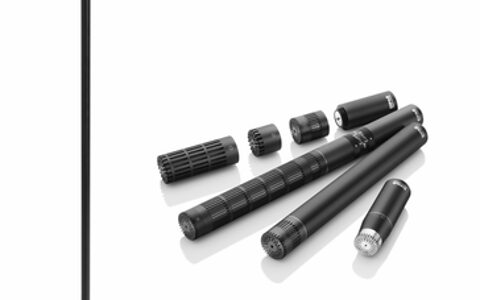


Universal Audio claim their latest plug-in is more than a regular convolution reverb. The Ocean Way Studios plug-in for the UAD platform is said to combine elements of the recording space, tonal chracteristics from vintage microphones and model different sources to give the impression that your music has been tracked in Ocean Way's world-famous Studio A and B.