

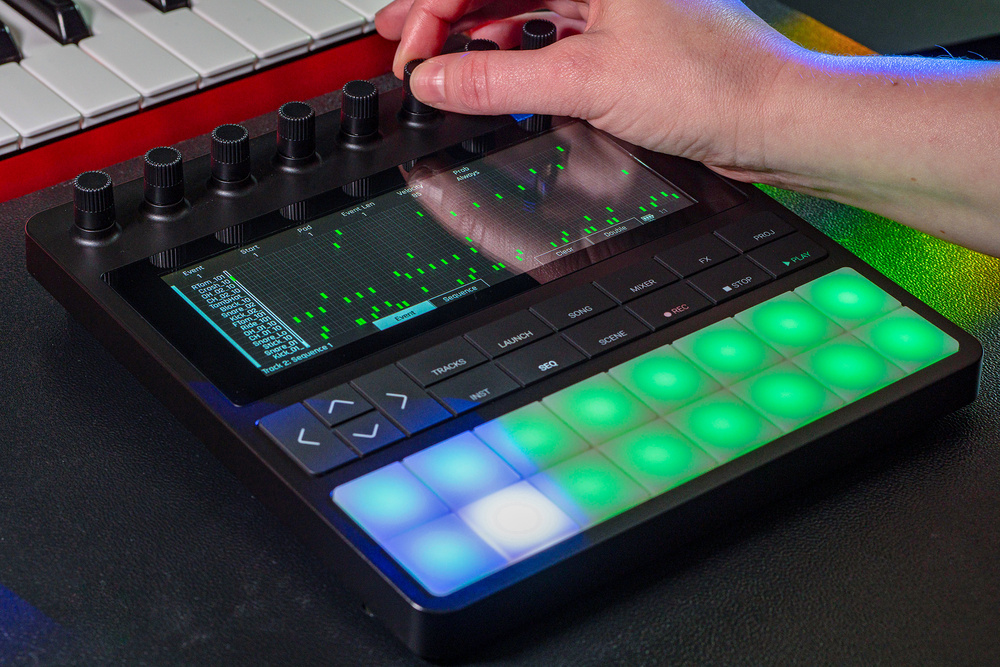
1010music’s portable groovebox is the company’s most ambitious product yet.
1010music’s Bento aims to deliver a complete sample‑based groovebox, with everything you need to create a finished track. They’ve taken elements from their Blackbox, some of the granular and wavetable features from their other products, written a completely new operating system and packaged it in a very compelling portable unit with 16 velocity‑ and pressure‑sensitive pads, soft‑click buttons for navigation and transport control, eight endless encoders and a multi‑touch colour LCD screen.
The competition for sample‑based grooveboxes is fierce. Will the Bento be able to compete with mature products like the Akai MPC range, Elektron’s many offerings, Polyend’s Tracker and Play, and others? Let’s find out.
Bento Box
The Bento measures 204 x 218 x 51mm and weighs just under a kilogram. The enclosure is made from rugged plastic; it feels solid and well made. The encoders, buttons, pads and screen are all excellent quality. There is even a handy VESA mount on the rear, which is a nice touch.
Power is supplied via USB‑C or the internal battery, which should provide approximately three hours of life, with a full recharge taking around an hour. There’s no internal speaker, so you’ll need headphones if you’re out and about. There is no built‑in microphone either. Storage is on microSD card, and 1010music claim there’s no limit to the size of the card you can use. The Bento can stream samples from disk, so there are no RAM limitations, but there is a maximum of 576 samples per project, and samples loaded into the granular engine are truncated to 30 seconds.
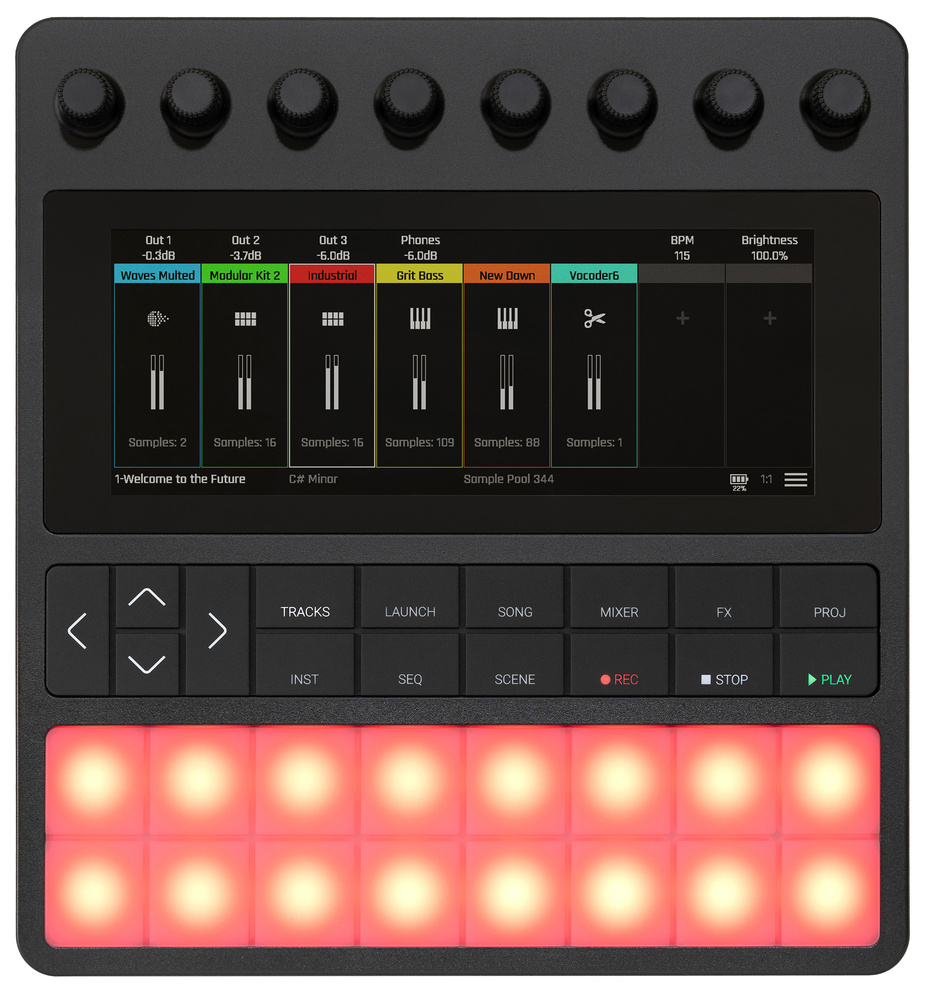 The Bento is a compact box, measuring 204 x 218 x 5.1mm and weighing just under a kilogram.
The colour LCD touchscreen looks good, although there is a large border, so it’s actually smaller than it might appear. This means that the labels on the screen, which show the soft‑encoder functions, do not align with their corresponding encoder. The screen is multi‑touch, allowing you to use familiar smartphone gestures, such as pinching to zoom and two‑finger scrolling. Navigation and transport controls are accessed via soft‑touch buttons, with dedicated buttons for various editing modes, like the track mixer, clip launcher, song mode, and effects.
Finally, the 16 velocity‑ and pressure‑sensitive pads offer note input. They feel good, maybe not as ‘natural’ as Akai MPC pads, but more than good enough for the job. Pads in this grid‑like layout are great for drums, but less suited to melodic input. To help, each project can have a root note and scale setting to which the pads will adhere. I would have also liked a keyboard‑style option where the lower eight pads were white keys and the upper pads were black keys, but this isn’t possible at this time. The pads light up in whatever colour is assigned to the current track.
Connectivity
The Bento’s slightly recessed rear panel features two USB‑C ports, one for MIDI devices and the other for host connections. Either one can be used as a power source. MIDI and audio connections are all 3.5mm mini‑jack sockets, but there is a generous number of them: two MIDI inputs and outputs, and three audio inputs and outputs. The Bento is clearly designed to be the centre of a modest desktop setup, where you can connect up to three other devices to use the Bento as a mixer or looper, utilise the extra outputs for hardware effects, and synchronise it all via MIDI. A word of warning, however. If you are using the Bento on stage, make sure you connect your setup in a brightly lit room beforehand. The labels on the rear are almost unreadable. They are etched onto the case in a tiny font, with no colouring; black writing on a black surface. Even in a brightly lit room, I had to squint and angle the unit to find the correct port for any given cable.
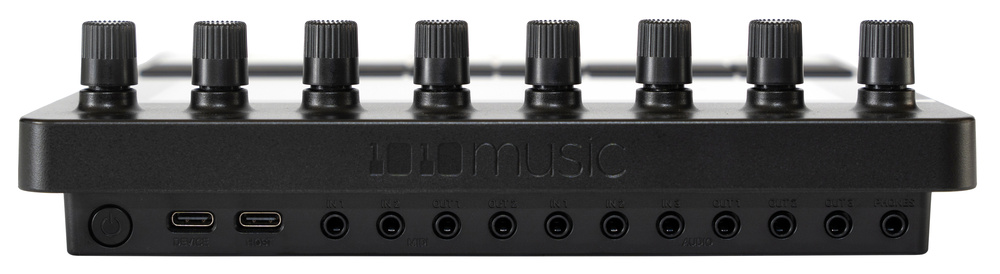 On the Bento’s recessed rear panel we find a power button, twin USB‑C ports, and, all on 3.5mm sockets, two MIDI ins and two MIDI outs, three audio ins and three audio outs, and a headphone out. And yes, writing this caption did involve some squinting.
Projects
A Bento project can have eight tracks. A track can be either a multisample (for melodic samples), one‑shot (for drum kits), loop (for tempo‑sync’ed clips), slicer (for chopping), granular (sample‑based synthesis), wavetable, or external (for integrating external instruments). You can mix and match track types, except for granular tracks, which are limited to one per project. In the Mixer screen, tracks can be mixed and assigned to one of the three audio outputs. There are also three effects busses (modulation, delay and reverb) plus a master compressor.
Each track can have up to eight sequences, and you can launch them from an Ableton‑like clip launcher. Scenes can launch a selection of sequences together, and Song mode...
You are reading one of the locked Subscribers-only articles from our latest 5 issues.
You've read 30% of this article for FREE, so to continue reading...
- ✅ Log in - if you have a Digital Subscription you bought from SoundOnSound.com
- ⬇️ Buy & Download this Single Article in PDF format £0.83 GBP$1.49 USD
For less than the price of a coffee, buy now and immediately download to your computer, tablet or mobile. - ⬇️ ⬇️ ⬇️ Buy & Download the FULL ISSUE PDF
Our 'full SOS magazine' for smartphone/tablet/computer. More info... - 📲 Buy a DIGITAL subscription (or 📖 📲 Print + Digital sub)
Instantly unlock ALL Premium web articles! We often release online-only content.
Visit our ShopStore.