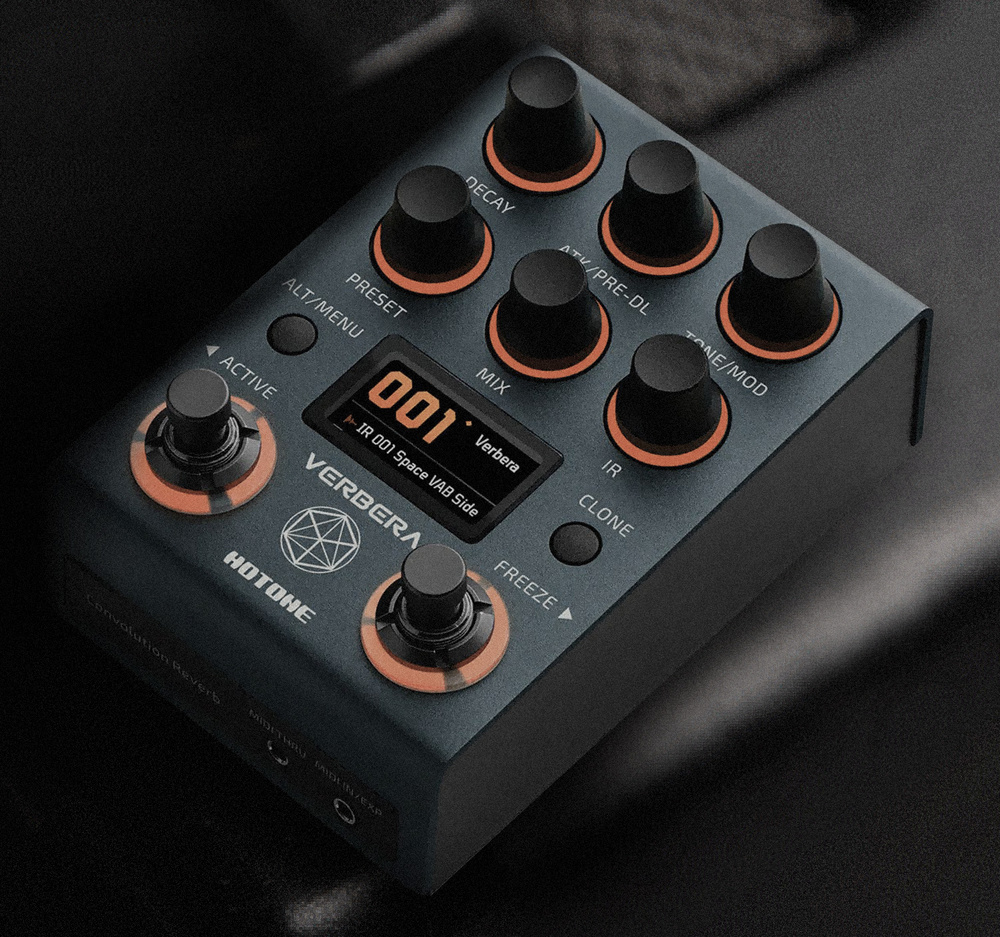
Not only does this compact pedal offer convolution reverb — it can also capture impulses from your hardware 'verbs or room mics.
Yes, I know... the world already has plenty of reverb pedals! But Hotone’s Verbera takes a somewhat different approach from most, as it’s based on a convolution reverb engine. Guitarists may be familiar with convolution processing, which uses impulse responses (IRs), for speaker simulation, but convolution reverbs require longer IRs, and while they’re now common in the DAW plug‑in world, they’re pretty rare when it comes to physical stompboxes.
Overview
The Verbera is a fairly compact pedal, featuring six knobs, two buttons and two footswitches. Two of the knobs (Preset and IR) are push/turn encoders, and one button doubles as Menu and Alt, allowing the knobs to take on alternative functions. The knobs are labelled Decay, Atk (attack)/Pre‑delay, Tone/Mod, Preset, Mix, and IR. The second button is intriguingly labelled Clone — I’ll come back to that.
Coloured LED rings around each knob light up orange, but when Alt is engaged the relevant knobs display turquoise rings. A small colour display shows the preset name by default, but this flips to showing function and value when a control is adjusted. The dual footswitches handle bypass (which can be set to buffered or true bypass) or preset up/down in one mode, or to bypass plus a Freeze effect when in Control mode. Presets can be selected directly by using the Preset encoder, with the display showing the current preset name as well as those immediately before and after it in the preset list. Up to 200 presets (100 factory and 100 user) can be stored, and a free desktop app called Neon Collector handles preset and IR management, including the import of third‑party IRs. The Verbera supports third‑party IRs at 24‑ or 32‑bit wordlengths, and 44.1, 48, 96 or 192 kHz sample rates.
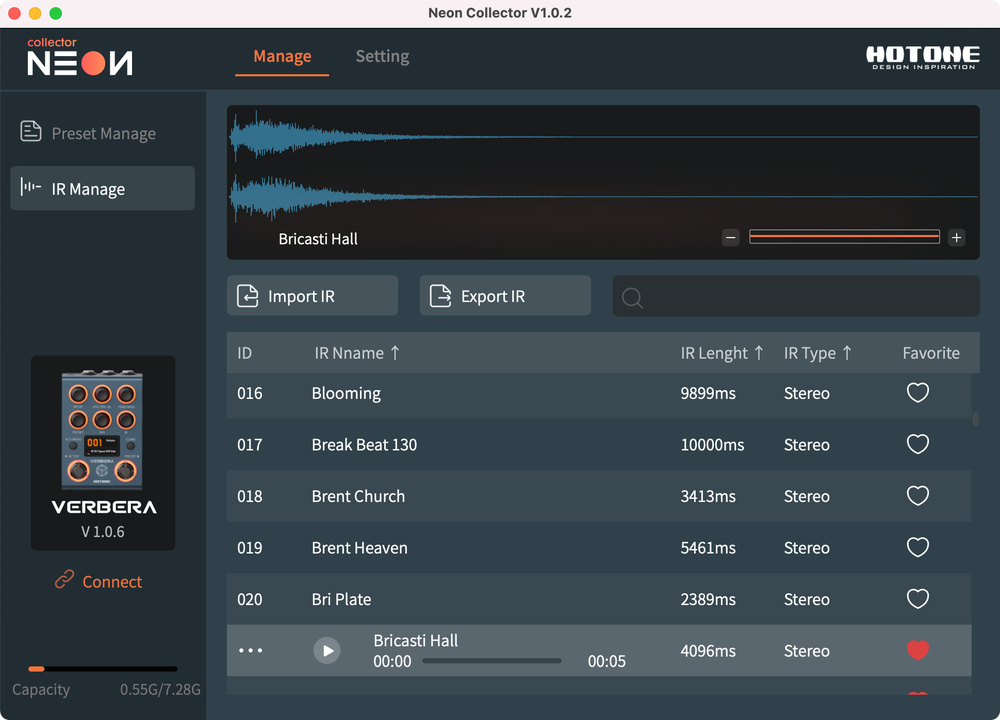 The Neon Collector app, which handles preset and IR management, the import of third‑party IRs, and firmware updates.
The input is on a quarter‑inch TRS jack that accepts mono or stereo signals. The stereo output is presented on two quarter‑inch jacks or, alternatively, a single TRS output jack can carry the stereo signal. There’s a USB port for connecting the Neon Collector app, which also manages firmware updates, and there’s a pair of 3.5mm TRS jacks for MIDI in and thru, with the MIDI input jack also able to accept an external expression pedal. Conversion is 32‑bit at 192kHz. Note that although the PSU requirement is the standard 9V centre‑negative, the specified current draw is a chunky 1A — though I’m informed that the pedal will in fact run fine from a 500mA supply. It can also be powered over USB, which requires 5V 2A, and a suitable PSU is included.
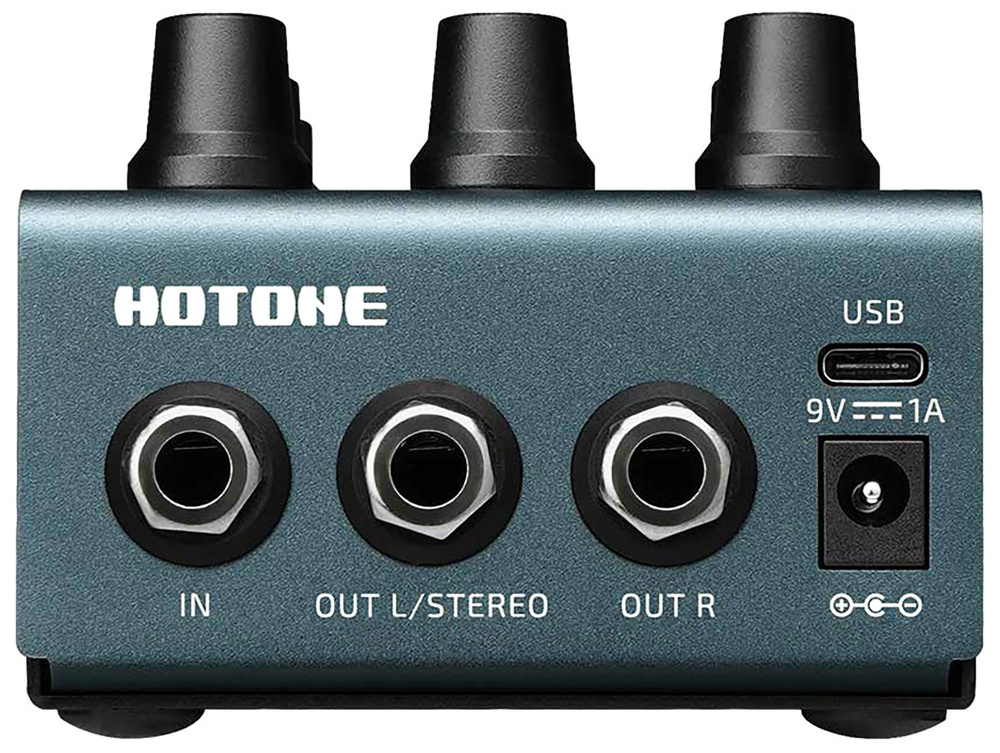 The Verbera has pretty versatile I/O for a compact pedal. For example, the MIDI input jack can alternatively accept an expression pedal, while a stereo output signal can be delivered on dual jacks or a single TRS jack on the rear.
The convolution engine provides an impressive range of reverb types — up to 10s stereo or 20s for mono — courtesy of 120 onboard IRs, though with the ability to import your own there’s plenty of scope to create different sounds. Importantly, there’s also a second reverb engine onboard, which is a fairly basic but nonetheless good‑sounding algorithmic reverb labelled the XR engine. This has controls for mix, decay, pre‑delay and modulation, and it can be used alongside the IR engine; it’s a great way to extend reverb decay times.
The presets showcase a wide range of real spaces, from rooms to caves and cathedrals, but also include some quirky IRs for that ‘reverb but not as we know it’ vibe. The quality is excellent, and I was genuinely surprised at how easy this pedal is to use. The addition of the algorithmic engine, with its longer decay potential, means that combining both engines can yield patches with very long decay tails. While I would personally have liked to see a shimmer option in the algorithmic reverb, generally it performs very well.
Cloning
While unusual in the pedal world, that’s all pretty familiar to anyone who has used convolution reverb plug‑ins. But what I didn’t expect in a pedal of this size is the ability to create new impulse responses from existing hardware or real spaces! Hotone refer to this process as Cloning, rather than the more familiar term Capturing normally used for amp/cab setups, and the pedal supports up to 1024 IR slots. The sine‑sweep test signal and the processing that’s required to convert it into an IR are all built in.
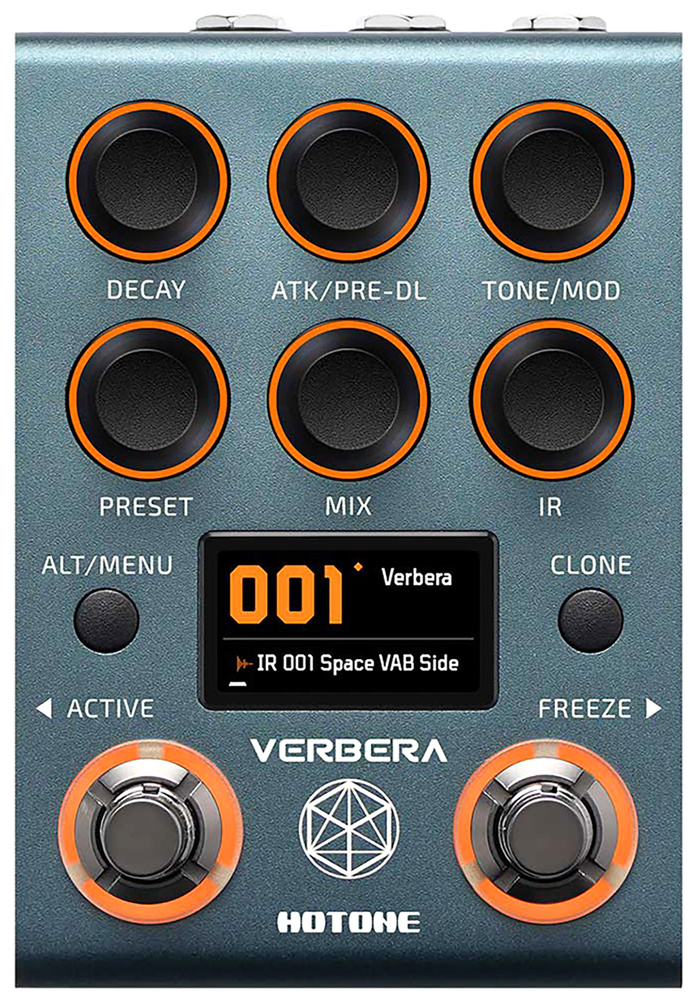 To clone an existing piece of hardware, you simply press and hold the Clone button to enter Cloning mode. Then, connect the device you wish to clone (in mono or stereo) to Verbera’s inputs and outputs. Pressing the Clone button again initiates the sweep, after which the IR is created. The pedal even generates a name for the new IR, but you can of course rename it. You’re then prompted to save or discard the IR. As cloning processes go, this really couldn’t be simpler: just two button presses from start to finish. I had no issues using this feature, and you can load your newly created IR into any existing preset or create a new one from scratch. There are relatively few parameters to manage, so a software editor isn’t necessary, and the display provides helpful prompts where needed.
When creating clone IRs, it’s important to note that non‑linear elements, such as distortion or fuzz, are not captured correctly, and the same applies to effects involving time, like amplitude or pitch modulation. If cloning a delay or reverb, it’s best to disable any modulation and set the mix control to fully wet. Used this way, you’ll get a good capture of the original character. Note that the IR is always 20 seconds long for mono or 10 seconds for stereo, regardless of the actual decay time of the captured source. To hear the full tail, set the Decay knob to maximum. If you need an even longer decay then, as I discussed above, you can use the algorithmic reverb to extend it.
While you can’t accurately capture devices that use modulation, sometimes breaking the rules can still yield interesting results, and I’d say there’s scope for experimentation. For example, I attempted to clone a patch from my Particles II granular delay pedal, which adds random octave shifts to the delay segments — the result was a reverb tail with strange but surprisingly charming filter‑like effects.
Creating your own clone IRs requires only two button presses and re‑plugging a couple of jack cables.
Summary
There’s a lot to like about the Hotone Verbera. It combines studio‑quality convolution reverbs with a basic but great‑sounding algorithmic engine, and it’s very easy to use. The IR decay time can be shortened, the attack profile adjusted, and tone and modulation applied. There’s MIDI control for parameters and presets, and creating your own clone IRs requires only two button presses and re‑plugging a couple of jack cables. The build quality is reassuringly solid, the screen and LED rings are thoughtfully designed for intuitive operation, and there’s ample preset storage. And the factory presets are also easy to tweak. It’s great to see something a bit different from the crowd coming to market at such a sensible price — well worth checking out.
Pros
- Capable of excellent real and imaginary reverb types.
- Can load third‑party IRs.
- Can capture room mics or hardware as IRs.
- Very easy to use.
Cons
- The app feels a little basic.
Summary
The Hotone Verbera offers something genuinely fresh in the reverb pedal market — and at a very sensible price.
Information
£249 including VAT.
Strymon Europe Ltd +44 (0)1284 771193.
When you purchase via links on our site, SOS may earn an affiliate commission. More info...