

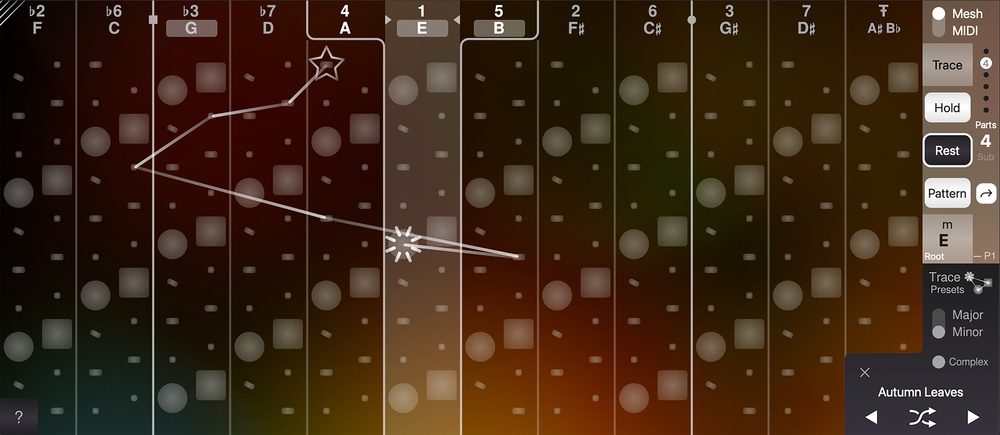
 ChordAXE’s Mesh view: an intuitive, visual way to explore chord harmony and experiment with potential chord progressions.
ARTonic’s debut product lets anyone explore chord voicings and harmony — with ease!
When it comes to getting MIDI note data into your DAW/sequencer, there might be other options now, but the piano keyboard remains the king. And, regardless of how good your trumpet, violin or guitar playing might be, if you don’t have great piano keyboard skills that can be a problem. Thankfully, most DAWs, some virtual instruments, and a number of third‑party apps and plug‑ins now let you trigger full chords or melodic patterns based on a specific chord voicing — so you can get by even with single‑finger playing.
A new option on this front is ChordAXE from a new company called ARTonic Music (who, interestingly, were set up by the founder of console and control surface manufacturers Euphonix). ChordAXE, which is a MIDI plug‑in for macOS and Windows DAWs (for VST or AU users, there’s a free ‘lite’ version you can try, though the full version also supports AAX), is built from a set of proprietary chord and harmony tools that the company term ARTonic Chord Engine — or ACE for short. So, if your keyboard and music theory skills are in ‘work in progress’ territory, might ChordAXE be a useful addition to your DAW? That’s a question I’ll try to answer below...
It Takes Two
ChordAXE has two core functions. First, it allows you to explore chord‑based harmony without needing a foundation in music theory. Second, it enables you to take a combination of up to eight chords and map them across a MIDI note range, for easy triggering (whether as block chords or note/arpeggiated patterns). The two functions are linked, of course, hence their inclusion in the plug‑in, but the GUI comprises two main screens, Mesh view and MIDI view, to help you focus on one or the other.
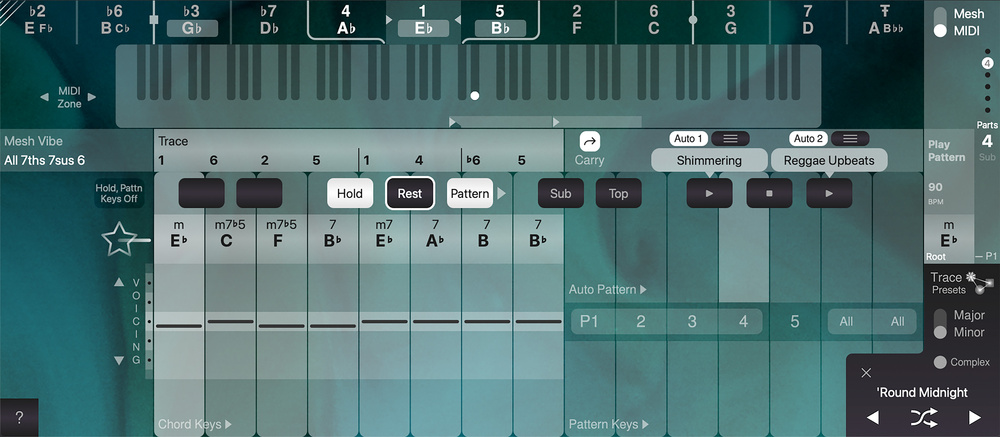 The MIDI page provides easy triggering of full chords or note patterns from chords, and the result can easily be sent as MIDI to any instrument for playback or recording.
In use, ChordAXE is simply inserted on a standard MIDI track in your DAW, and you route its MIDI output to your chosen virtual instrument track (or physical MIDI output). You might only need to supply ChordAXE with a single MIDI note as its input, but this can trigger either a full chord or note pattern. During my tests, this all worked a treat in Cubase (ARTonic Music’s website has step‑by‑step guides for many of the other major DAWs), and it was trivially easy to record (and then edit) the resulting MIDI note performance.
Exploring Harmony
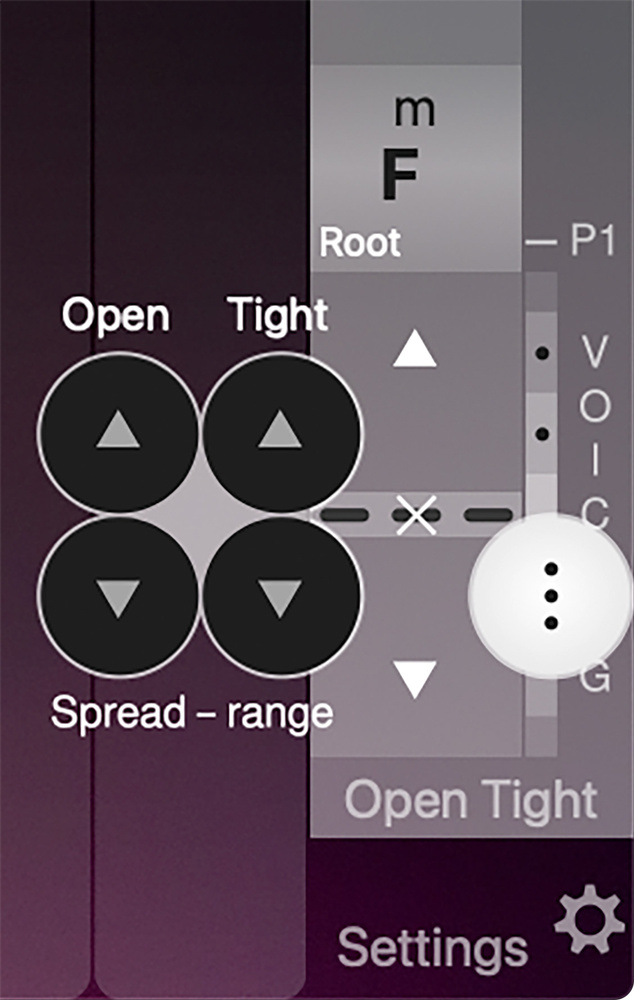 There are useful additional options for customising the chord voicings generated by the...
You are reading one of the locked Subscribers-only articles from our latest 5 issues.
You've read 30% of this article for FREE, so to continue reading...
- ✅ Log in - if you have a Digital Subscription you bought from SoundOnSound.com
- ⬇️ Buy & Download this Single Article in PDF format £0.83 GBP$1.49 USD
For less than the price of a coffee, buy now and immediately download to your computer, tablet or mobile. - ⬇️ ⬇️ ⬇️ Buy & Download the FULL ISSUE PDF
Our 'full SOS magazine' for smartphone/tablet/computer. More info... - 📲 Buy a DIGITAL subscription (or 📖 📲 Print + Digital sub)
Instantly unlock ALL Premium web articles! We often release online-only content.
Visit our ShopStore.