

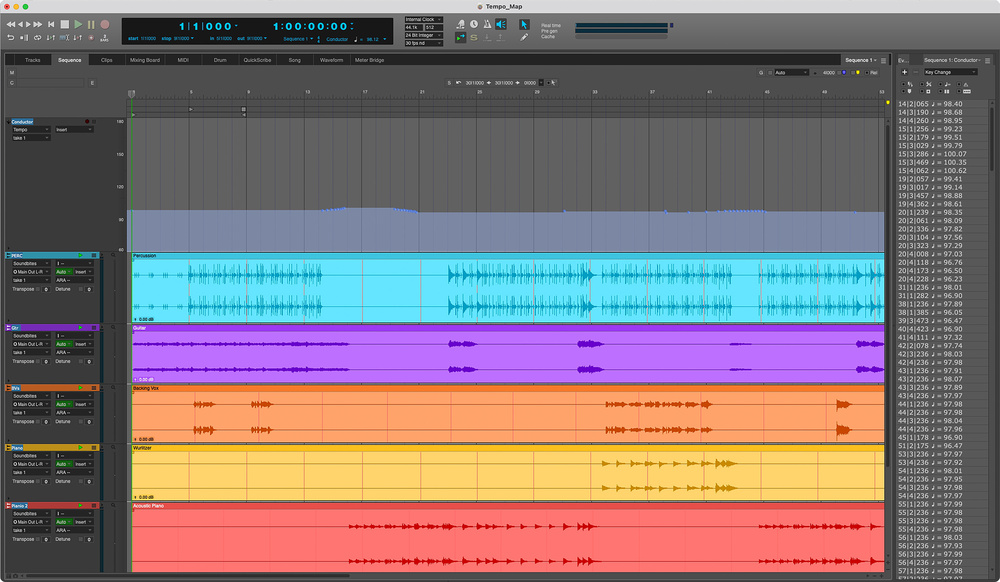
 Creating a tempo map in your DAW enables you to introduce small tempo variations, perhaps increasing the speed slightly in a chorus or decreasing in a verse, adding a natural pull and push that playing to a rigid tempo click can remove.
We look at what you need to know to program and play to a Click track.
When it comes to recording music in the studio, one of the most fundamental tools at your disposal is the click track. However, being asked to play to a rigid metronome can strike fear into even the most experienced musician. The idea of adhering to a click while attempting to give your best performance can be quite intimidating, and a stark reminder of your imperfections. So why use one at all?
There are certainly pros and cons to working with a click. It not only helps you stay in time and record tighter performances, it can also streamline the entire production process. From a production point of view, if a song has been played to a click, that allows you to do precise editing, easy looping, accurate drop‑ins and seamless overdubs, especially when collaborating with other band members remotely or over extended periods. It also helps align any pre‑recorded or machine‑based elements such as sequencers, drum machines and loops, which are often a part of many modern productions, as well as ensuring that tempo‑based effects such as delays remain in time.
The other side of the argument is the potential for natural ebb and flow to be eliminated, and for the song to feel sterile and cold. Of course, for some genres, particularly dance music, a strict tempo with each instrument locked to the grid is part of what makes that music sound the way it does, but sometimes using a click really isn’t appropriate. I have engineered several recording sessions where it became obvious within the first few minutes of introducing a click that it really was not going to be a productive method! At that point you must make a choice: can you use other techniques to achieve your production and editing goals, or do the band need to take some more time in the rehearsal room practicing with a click.
For the purposes of this article, we’re going to assume you’ve decided the best option is to use a click. How can you, as a producer or musician, make the process work for you and be as painless as possible?
Clicks & Tones & Metronomes
Not all click tracks are created equal. Different musicians and genres require different approaches, and there are many ways of keeping in time that don’t require a cowbell banging in your headphones at ear‑bleeding volume. Using the click in a way that complements the creative and emotional energy of the song, and choosing the right type of click track, can make a big difference.
1. Standard Audio Click
The most common click is a metronome‑style beep (or, indeed, cowbell), typically playing quarter notes at a pre‑defined tempo. Often the downbeat (or the ‘one’) might be accented or assigned to a different sound to emphasise the start of each bar (1, 2, 3, 4). It’s possible to make significant adjustments even to this basic type of click, to aid musicians. The sound you utilise for your click can make a big difference — some prefer softer sounds like shakers or rimshots to harsh digital beeps. Instead of just counting quarter notes, a click can be subdivided into eighth notes or 16th notes, making it easier to stay in time during slower or complex passages of music.
2. Visual Metronomes
Some musicians find it distracting to play along with an audible click and prefer a visual metronome instead. The original incarnation of this was, of course the orchestral conductor, who would typically use a baton in their dominant hand to indicate the tempo and beat pattern, while the other hand was used to indicate dynamics, phrasing and expression.
Most hardware devices that feature an internal metronome (such as drum machines) will include some form of visual reference, often a flashing LED, and these metronomes can easily be sync’ed to your DAW. Many mobile phone and tablet metronome apps also include sync facilities and feature all manner of visual feedback options, from a full‑screen flash to numerical bar and beat counters. Interestingly, I have not come across many DAWs that include click options with strong visual feedback, but you can purchase a third‑party plug‑in for Ableton Live that features a fully customisable visual metronome with flashing lights and numerical bars and beats display.
3. Haptic Metronomes
 The Soundbrenner Pulse and Core are wearable metronomes that provide a physical pulse that you can feel, which offers an interesting alternative to an audio click.
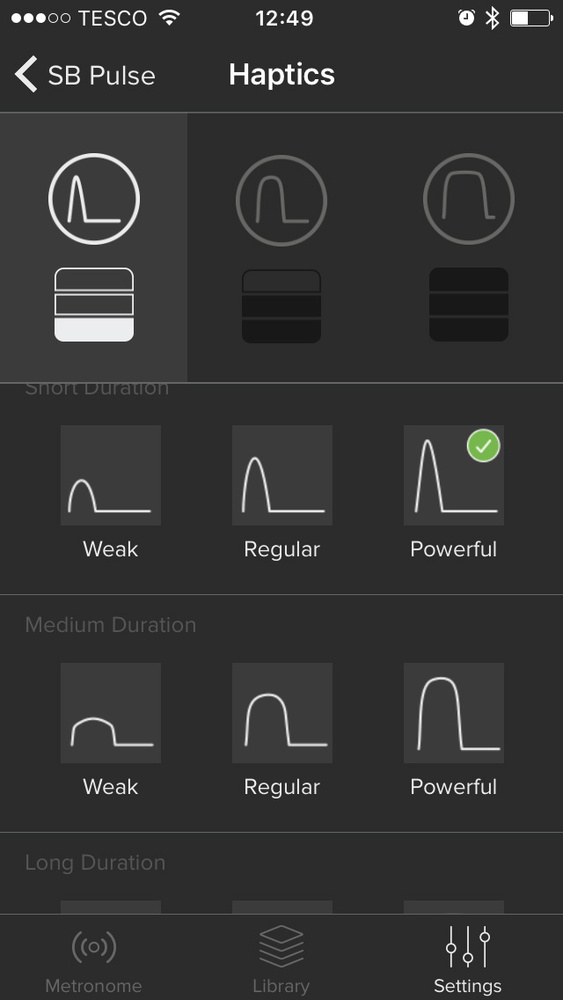 A relatively new phenomenon is the haptic metronome, which provides a physical vibration that you feel rather than see or hear. Several phone and tablet apps include the option to add a vibration on each beat, and this is taken to a more practical conclusion with vibrating smart watches enabling the wearer to feel a pulse on their wrist. In my experience, the haptic feedback offered by metronome apps on the Apple Watch is very weak and, although not unusable, it does require some level of concentration. Better options are the Soundbrenner Pulse and Core, dedicated wearable vibrating metronomes designed for musicians, which I reviewed in SOS a few years ago. Not only do these devices provide physical feedback in the form of user‑configurable pulses, they also offer visual feedback by way of an illuminated display. Designed for musicians, they also include the ability to sync to your DAW via the Soundbrenner app, which makes them a great option for both live and studio work.
4. Groove‑based Clicks
All the above methods rely on single pulses (whether they be audible, visual or physical) playing on each beat, quarter note or subdivision, but this can feel quite unnatural if you are used to playing along with a drummer or other musicians. Creating a simple drum pattern or using a drum loop that mimics the feel of the song can often be a much better option that feels far more natural to play to. A programmed drum pattern can also introduce dynamics, accents and even swing that can help musicians lock into a groove in a more organic way. I’ve found this to be a great method when working with musicians that are not used to playing to a click — it feels far more natural and closer to playing in a regular band context.
Tempo Maps & Conductor Tracks
Once you’ve established the type of click you want to play with, you need to give some attention to tempo. For most bands, the tendency is to speed up during exciting bits, slow down into the dreamy bits, and for members to cast glancing smiles at each other during the cool solo bits.
In the majority of cases the click track would retain a strict tempo, but almost every DAW has the option to create a tempo map or conductor track, which allows you to introduce tempo changes, and even time signature changes, into your song to mimic these fluctuations. By creating small tempo variations, perhaps increasing the speed slightly in a chorus or decreasing in a verse, you can add a natural pull and push that playing to a rigid tempo click can remove.
A good way of creating a tempo map is to base it on a rehearsal recording of the song. Many DAWs offer built‑in automatic tempo detection, which can quickly create a tempo map based on transient detection, but you could also use a tap‑tempo feature, or even manually map the tempo. Once a tempo map has been created, you can edit and adjust to suit your requirements while still retaining the original feel of the song. It’s unlikely you’ll want dramatic shifts in tempo and, with a little practice, playing along to the variable click will feel quite natural.
When paired with dynamic tempo maps, musical cues or rhythm‑based clicks, the experience can feel as organic and expressive as playing live.
Hit Them With Your Rhythm Click
Playing to a click isn’t being forced to listen to a quarter‑note pulse in your headphones and instantly producing a top performance. It’s about experimenting with what works for you and, like any skill, it becomes easier with practice. When paired with dynamic tempo maps, musical cues, or rhythm‑based clicks, the experience can feel as organic and expressive as playing live. In fact, many musicians (and I include myself) discover that playing to a click becomes enjoyable in its own right, and an essential and even gratifying part of the recording process.
Loosely Tight
Depending on the musical genre, the click can be viewed as an indicator of the tempo, rather than something you must stick to like glue. This approach will be more suited to guitar‑based pop and rock bands who are looking to achieve a natural, expressive feel, while still maintaining solid tempo. It can mean some of the finer editing techniques you may want to employ further down the line become challenging, as everything isn’t always perfectly aligned to the grid, but it can produce outstanding results.
Playing ‘around’ the click is a skill that takes a fair amount of practice and experience, with the drummer doing most of the heavy lifting. Try intentionally placing your notes slightly ahead of the click for a more driving, energetic feel, then try sitting exactly on top of it for a tight, mechanical feel. Finally, practice sitting just behind the click to create a laid‑back, relaxed vibe. You can see exactly where your beats fall against the click by looking at the waveforms in your DAW and comparing this with how the rhythm and tempo feel.