You are here

DAW Software

A DAW, which stands for Digital Audio Workstation, is a software tool that enables users to capture, modify, and create audio content. It is utilised in various contexts such as music production, sound design, game audio, film and TV post-production, and podcasting.

Primary uses of a DAW

The primary purposes of contemporary Digital Audio Workstation software comprise: 

Recording: All DAWs enable users to capture audio from different sources like microphones, instruments, and MIDI controllers using an Audio Interface connected to the computer.

Editing:  DAWs enable users to cut, copy, paste, and rearrange sections of audio files. They also provide a range of tools for improving the quality of audio, including noise reduction, EQ, and compression.

Mixing: Digital Audio Workstations enable users to blend various audio tracks, modifying volumes, positioning, and adding effects to produce a unified end result.

Mastering: Digital Audio Workstations (DAWs) provide features like loudness normalisation and EQ adjustments to ensure the final audio meets industry standards.

Advantages of utilising a Digital Audio Workstation

Efficiency: DAWs enable users to efficiently record, edit, and produce audio with ease, cutting down on time and effort when compared to traditional analogue techniques.

Flexibility: DAWs offer a wide range of tools and features that allow users to customise their audio production process and achieve the desired results.

Collaboration: Numerous DAWs provide tools that enable users to work together and collaborate on projects from different locations, simplifying the process of collaborating on audio projects such as podcasts and song creation.

Portability: Digital Audio Workstations are compatible with different devices such as desktop computers (Mac/PC) , laptops and tablets, allowing users to work on audio projects conveniently from any location.

There are many popular software DAWs, some of which come built into the Operating System of your favourite computer, such as Apple GarageBand on Macs. Sound On Sound regularly covers all the top brands in its monthly DAW Masterclasses. From Steinberg Cubase and Avid Pro Tools, PreSonus Studio One and Apple Logic Pro, MOTU Digital Performer to Ableton Live, Reason Studios Reason and Cockos Reaper, you'll find how-to techniques and tips for all of these and other DAWs collected under the sections shown above.

  • link

    Logic: Touch Tracks

    Logic Notes

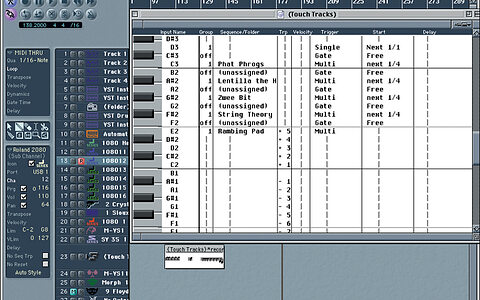
    We look at the creative potential of Logic's Touch Tracks feature and the corrective potential of the audio fade-in, as well as showing you what 'solo safe' is and why you need it.

    Techniques Apr 2001
  • link

    Comp Performances

    Logic Notes

    This month, we see how best to comp performances within Logic, and we also show you a neat trick for finding new guitar fingerings.

    Techniques Mar 2001
  • link

    Pro Tools Explained: Part 2

    Tips & Tricks

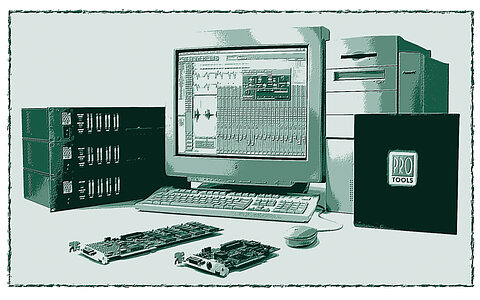
    Simon Price continues his look at Pro Tools, focusing this month on the software and how it can be used in the studio alongside other MIDI + Audio recording and editing applications.

    Techniques Mar 2001
  • link

    Manipulating Note Lengths

    Steinberg Cubase Tips & Techniques

    The facilities that Cubase offers for manipulating note legnths may not be amongst its most exciting features, but as this month's Cubase Notes demonstrates, they can prove to be invaluable.

    Techniques Mar 2001
  • link

    Pro Tools Explained: Part 1

    Tips & Tricks

    Simon Price begins a three-part series designed to demystify that staple of modern music production, Pro Tools. This month, he looks at the various components that make up Digidesign's systems.

    Techniques Feb 2001
  • link

    Studio Module

    Steinberg Cubase Tips & Techniques

    The Studio Module allows PC and Atari users to select configurations and patch names for their synths within Cubase. Paul Nagle guides you through the basics of creating a Studio Module setup.

    Techniques Feb 2001
  • link

    Using Folders & Screensets

    Logic Notes

    This month, we look at using folders and screensets, as well as showing the Score window needn't be a no-go area for guitarists.

    Techniques Feb 2001
  • link

    Logic Edit Function, Part 2

    Steinberg Cubase Tips & Techniques

    Continuing his in-depth explaination of the Logical Edit functions of Cubase in Easy Mode, Paul Sellars looks this month at the role of the Processing stage settings, in conjunction with the Filter and Function operation, before moving on to the greater complexities of Expert mode...

    Techniques Jan 2001
  • link

    Transform Window

    Logic Notes

    Logic's Transform window is often under-used, due to its apparent complexity. John Walden explains all.

    Techniques Jan 2001
  • link

    Customising Multi Instruments

    Logic Notes

    Paul White looks at how to customise Multi Instruments for a faster and more creative sequencing experience.

    Techniques Dec 2000
  • link

    Logical Edit Function: Part 1

    Steinberg Cubase Tips & Techniques

    This month's Cubase tips column focuses on one of the sequencer's most powerful but under-used features, the Logical Edit function. Paul Sellars begins a two-part explanation of its operation.

    Techniques Dec 2000
  • link

    Arpeggiator Tips

    Logic Notes

    In the first of our new regular software columns based on the leading sequencer packages, Paul White gets Logic Notes off to a flying start with some invaluable hints and tips.

    Techniques Nov 2000
  • link

    Scale Correction

    Steinberg Cubase Tips & Techniques

    The music production software we now use has become so sophisticated that valuable features and techniques can often go unused simply through unfamiliarity. With this in mind, SOS has added new regular monthly columns dedicated to making the most of the leading programs. In this inaugural Cubase Notes, Martin Walker explains the use of the Scale Correction feature.

    Techniques Nov 2000
  • link

    Using Key Commands In Emagic's Logic

    Tips & Tricks

    Computer-based MIDI + Audio sequencers have been popular for several years now, but some people have never been entirely happy using a digital rodent to control their main recording hardware. John Walden looks for ways out of the mouse trap by using key commands in Emagic's Logic.

    Techniques Jun 2000
  • link

    PC Solutions For MIDI Musicians

    Tips & Tricks

    Martin Walker looks at hardware and software solutions available for those who just want to use their PC for MIDI sequencing.

    Sound Advice May 2000
  • link

    Minimising MIDI & Audio Timing Problems In Computer Sequencers

    Tips & Tricks

    Although MIDI + Audio sequencing packages on both Mac and PC are becoming ever more powerful, 'the timing was tighter on my Atari' is still a common complaint. Paul White looks at ways of tightening it up, with additional PC information by Martin Walker.

    Techniques Mar 2000
  • link

    Using Mixermaps In Steinberg's Cubase Sequencer

    Tips & Tricks

    The facility to construct sophiticated arrangements of virtual faders, knobs and buttons, and use them to control studio equipment via MIDI, is one of Cubase's most powerful features — but also one of its most under-used. Paul Sellars explains how to make Mixermaps work for you.

    Techniques Dec 1999
  • link

    Sonic Foundry Vegas Pro

    Multitrack PC Editing System

    Sonic Foundry have a reputation for innovative PC audio software, but their range has not included a true multitrack recording package — until now.

    Reviews Nov 1999
  • link

    Peavey/Cakewalk StudioMix

    Digital Recording Station

    Offering an integrated MIDI + Audio sequencer and hardware controller with motorised faders, StudioMix mimics some of the features of high-end digital audio workstations — but at under £800, how good can it be?

    Reviews May 1999
  • link

    Using Sample Loops With Logic Audio

    Tips & Techniques

    Paul White and Paul Joyner explain how to import samples directly to your Mac from an audio CD with Logic Audio — a technique which can be adapted for use with most popular MIDI + Audio sequencers.

    Techniques Feb 1999
  • link

    Digidesign Pro Tools 3.4

    DAW Software

    If the best things in life are free, then perhaps Pro Tools 3.4 is one of them — Digidesign are now giving away this version of their Mac audio recording and editing software. Mike Collins looks a gift horse in the mouth.

    Reviews Sep 1998

Pages

Subscribe to RSS - DAW Software