Ableton have announced that Live 12.4 is on the horizon, and that users with access to their Beta Program can now download and try out the public beta version. The latest update comes loaded with new features and improvements to the DAW itself, as well delivering some enhancements to their Push and Move hardware and the Note mobile application.
Link Audio & Device Updates
A headline feature of Live 12.4 is Link Audio, a new feature that makes it possible to stream audio between Link Audio-enabled devices on a local network in real time. Audio from other players appears directly as an input in Live, making it possible to monitor and record external devices and applications without needing any additional hardware. It also takes care of latency compensation automatically.
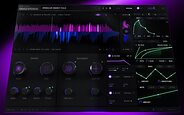
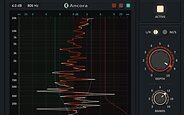
The update also makes some changed to Erosion, Live’s classic signal-degradation effect. The popular processor now available to Move and Note users for the first time, and has been overhauled for Live and the Push, where it now offers real-time spectrum visualisation and the ability to smoothly blend between sine and noise modulation, as well as mono and stereo noise. The updates to Erosion come in the form of a new device, with the previous version now named Erosion Legacy, and remaining accessible in older Live Sets.
Other Device enhancements include:
- Chorus-Ensemble: Now offers more control over delay time and structure, making it easier to create smooth, musical chorus sounds — especially on guitar and bass.
- Delay: Gets a new LFO time modes and waveforms, introducing new modulation possibilities.
Other Improvements
The Stem Separation function that was introduced to Live Suite in version 12.3 is now more flexible and faster to work with. Users can now separate a selected portion of a clip in Arrangement View, or process only the playable portion of a clip, rather than having to process an entire clip every time. Separated stems can now be merged onto a single track rather than generating individual tracks each time, making it simpler to remove specific stems like vocals, and Stem Separation is now easier to monitor thanks to a unified progress bar that tracks the entire operation rather than displaying per-stem information.
Live’s Help View has been replaced by a new embedded Learn View that offers structured tutorials designed to guide users through the basic workflows and core concepts of Live. Learn View combines short videos with written explanations — videos can be watched in a floating window, and users can track their progress by checking off lessons as they’re completed.
Push, Move & Note
Ableton say that it’s now even easier to use Push as a hub to connect, play and control other gear thanks to the new Link Audio feature and MIDI Mapping. With 12.4 installed, it’s possible to create and modify MIDI Controller mappings from the Push, and customise which control scripts are utilised by connected MIDI devices. Control scripts can also be deactivated entirely to avoid conflicts when using custom mappings. MIDI Mapping is also partly accessible via Live on the Push 2 and the tethered version of the Push 3.
On the Push Standalone, Link Audio allows users to receive and share audio with other compatible devices.
Version 12.4 also provides more detailed control over Max for Live devices. a new Visible option allows Max for Live devices to add more parameters directly to the device view on the Push 2 and 3. This expands the range of parameters that can be controlled on Push to features like modulation mapping in LFO or calibration in CV Instrument.
The latest version of the DAW is being launched alongside Note 2.0 and Move 2.0. Both now have the ability to add audio tracks and load samples from the library, while Move users gain the ability to convert MIDI tracks into audio. It’s also possible to record directly via microphone, line-in or USB-C on the Move, and take advantage of a warping algorithm that maintains the pitch of the original sound while altering the tempo, and vice versa.
Link Audio works unidirectionally on both the Move and in Note, allowing audio to be shared to Live or other Link Audio-enabled devices via a local network, but not received. Individual tracks can be sent in addition to the Main output. On the Move, Audio Tracks can also be used for live processing, making it possible to monitor incoming audio through the Audio Track’s effect chain, effectively turning the Move into an FX device for live performance.
Finally, Live’s Auto Shift and Erosion effects are now coming to the Move and Note. Move users are able to control all of Erosion’s parameters, along with Auto Shift’s core parameters.
Compatibility
Ableton Live 12.4 is supported on PCs running Windows 10 or higher, and Macs running macOS 11.7.10 and above.
Availability
The public beta of Ableton Live 12.4 is available now, and is available to those who own an Ableton Live 12 license and are part of the Ableton Beta Program.