

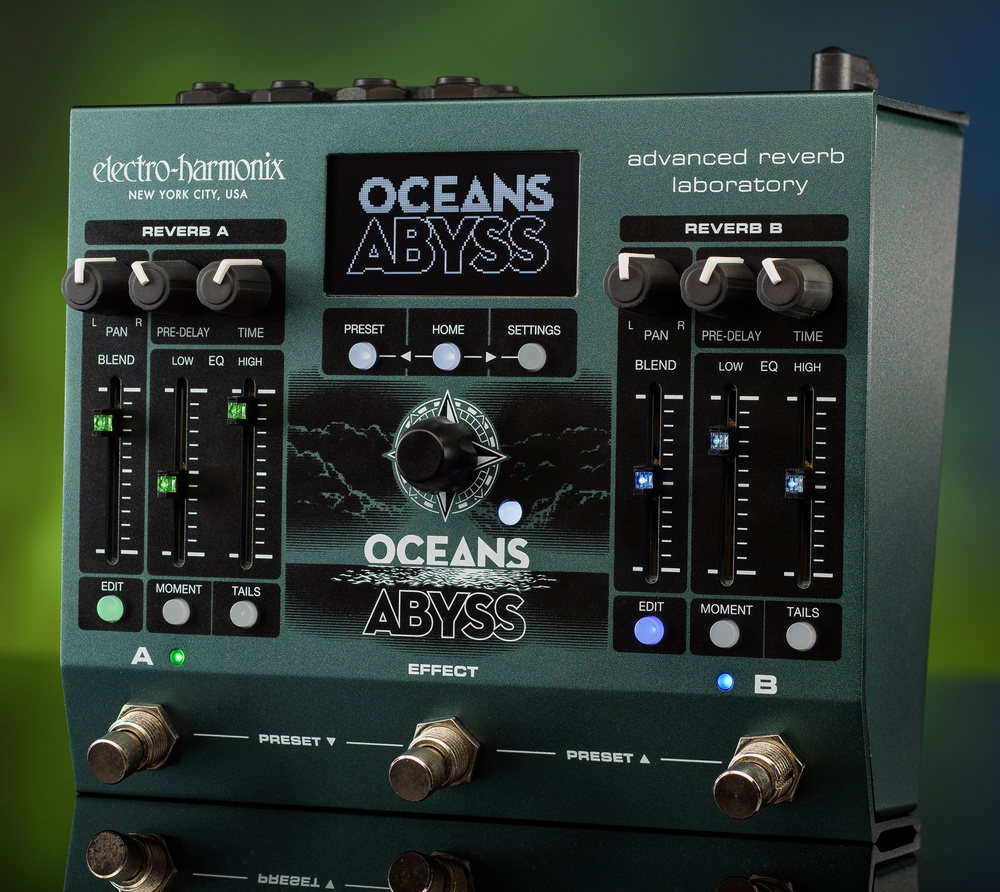
If you’re looking for more than reverb from your reverb pedal, you really should check out EHX’s latest powerhouse...
With most of Electro‑Harmonix’s effects pedals, you use just a few intuitive controls to perform a specific task. But Oceans Abyss goes way beyond this remit. While it isn’t exactly a budget unit, you get a lot of processing power for your money, and I’d say it finds itself in the rarefied company of pedals such as Strymon’s Big Sky, Source Audio’s Collider, Boss’ RV‑500 and IK’s AmpliTube X‑Space.
With dual stereo reverb engines and additional effects blocks, you could argue that the Oceans Abyss is in fact a dual‑engine multi‑effects pedal. Its main focus, though — at least where the 128 presets are concerned — is very much on reverbs, with the other effects generally playing a supporting role. It can create reverb effects that go way beyond the natural, yet it can also handle all the more conventional reverb scenarios. You can use any of the other effects without reverb if you want, though. For example, you could use one processing block to replicate a Small Stone phaser or Memory Man delay. Furthermore, as each engine has its own bypass switch, you could load different effects into each and access them separately during your performance. The audio quality has also not been neglected, and the pedal’s converters run at 96kHz/24‑bit.
In Control
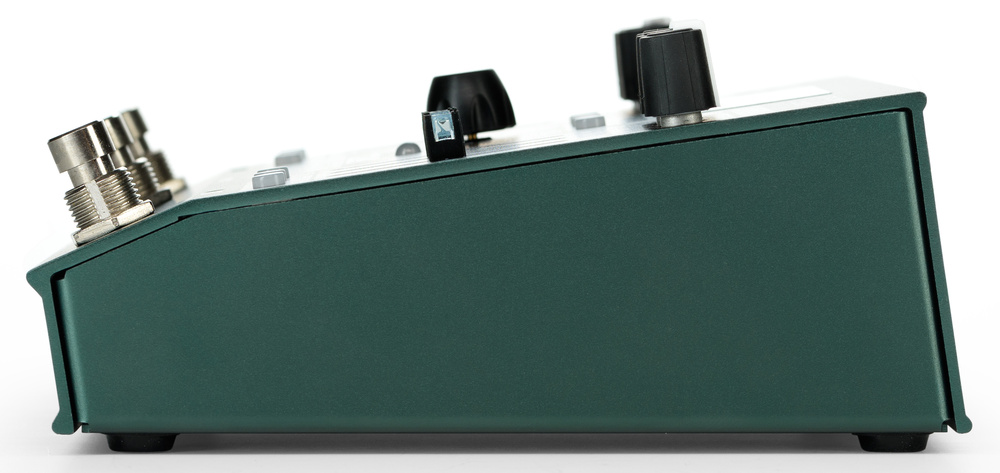 The footswitches are kept well out of the way of the sliders!Physically, the pedal is fairly wide (181 x 146 x 57mm WDH), and is housed in a robust folded‑metal base that mates with an extrusion forming the front, top and rear of the case. The Oceans Abyss is controlled by a combination of knobs, sliders and three footswitches. The footswitches are, sensibly, located well away from the sliders, which have integral LED indicators in their caps that flash while they’re being moved. The footswitches are used for bypassing the A and B effects engines, overall bypass and, by pressing both together, for preset up/down scrolling. The switches may also be used to enter tap‑tempo data, with various customisation options offered in the Settings menu.
As with EHX’s POG 3, a turn, rock and press NavCoder works in conjunction with a monochrome OLED display. The latter makes use of graphics where applicable to show the signal path, settings, patch saving, virtual fader positions and so on. Control settings are aided by those illuminated slider caps (green on the left, blue on the right), again similar to those used for the POG 3, along with dedicated knobs for Pan, Pre‑Delay and Time. The faders adjust Blend, Low EQ and High EQ, and there are buttons for Edit, Moment (which changes the related footswitch from latching to momentary action) and Tails. Reverb engines A and B have identical control sets, with master buttons for Preset, Home and Settings just below the display. The NavCoder, which is...
You are reading one of the locked Subscribers-only articles from our latest 5 issues.
You've read 30% of this article for FREE, so to continue reading...
- ✅ Log in - if you have a Digital Subscription you bought from SoundOnSound.com
- ⬇️ Buy & Download this Single Article in PDF format £0.83 GBP$1.49 USD
For less than the price of a coffee, buy now and immediately download to your computer, tablet or mobile. - ⬇️ ⬇️ ⬇️ Buy & Download the FULL ISSUE PDF
Our 'full SOS magazine' for smartphone/tablet/computer. More info... - 📲 Buy a DIGITAL subscription (or 📖 📲 Print + Digital sub)
Instantly unlock ALL Premium web articles! We often release online-only content.
Visit our ShopStore.