

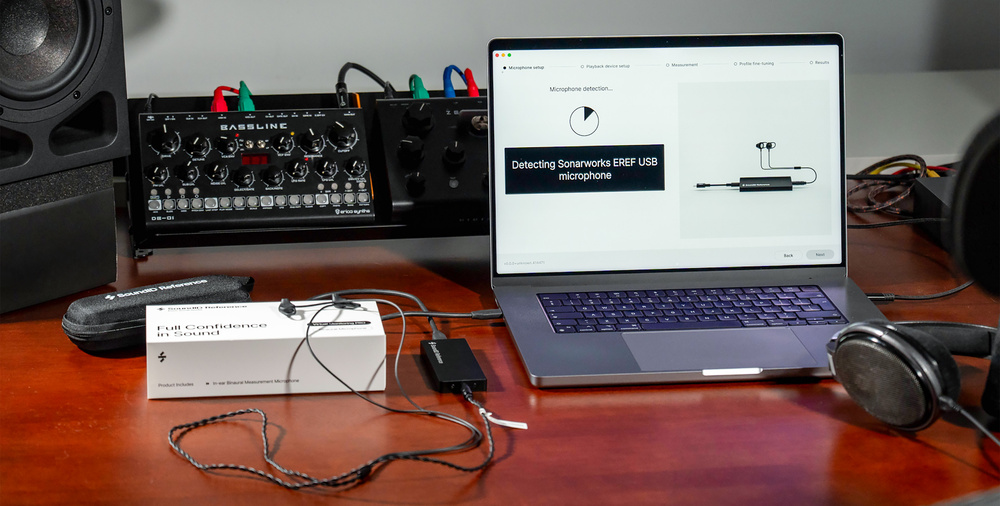
The latest extension to Sonarworks’ SoundID lets you take your own studio with you wherever you go.
There is a trickle‑down effect in music tech. Major innovations appear first in high‑end products, and only later become more affordable. Back in the day, this process took years, but it seems to be accelerating — and Sonarworks’ SoundID Virtual Monitoring Pro has taken it to extremes. It’s very similar in concept to the Sony 360 Virtual Monitoring Environment I reviewed only last month. Yet whereas 360VME is a premium, subscription‑based product that involves a measurement process carried out by a trained professional, SoundID VMP is a keenly priced extension to Sonarworks’ existing SoundID Reference, and is designed for self‑operator use.
The basic principle in both cases is the same. A speaker‑based monitoring environment is replicated on headphones not by simulation or the application of a head‑related transfer function, but by placing microphones in the listener’s ears and capturing a test signal directly. The user then puts headphones over the mics, the same test signal is played back through the headphones, and some clever software calculates the necessary filter or impulse response to map each speaker onto the left and right headphone channels.
Ear Candy
As described last month, Sony’s implementation of this concept is proprietary. It only works with Sony headphones, and the measurement system is not available to buy or hire; a Sony representative has to come to your studio to oversee the process. And once you’ve got your 360VME Profile, you’ll need to pay an annual subscription fee to keep using it. Should you change your studio around, or want to measure a different room, you’ll need to arrange another visit from the Sony rep.
Sonarworks have implemented a similar idea, but in a much more affordable and open‑ended fashion. The SoundID Virtual Monitoring Pro package comprises a software licence and a pair of ear‑worn mics, plus a small rectangular box that connects to a computer over USB. This serves as a dedicated preamp for the mics, which plug in using a mini‑jack. Mics and preamp are snugly housed in a semi‑rigid carry case about the same size and shape as a glasses case, making them eminently portable. It’s entirely up to you what headphones you use.
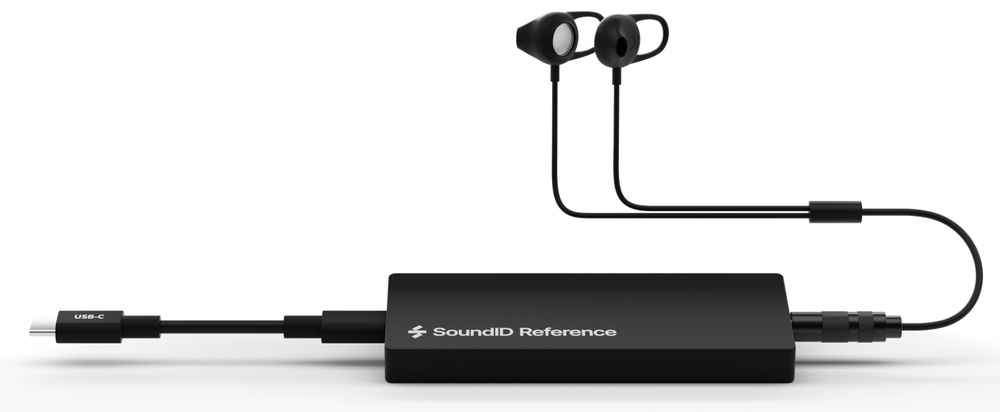 The hardware component of the Virtual Monitoring Pro system consists of a small USB preamp and a pair of binaural mics.
Once you’ve registered your purchase, you can install a software program called Virtual Monitoring Pro Measure, which guides you through the process of measuring your environment. The end result is a file with a SWVM extension, which can be loaded into Sonarworks’ SoundID Reference in exactly the same way as their headphone correction and room calibration profiles. So, whereas 360VME can only be used as a standalone ‘systemwide’ application, Virtual Monitoring Pro users also have the option of applying the processing in a DAW plug‑in.
Functionally, there’s one key difference between 360VME and SoundID VMP. Although it works perfectly well in stereo, Sony’s system is designed primarily for use with immersive monitoring setups, and thus supports up to 16 channels. Virtual Monitoring Pro is currently stereo‑only — although, given that Sonarworks offer an immersive version of SoundID Reference, it’s not beyond the bounds of possibility that this might change at some point in the future.
Five Step Plan
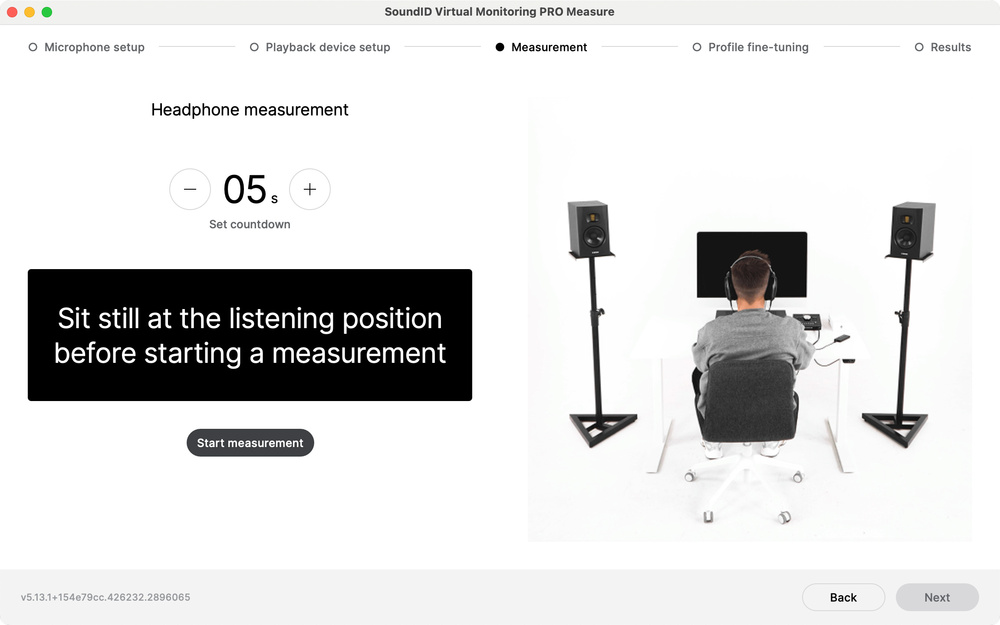
If you’ve ever used the SoundID Reference Measure app to generate a calibration profile for speakers, you’ll be aware of the lengths Sonarworks go to to make a potentially complicated process more or less idiot‑proof. They’ve applied the same principles to Virtual Monitoring Pro Measure, which means there’s lots of hand‑holding, short video segments and animations to illustrate key points. The process is divided up into five stages. First up is a checklist that ensures you have everything to hand; for obvious reasons, you’ll need to be able to route sound separately through your speakers and your headphones as required. Everything must be set to 44.1kHz for the measuring process, though the resulting profile can be used at any sample rate. A nice touch is that you can choose whether to measure your speakers with or without SoundID Reference calibration applied.
The main problem I had with the measurement process was convincing the binaural microphones to lodge securely in my ears. Unlike universal‑fit IEMs, they don’t come with a choice of tips or other fitting options. I don’t think this matters from a performance point of view, since you won’t be wearing them for long periods, and they don’t need to seal the ear canal to do their job. However, they do need to stay put, and I found this frustratingly hard to achieve. Every time I’d get one of them in place, the other one would move or fall out.
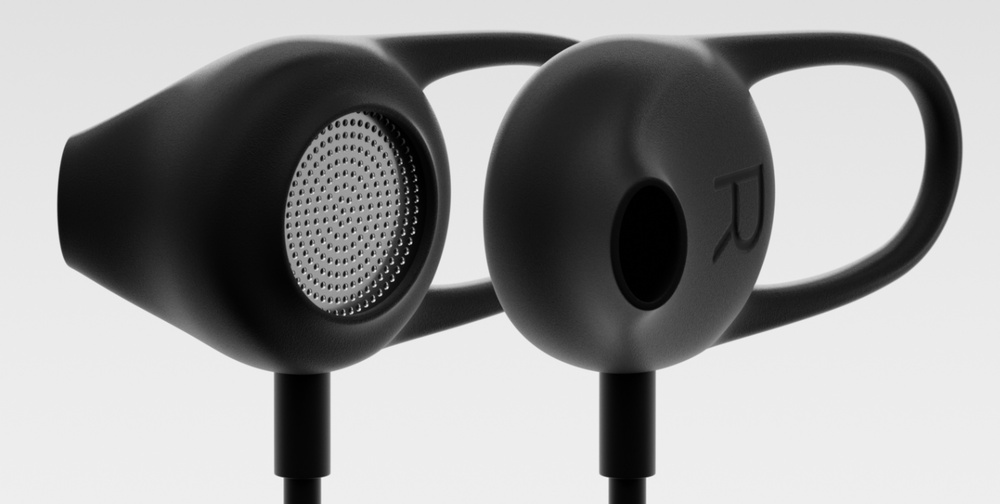 Unlike IEMs, the binaural mics don’t come with a choice of tips or fittings.
In terms of what it actually does, the measurement process is very similar to that for 360VME. Initially, pink noise is broadcast, and you’re instructed to turn the volume up or down to ensure a healthy level is captured at the mics. You’ll then hear a couple of sine sweeps. After that, you place the headphones on your ears, with the mics still in place, mute the speakers and repeat the process. The ensuing number‑crunching happens in the cloud, so the machine on which you’re running VMP Measure needs an active Internet connection. When it’s done its work, you’re invited to do an A/B comparison between speakers and headphones, using either your own reference track or a small selection of provided loops. At this point, you can adjust treble and bass tone controls to try to make the subjective match closer.
Once the measurement process is complete, your profile is saved in the aforementioned SWVM format, and you can return to SoundID Reference to use this as part of a preset in much the same way as is possible with speaker and headphone calibration profiles.
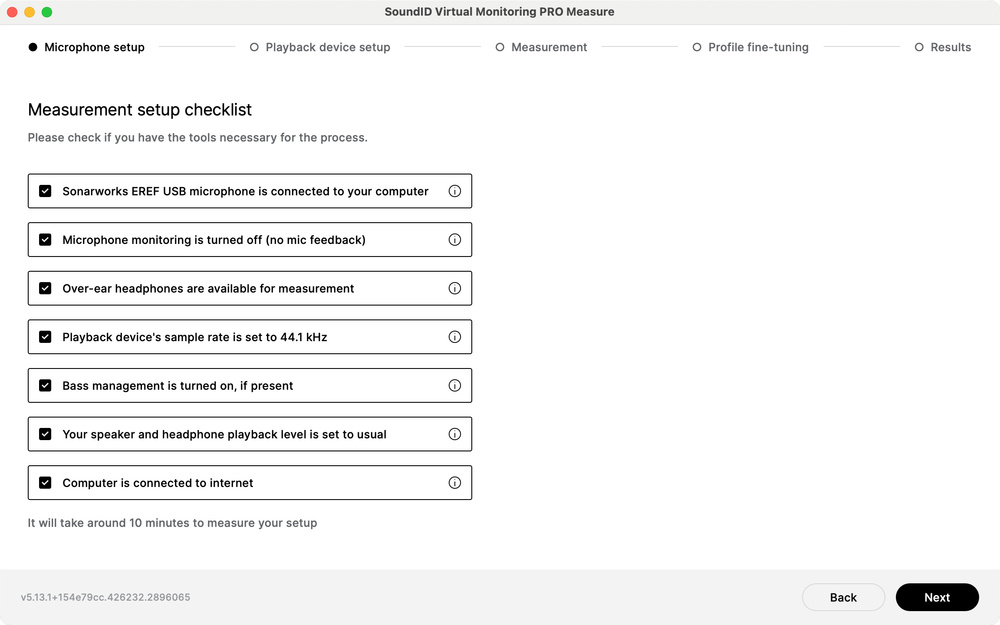 The Virtual Monitoring Pro Measure app guides the user through the measurement process in five simple stages.
Profile Proliferation
SoundID Reference has been covered many times in these pages, so I won’t describe it in any detail here. However, it is probably worth pointing out that whereas 360VME is a brand‑new application that has a few teething issues and a decidedly unsexy user interface, SoundID Reference is a mature and very slick package. And, as mention of headphone and speaker calibration reminds us, it has many other roles to play besides hosting VMP profiles.
In practice, though, much of this existing functionality is redundant when you’re using SoundID Reference with a VMP profile. There is no need for headphone calibration, since the VMP Measure process is done with the headphones in place and thus automatically compensates for their characteristics. It wouldn’t make sense to overlay a VMP profile with another virtual mix environment, or a car interior; if you want to make it possible to do a translation check on your headphones, you can simply drag your laptop and headphones to the car and measure another VMP profile there, assuming you can Bluetooth into its entertainment system.
As long as you can access the monitoring system, it’s the work of five or 10 minutes to capture a VMP profile in any studio, club or home environment.
To my mind, the fact that SoundID Virtual Monitoring Pro measurements can be carried out by the user is one of this system’s biggest pluses. As long as you can access the monitoring system, it’s the work of five or 10 minutes to capture a VMP profile in any studio, club or home environment. So, unlike with Sony's 360VME, it would be very easy to build up a library of profiles representing both the studios in which you’ve worked and the spaces in which your music might be heard. The only real limiting factor here is that profiles aren’t transferable between different headphone models. If you use multiple types of headphone, you’ll need to run the measurement process all the way through for each of them, and carefully name the resulting files so that you can recall them accurately. This is one area where the Measure app could perhaps be a little more helpful: you can associate a studio photo with a profile, but it would be useful if you could also embed a headphone model name and image, rather than having to remember to type the former out each time you save one.
Transported
The most important factor of all, naturally, is the sound quality. Does Virtual Monitoring Pro achieve what it sets out to? Yes — and to an extent that surprised me. I’ve tested quite a few virtual monitoring systems that use either synthetic head‑related transfer functions or impulse responses captured through dummy heads, and SoundID VMP is on another level in terms of realism. The sense of ‘being there’ is palpable, and the distinct character of my two sets of monitors was clearly apparent in the profiles I captured, as was the difference in stereo imaging owing to wider or narrower speaker placement.
There is a sense in which you’re aware that you are listening to a second‑generation facsimile of your monitoring system rather than the real thing, with a slightly processed quality sometimes apparent in the sibilance region, but disbelief is very easily suspended. Indeed, after toggling VMP off and on to A/B it in SoundID, I often found myself switching it back on just for listening pleasure. The newfound enjoyment of hearing as if on speakers easily outweighs any compromises to the speaker quality that the processing introduces. Other virtual monitoring systems I’ve tried have been useful for translation checking, but this is the first one that’s actually made me want to use it when I didn’t need to.
Clearly, measurement‑based virtual monitoring is an idea whose time has come. So how does VMP compare to 360VME? Without the opportunity to create profiles for both systems in the same room, it’s impossible to judge whether one sounds better than the other. However, what’s remarkable about 360VME is the realism with which it presents signals coming from the rear surround and height speakers in an immersive setup. I can imagine that being an edge case for the technology, requiring scrupulous attention to detail in the measuring process. Unless Sonarworks extend Virtual Monitoring Pro to the immersive world, we can’t know whether the same level of 3D presentation can be obtained by shoving binaural mics into your own ears. But I can confidently say that it works extremely well in stereo, and the freedom to bring the measuring kit everywhere you go is potentially revolutionary. In stereo, I didn’t particularly miss the additional tailoring options such as reverb reduction that are available in 360VME.
Sonarworks were the first company I know of to develop effective headphone calibration technology, and when I originally tested that back in 2015, I felt straight away that it would prove to be a gamechanger. With Virtual Monitoring Pro, they might just have changed the game again.
Pros
- Another level of realism in virtual monitoring compared with existing alternatives.
- Straightforward measurement process.
- You can measure any number of monitoring environments.
- Works with any headphones.
Cons
- Currently stereo‑only.
- Persuading the mics to stay in your ears can be a challenge.
Summary
Virtual Monitoring Pro provides a simple and effective way to recreate any speaker‑based monitoring environment on headphones. And it actually works!