

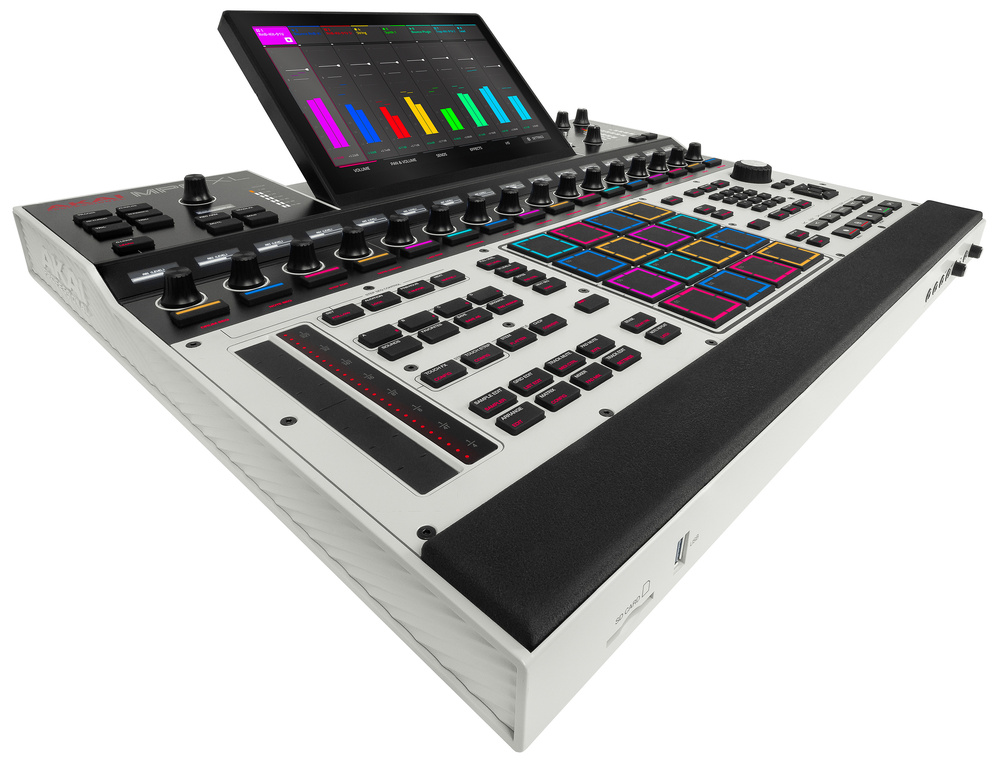
Akai go large with the super heavyweight MPC XL.
The MPC Live III was first on stage when Akai unveiled their next generation workstation platform late last year. My review in the February 2026 issue of SOS detailed the massively upgraded specs, new MPCe pads and a unified Force/MPC OS that integrates linear and clip‑based beatmaking. I concluded it is unique among its peers as a standalone DAW.
Now Akai’s flagship X‑series MPC has had the same treatment, including a redesigned layout to incorporate the new step‑sequencing features. I’ll cover everything that’s new and unique on the appropriately named MPC XL, explore the latest software features and consider which model is best for individual needs.
Music Production Console
The MPC Live III now has most of the capabilities of the larger model (eg. mic pres), so if portability and space are important you’re probably going to lean in that direction. This leaves a niche where the XL can really spread out and be the centrepiece in a studio or serious live show setting. The XL is big; even more so than the already imposing X or, say, Roland’s TR‑1000. It’s about two inches deeper than the X as the touch‑sensitive Q‑Link encoders have re‑formed behind the pads along with their displays and the new chunky step buttons.
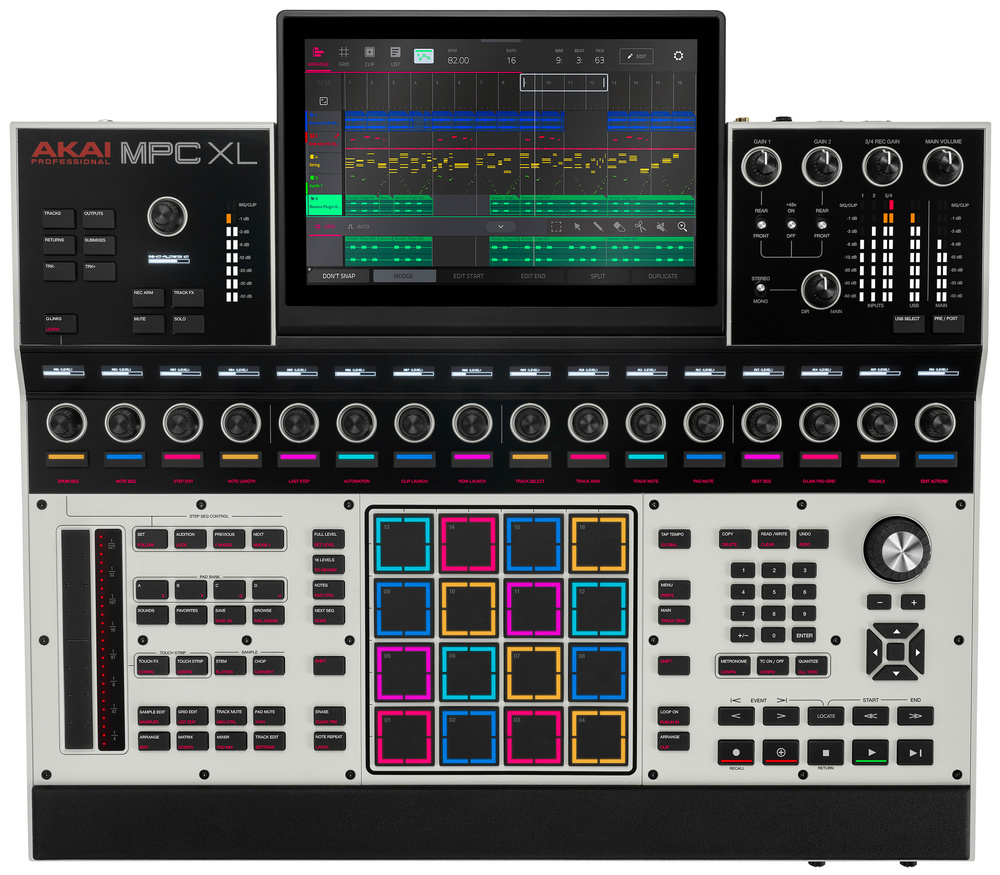 The MPC XL measures a desk‑dominating 543 × 488 × 94mm and weighs in at a healthy 7.2kg.
Although this layout breaks the MPC’s long‑standing 4x4 encoder convention, for my money it’s a huge improvement. All key function buttons can now be sensibly grouped to the left and right of the pads, and there are even Shift buttons on both sides for one‑handed operation. Many functions that are buried in the OS or require two‑steps to reach on the Live have dedicated buttons. For example there’s a Chop button to take you straight to sample slicing, with a secondary Convert function: an essential operation normally hidden in a Shift layer on screen.
In the space freed up to the left of the screen there’s now a channel command cluster, with controls like mute, solo and level for the selected track, and buttons for banking. This also provides shortcuts to channel and mixer views like the track effects, which I used constantly. The top‑right mixer panel, which provides control of the various physical inputs, has gained extra metering.
The 10‑inch adjustable‑tilt display is much the same as before, and is one of the key advantages of this larger format MPC. Touch editing tasks that can be awkward on the other MPCs feel easier here, and the plug‑in and instrument UIs come alive. The screen is further away in this layout, but feels comfortable when you’re at the MPC with your arms on the front rest. With a MIDI keyboard in front of the unit it’s a bit more of a stretch.
The new panel is a huge win, but there’s a puzzling omission. One thing I was sure Akai would fix on a MkII X was the lack of a push function on the main encoder. On the other MPCs you can click the encoder to confirm selections; here you have to hunt for the Enter buttons in the cursor cluster or the numeric pad. In fairness, many encoder changes are instant and don’t need a confirmation, but for list selection and file operations it’s a shame.
Desktop Power
Commonly we talk about the trade‑off between the hands‑on, focused experience of a standalone production workstation versus the power and versatility of an off‑the‑shelf computer. These new MPCs disrupt this line of thinking with internal computing specs that read like a decent laptop, along with flexible workflow choices that include linear multitracking and a DAW‑grade internal mixer.
Like the Live...
You are reading one of the locked Subscribers-only articles from our latest 5 issues.
You've read 30% of this article for FREE, so to continue reading...
- ✅ Log in - if you have a Digital Subscription you bought from SoundOnSound.com
- ⬇️ Buy & Download this Single Article in PDF format £0.83 GBP$1.49 USD
For less than the price of a coffee, buy now and immediately download to your computer, tablet or mobile. - ⬇️ ⬇️ ⬇️ Buy & Download the FULL ISSUE PDF
Our 'full SOS magazine' for smartphone/tablet/computer. More info... - 📲 Buy a DIGITAL subscription (or 📖 📲 Print + Digital sub)
Instantly unlock ALL Premium web articles! We often release online-only content.
Visit our ShopStore.