

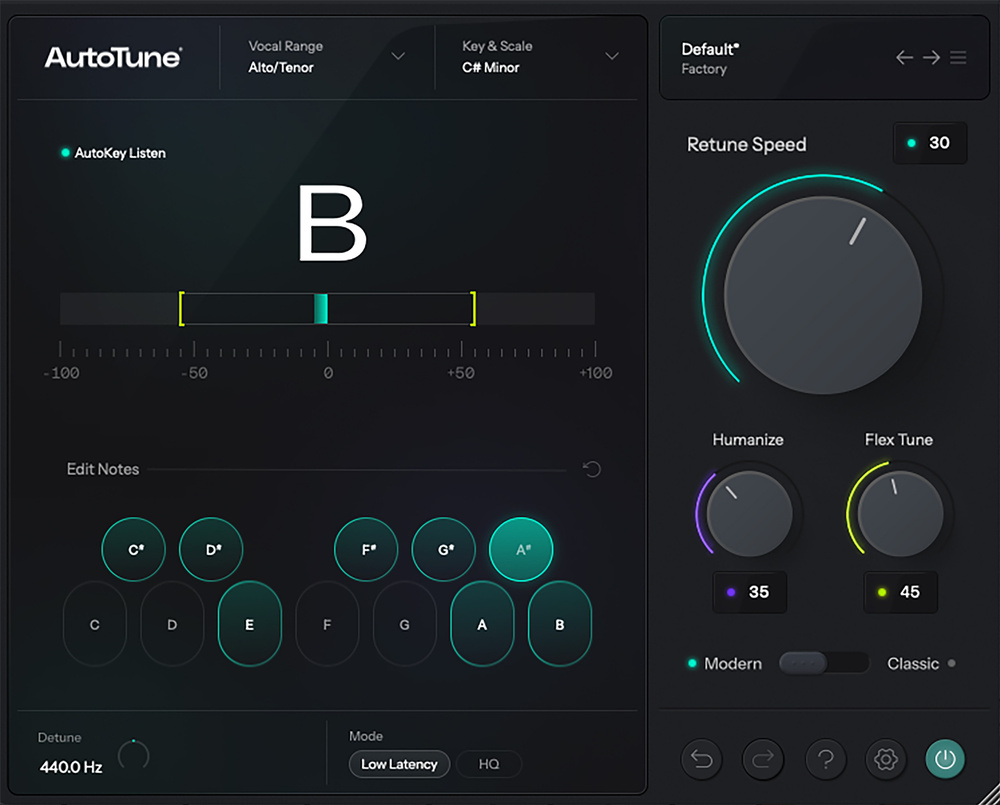
Whether you want natural pitch correction or the classic pitch‑glitch effect, AutoTune 2026 aims to make things easy.
AutoTune Pro 11 (reviewed in SOS June 2025) remains Antares’ flagship product, offering both graphical/manual pitch correction and harmony generation alongside automatic pitch correction. But they’ve long offered more affordable versions that concentrate on the automatic correction side of things, and replacing AutoTune Artist is the new AutoTune 2026. The most obvious change is a GUI redesign, though the controls and settings are largely familiar from earlier versions.
Simplicity
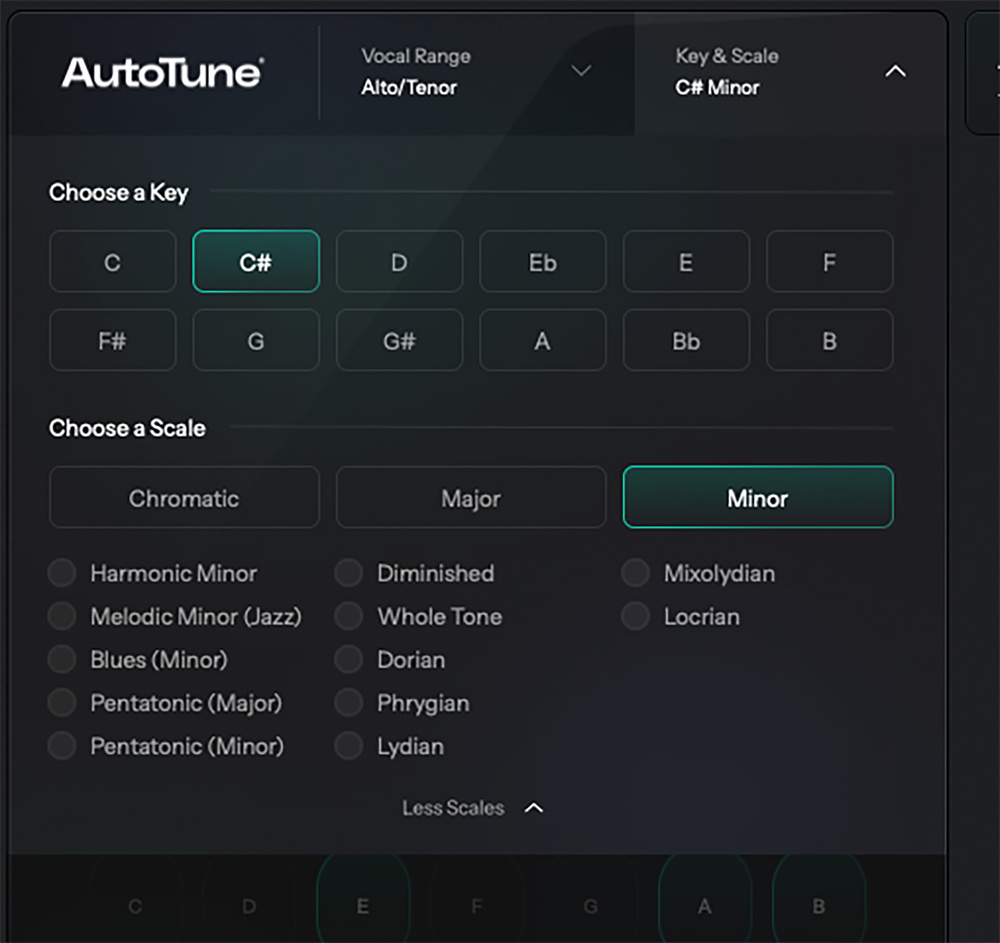 There’s a range of preset scales to choose from.
You can pick from two modes, Modern and Classic, the former promising more natural results and the latter offering the older AutoTune 5 algorithm, which apparently remains popular. Other than that, the main control set has been streamlined to just three parameters: Speed, Humanize and Flex Tune.
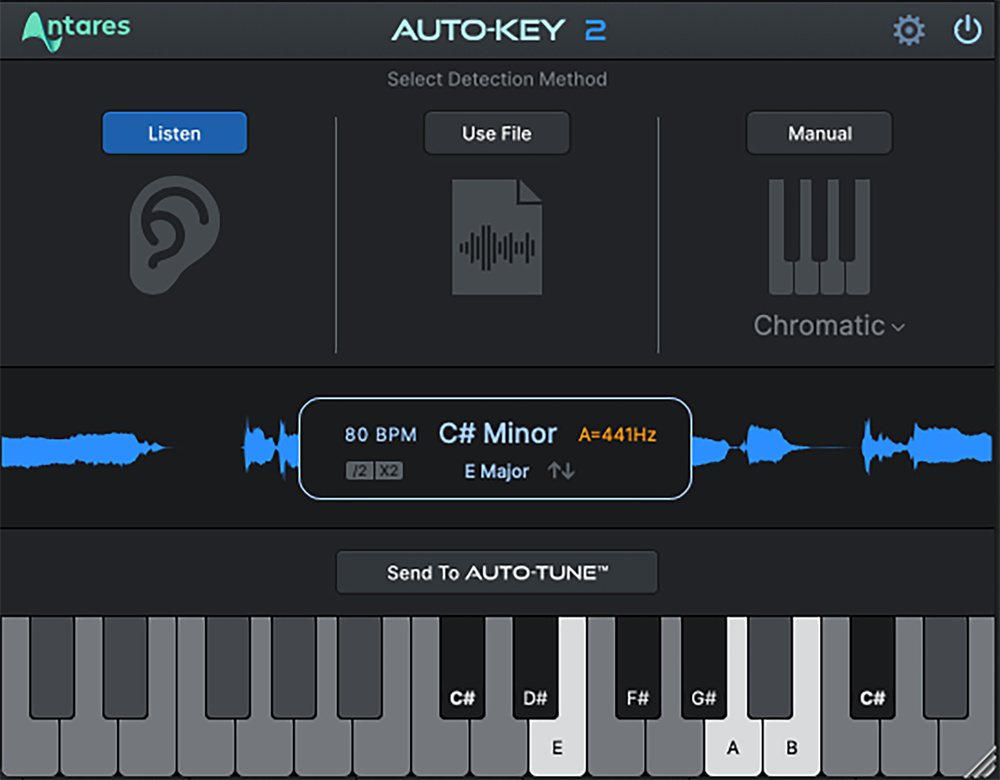 AutoKey, included with AutoTune 2026, provides automatic key/scale detection.The retuning Speed should be self‑explanatory, while Humanize allows AutoTune to pitch‑correct sustained notes more naturally at higher Retune speeds. FlexTune (available only in Modern mode) constrains the amount of pitch correction being applied (something that’s nicely indicated by coloured brackets in a redesigned pitch‑correction meter), so more of the original vocal gestures can be retained. You can set the voice or instrument type (for example, soprano, alto/tenor or baritone/bass) and the key and scale type manually, but AutoTune can Auto Detect the voice type and, via the included AutoKey plug‑in, suggest the appropriate key/scale combination after listening to your audio input. A drop‑down list offers more scale options, and the new GUI makes it easy to add/remove notes to constrain the notes being corrected.
With so few controls, dialling in your pitch correction really is very easy, but those new to AutoTune might find it useful to explore the new collection of artist‑designed presets.
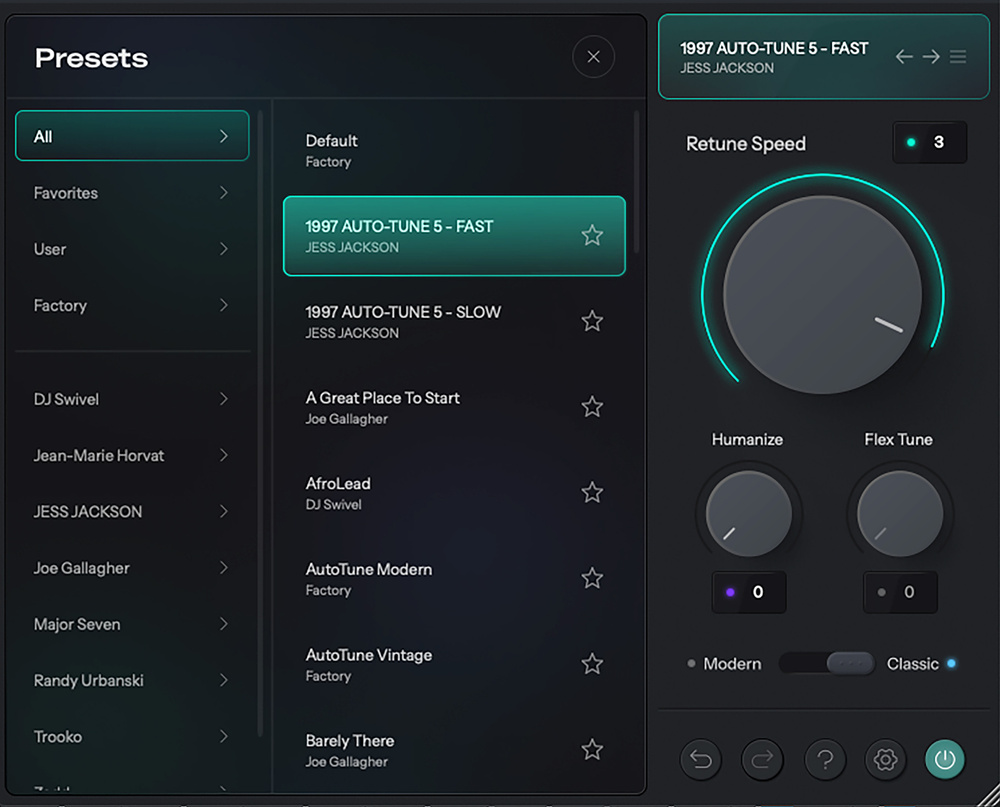 New users may find AutoTune 2026’s collection of artist presets useful.
On Test
AutoTune 2026 is, frankly, a breeze to use, and does its job with the minimum of fuss. The highest‑quality setting delivers the best results at the cost of 58ms of latency, but as with AutoTune Artist, there’s the choice of low‑latency operation (Cubase reported 2.3ms in Modern mode and 0.8ms in Classic mode). So you could easily use this plug‑in in real time while tracking, if that helps your singer to perform with confidence. I ran a few different vocals through AutoTune 2026 and AutoTune Artist, and in most cases I’m not sure I would have been able to reliably tell the difference in a blind test. But since AutoTune 2026 uses fewer CPU cycles to match this already high quality bar, that’s a win!
Those new to automatic pitch correction will find that AutoTune 2026 does exactly what they will expect of an ‘industry standard’.
On the down side, the Artist version’s Transpose and Throat/Formant options aren’t included, and neither are some of its more exotic scale selections. Also, some might be deterred by the cost of the perpetual licence, though there are subscription options and a free 14‑day trial is available. But the bottom line is that AutoTune 2026 works well. It captures the essence of the AutoTune automatic pitch‑correction experience in a modern, very accessible GUI. Whether you want to gently nudge the pitching of a decent sung vocal or make a feature out of more extreme pitch correction, those new to automatic pitch correction will find that AutoTune 2026 does exactly what they will expect of an ‘industry standard’.
Summary
AutoTune 2026 delivers Antares’ famed automatic pitch‑correction process in a modern UI with a streamlined workflow, although, for a perpetual licence, that quality and convenience does come at a price.
Information
Perpetual license £282 (includes one‑month subscriptions to AutoTune Unlimited and AutoKey 2). Subscriptions also available. Price includes VAT.
Perpetual license $300 (includes one‑month subscriptions to AutoTune Unlimited and AutoKey 2). Subscriptions also available.