

FabFilter take compression to the max.
Terrifyingly, it’s now 15 years since FabFilter’s Pro‑C compressor was released. Back then it was aimed mainly at mastering applications, and had two major selling points. One was its unique graphical interface, which left behind the clichés of skeuomorphic design in favour of actually being pleasant to operate with a mouse. The other was its incredibly smooth sound. With a lot of programme dependence built in under the hood, it was pretty much impossible to make Pro‑C distort or even deliver mildly uncomfortable results, no matter how fast you made the attack and release times.
In 2015, the version 2 update introduced several new ‘styles’ of compression, plus major graphical improvements, a Range control that allowed the user to specify a maximum amount of gain reduction, greater control over the knee shape, intelligent auto‑gain for level‑matched A/B’ing with the bypassed signal, powerful side‑chain EQ options and more. Now, a decade on, FabFilter have unleashed version 3.
Character Acting
The additional styles added in Pro‑C 2 included a Pumping algorithm, which did what it said on the tin, but in other respects, it still wasn’t a compressor designed to be noticed. Pro‑C 3 changes that, in a couple of different ways. FabFilter have added no fewer than six new compression algorithms, of which at least four definitely fall into the ‘listen to this!’ category. And a discreet pop‑up invites you to apply one of three types of saturation.
The particular qualities of vintage hardware compressors aren’t only due to saturation from valves or transformers. The major source of character is often the gain‑reduction circuit itself, and the distinctive sound of, say, an LA‑2A is mostly to do with the extremely complex dynamic behaviour of the opto‑cell used as a detector. So the two new algorithms that are vintage in intent each have quite a strong sonic identity even when used without the saturation. Op‑El is intended to mimic the behaviour of a valve‑based optical compressor such as the LA‑2A, while Vari‑Mu brings a bit of Fairchild goodness to the party. (As on an actual Fairchild, varying the side‑chain level delivers rather different effects from varying the threshold control.)
All of Pro‑C 3’s many parameters remain fully accessible in these compression modes, so if you wanted to accurately emulate a particular vintage device, you’d need to research how to set the attack and release times, side‑chain EQ and knee settings and so on. Doing so from scratch might require quite a bit of trial and error, but fortunately FabFilter have included a lot of excellent presets using the new modes. None of these is named after a specific hardware unit, and there’s no real visual indication of how the different algorithms affect things like the knee behaviour, but many of the presets target classic applications for LA‑2As, Fairchilds and their ilk. Close your eyes and A/B them with plug‑ins that have virtual Bakelite knobs and VU meters, and you may be surprised by which you prefer.
The three types of saturation are named Tube, Diode and Bright, and can be applied either pre or post compression. None sounds obviously distorted even at full Drive settings, but they can add a welcome touch of hair to a soft‑sounding or tame source. Unless you’re a devotee of the Shure Level‑Loc, the saturation combined with the Op‑El and Vari‑Mu modes will provide as much sonic character as you’re likely to need from a compressor. And if you are a devotee of the Level‑Loc...
Going Up
Of the other new compression algorithms, Versatile and Smooth are pretty much self‑explanatory; Pro‑C has always been versatile and smooth, but these still have something extra to offer, especially on the mix bus where you sometimes can’t have too much smoothness. More unusual are the Upward and TTM algorithms. Upward compression is like expansion in reverse: signals above the threshold are unmolested, but the compressor applies positive rather than negative gain to quieter signals. So, with a 2:1 ratio, a signal 6dB below the threshold would be raised up by another 3dB to push it closer to the threshold. In other words, upward compression reduces the dynamic range of signals from the bottom up rather than from the top down.
On its own, upward compression can easily get out of hand, so it’s often best used in parallel, and Pro‑C 3’s design makes this easy to implement. Blending some upwardly compressed signal into the dry sound provides a very nice, controlled way to bring out low‑level detail in drum tracks for example. Pro‑C’s Range control is another useful tool for taming upward compression.
Finally, TTM is short for To The Max, and apparently “combines upwards and downwards compression in multiple bands, making the input signal louder when it’s quiet and quieter when it’s loud”. In the abstract, it’s like a more refined version of Eventide’s Omnipressor, whereby the level of the signal is constantly being pushed towards the threshold level from both sides, At extreme settings it’s possibly to completely eliminate dynamic range, or reverse it so that cymbal hits sound backwards, but you don’t have to use it like that. Again, it is perhaps most useful in a parallel context, where it’s surprisingly versatile. For example, on a drum bus, setting a short attack will bring up cymbals and ambience, but using a longer attack sounds completely different, delivering a super‑fat, compressed dry sound. Classical recording specialists and mastering engineers should probably pass on by, though.
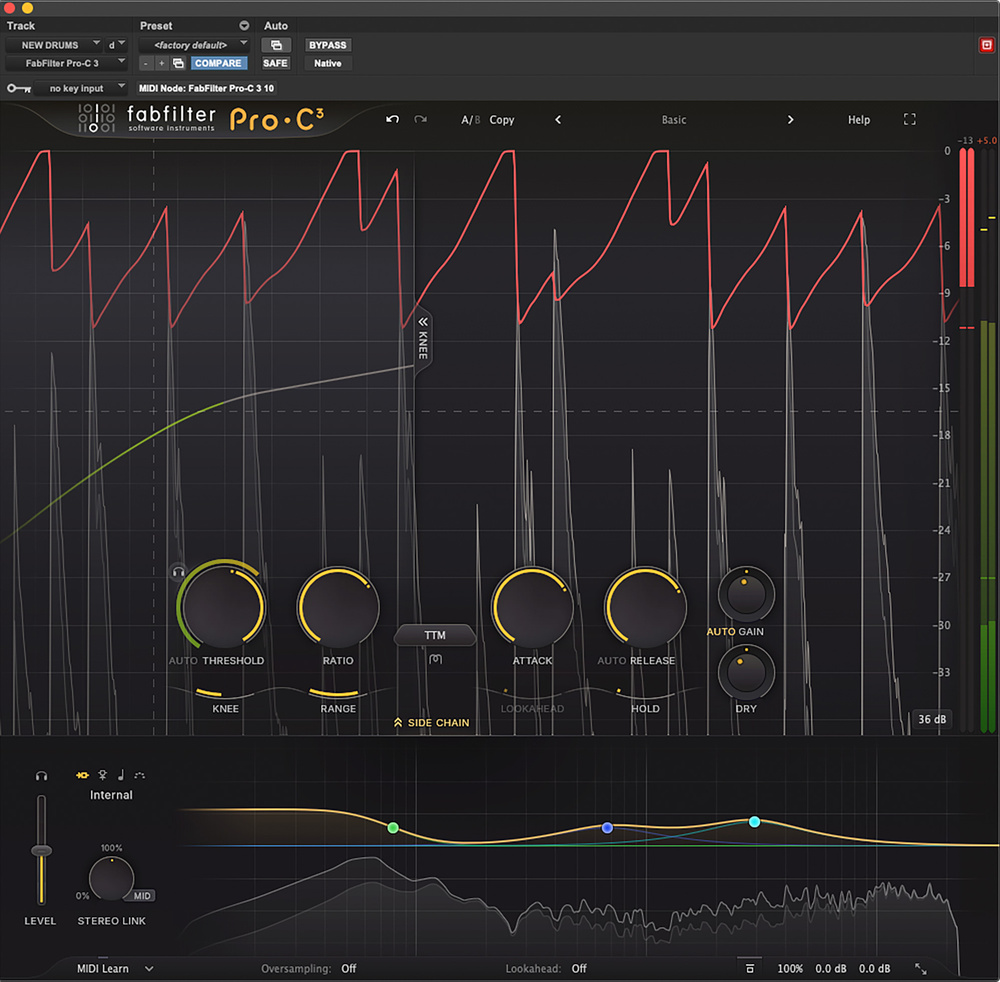
Auto threshold allows you to control the micro‑dynamics of a source independently of the macro‑dynamics.
Pro‑C 3 also adds an intriguing ‘auto’ option to the threshold control. This makes the threshold level‑independent, which sounds like a contradiction in terms, but the basic idea is that you can achieve consistent compression behaviour throughout a very dynamic recording without resorting to extreme settings. So, for example, on a vocal that goes from whisper to roar, selecting the auto setting will ensure that you get similar amounts of gain reduction in both sections. To put it another way, it allows you to control the micro‑dynamics of a source independently of the macro‑dynamics.
Sides Splitting
Pro‑C has always offered plenty of scope for shaping the side‑chain signal, but version 3 takes this to a new level with the addition of what is basically a version of FabFilter’s Pro‑Q equaliser. Along with other side‑chain‑related controls, this occupies a fold‑down window at the bottom of the main page. You can have up to six bands, with a multitude of shapes available, and it’s even possible to apply individual side‑chain filter bands to specific channels within a stereo or surround signal. You won’t need this level of detail often, but it can be valuable for problem‑solving, and really comes into its own in TTM mode, where you can radically alter the tonal balance of the signal by equalising the side‑chain.
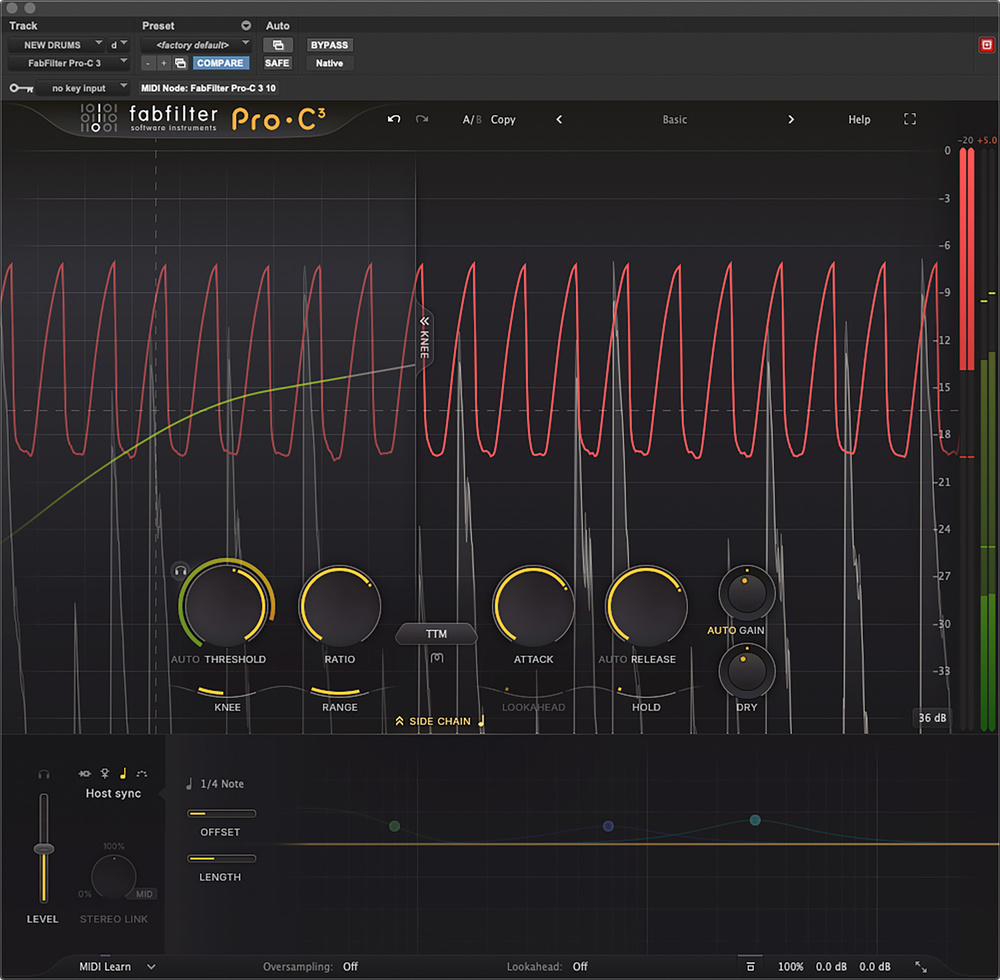 The new Host Sync mode allows the side‑chain signal to be replaced by a tempo‑sync’ed pulse, with — literally — predictable results.
Another new feature in this pane is Host Sync. In effect, this disables the conventional side‑chain paths and substitutes an internally generated pulse, set anywhere between whole notes and 16th notes, with dotted and triplet options. There’s user control over both the duration of the pulse and its timing offset from the beat. The aim, obviously, is instant French house, and this it delivers in a neat and controllable fashion.
Surround capability is also new in Pro‑C 3. It can operate in up to 9.1.6 configurations, host permitting, with customisable channel linking including the ability to link channels in opposing pairs (left surround and right surround, for example). Multi‑channel compression in surround is a different kettle of fish from stereo bus compression, and I can’t imagine too many people wanting to apply TTM madness across an entire Atmos bed. But Pro‑C’s trademark transparency and smoothness might well be an asset with music that has an innately high dynamic range, such as orchestral or jazz recordings.
C Is For Comprehensive
As you might expect given that it’s been 10 years in the making, Pro‑C 3 is a huge update that introduces a welter of new features. Some, like the saturation and the El‑Op and Vari‑Mu modes, are broadly familiar from other products. Others, such as TTM mode and auto threshold setting, are much more unusual. As always, FabFilter have implemented everything in supremely elegant fashion, and you never feel overwhelmed by parameters or confused as to why something isn’t doing what you expect. I do think there’s scope for a couple of small ergonomic improvements — it doesn’t seem to be possible to bypass the entire side‑chain EQ section, for example, only individual bands, and it would be nice to have more visual information about what the auto threshold and TTM settings are actually doing — but this is only one step above nit‑picking.
Something that has always been a strength of FabFilter, and of Pro‑C in particular, is preset design. Many old‑school engineers pour scorn on the idea of compressor presets, saying — correctly enough — that settings need to be tailored to the individual source. But FabFilter’s developers have found a way to generate banks of presets that are genuinely adaptable and useful. In most cases, an intended gain reduction range is specified, so you load the preset and tweak the threshold until you see the right amount of attenuation on peaks. And then you can inspect the settings to find out how they’ve achieved the particular sound in question. As well as being genuinely useful in their own right, the presets are a great introduction to less familiar features such as TTM mode.
Pro‑C 3 is a supremely versatile plug‑in. It can do everything from invisible gain reduction to slamming vintage pumping and breathing, but it also opens up creative and correctional possibilities that most of us have never yet explored. TTM offers special effects galore, while the detailed side‑chain EQ allows tweakers to match the processing to the source with unprecedented detail. If there was only room for one compressor plug‑in on my desert island, I know which one I’d take.
Pros
- Now offers convincing vintage‑style compression thanks to new algorithms and saturation options.
- Upward compression and TTM modes open up many creative options.
- Superb range of presets that are both usable and helpful for understanding the controls.
- Full surround support.
Cons
- It’s not always easy to relate what you’re hearing to what you’re seeing in TTM mode, or with the new auto threshold setting.
Summary
Pro‑C 3 is an immensely powerful and flexible compressor plug‑in that can tackle everything from delicate mastering to destructive mangling.
Information
£149 including VAT. Upgrade and bundle deals available.
$199. Upgrade and bundle deals available.
Music Marketing +1 416 789 7100.