

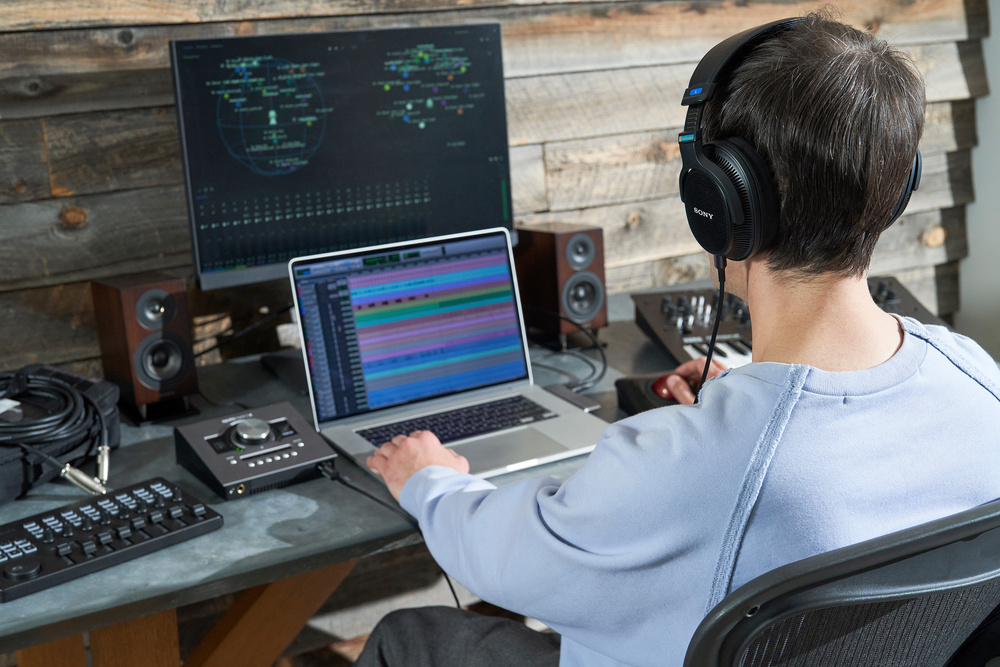
Sony aren’t the first company to promise believable surround sound on headphones. But are they the first to deliver it?
Very occasionally, a new product creates a real buzz within the industry. Word spreads in trade‑show corridors and dealer showrooms, and suddenly everyone is clamouring to hear this new phenomenon. Sometimes it turns out to be a damp squib. Sometimes, as in the case of Celemony’s Melodyne all those years ago, it’s the start of something very special. It’s been a while since anything else had that sort of impact, but the jungle telegraph has definitely been sounding about Sony’s 360 Virtual Monitoring Environment.
On the face of it, that might seem odd. After all, isn’t Sony 360 Reality the ‘other’ immersive format in a market dominated by Dolby Atmos? And aren’t there plenty of other products on the market already that promise to deliver immersive virtual control room environments on headphones? Well, yes, and yes — but also no.
First of all, 360VME is entirely agnostic about, and independent of, mix and delivery formats. It can be used to mix material in Sony 360 Reality, but it’s equally capable of supporting Dolby Atmos, 5.1 and indeed stereo. And second, whilst there are other products that virtualise control‑room monitoring, 360VME has a unique selling point. To explain the significance of this, it’s worth a quick delve into how these products work.
360VME is entirely agnostic about, and independent of, mix and delivery formats. It can be used to mix material in Sony 360 Reality, but it’s equally capable of supporting Dolby Atmos, 5.1 and indeed stereo.
Acting On Impulse
No matter how many speakers there are in an immersive setup, a human listener has only two ears. These can be considered single‑point receivers, like microphones. Thus, in principle, it should be possible for an impulse response to perfectly describe how the sound from any given speaker is reflected, refracted, absorbed and otherwise coloured on its way to each ear. And if we can generate a set of impulse responses mapping each speaker onto each ear, we can recreate the sense of listening in a 3D space on headphones.
In practice, there’s a problem that limits how faithfully this can be done. The most important source of coloration in this context is the physical geometry of our own head, torso and outer ear. Our perception of direction is derived from the filtering effects introduced by these structures, so in order to ‘binauralise’ headphone sound, the filters we apply need to perfectly describe the effects of the listener’s head geometry. Considered independently of the room and speakers, these are known as the head‑related transfer function or HRTF.
The limiting factor is that no two people have the same head, ear or torso shape. So in order to create a viable commercial product, manufacturers need to either work out a practical way of measuring the HRTF of the person who’s going to use it, or choose a generic HRTF and hope that it will be close enough. In the past, the latter option was the only feasible one, but in recent years, we’ve seen several attempts to derive personalised HRTFs from visual sources. Genelec’s AuralID, for example, can do so by analysing a video of your head, whilst Embody’s Immerse Virtual Studio uses just a photo of the ear.
Once the HRTF has been calculated, it can be superimposed on the characteristics of a control room to create a virtualised listening experience. In some cases, such as AuralID and APL Virtuoso, these characteristics are derived from first principles, to create an ‘ideal’ control room. In others, including Immerse Virtual Studio, they are measured in real‑world control rooms. Either way, there is no such thing as a completely neutral set of headphones, so it’s often desirable to add further equalisation to compensate for the headphone frequency response.
Profile Pictures
What’s different about 360VME is that it it uses a single set of measurements to capture the characteristics of all three elements: the room and speakers, the headphones, and the geometry of the ears and head. It’s not just creating a personalised HRTF and applying that to a generic room simulation, or an impulse response recorded separately. It’s measuring the entire system, with the listener in place.
In order to use 360VME, you will need a file that Sony call a Profile. This is based on measurements taken in the space you wish to replicate, and needs to be done by an authorised representative of Sony. Because your ears and the room are measured together as a system, it’s not possible to separate them, so you can’t for instance load up an emulation of Abbey Road’s control room instead of your own. You’d have to make arrangements with Abbey Road to visit and have your own Profile measured in situ.
The measurement process involves having small microphones inserted in each ear.
Back in June 2023, I reviewed Sony’s first ever open‑backed headphones, the MDR‑MV1, and was a little mystified by the marketing, which made a big deal out of their supposed suitability for use in immersive mixing. It seems this may have been part of a wider plan, because 360VME currently requires either the MDR‑MV1 or the closed‑back MDR‑M1; the former are recommended, and were used for this review. Typically, when you adopt 360VME, you’ll be buying a package that includes a pair of Sony headphones, a one‑off fee to cover the cost of the Profile measurement, and a monthly or yearly subscription licence. We’re talking professional rather than home studio pricing here, but the same is true of AuralID and some other competitors.
To get started on this review, I visited the London offices of UK dealers HHB, which houses an immersive demo space with a 7.1.4 Genelec Atmos setup. The measurement process begins by adjusting the headphones to get the most comfortable fit. You then remove the headphones and fit tiny omnidirectional mics in your ears. These are held in place by conventional earhooks and spiral wire mounts, and feed a custom preamp that is connected to the measurement system. Once the mics are in place and you’re sat in the sweet spot, you’ll hear sine sweeps sent through each speaker in turn. Finally, you put the headphones back on again, and the system sends a sine sweep through each earpiece. The entire process is surprisingly pleasant, quick and easy — much more so, for example, than being measured for custom in‑ear moulds.
Plain Panes
The 360VME software is currently available only as a standalone app.The 360VME software is currently available only as a standalone program for macOS. Like most such applications, it installs a virtual soundcard driver, which presents 16 channels to your DAW or chosen streaming application. Its two‑channel output can then be routed either to the Mac’s headphone out or to an audio interface of your choice. A certain amount of mucking around with permissions in System Settings is necessary to get any sound out of it, but once you’ve overcome that hurdle, it’s fairly straightforward.
There’s something rather early‑2000s about the 360VME interface, which is rather small and can’t be resized, but it’s clear and straightforward to understand. I encountered a couple of minor bugs, such as a tendency to throw a strop when other audio devices were connected, and it occasionally swapped the headphone channels over for no obvious reason, but for the most part it works as advertised. The upper pane is where you configure audio routing, meter input signals and mute or solo virtual loudspeakers. The lower has three tabs labelled De‑reverb, Monitor EQ and Panning, which allow you to customise the sound to suit your taste.
You might ask why this should be necessary, if a 360VME Profile is such a perfect representation of the system that was originally measured. There are, I think, two reasons. One is that there’s no such thing as a perfect immersive monitoring system in the first place, and the other is that the experience of listening on headphones still differs in some important respects. In particular, 360VME doesn’t incorporate motion tracking, or sample the room at different positions. HHB’s demo suite is impressive, but it’s not a purpose‑built Atmos room, and I preferred the results I got from my Profile by engaging a little De‑reverb and applying a gentle high‑frequency shelving cut.
Deep Fake
So why is 360VME creating a buzz? In part, I think, because the initial demo that people experience is so impressive. Once your ears have been measured, you’ll get a chance to A/B some material on speakers and headphones; and when you’re sitting in the space that has been measured, with all the same visual cues, the illusion is absolutely irresistible. Indeed, multiple people have told me that they’ve been completely fooled into thinking they were listening to speaker playback when in fact the sound was coming through the headphones. The immersive mixes I heard at HHB’s studio really did appear almost identical on speakers and headphones, with the only obvious giveaway being the lack of physical presence from the low bass.
The question, then, is whether 360VME can maintain that believability in other contexts. When you’re looking at the back of an airline seat or the wall of your home office, will it still feel like you’re listening in a high‑end control room? And the answer is yes; or, at least, more so than I’ve experienced before.
Multiple people have told me that they’ve been completely fooled into thinking they were listening to speaker playback when in fact the sound was coming through the headphones.
The Input Monitor pane shows activity in each speaker channel, and allows you to mute or solo individual speakers.I’ve tested most of the other immersive virtual studio products on the market at present, and they’re all helpful in their way, but inasmuch as they create a believable surround stage, it’s only up to a point, and mostly in two dimensions, and sometimes with audible artefacts. To a certain extent, moving sources can appear to be above or behind you, but this is much less the case with static sources, and I’ve certainly not heard another system where you can solo, say, the Left Top Rear speaker and really feel as though the sound is coming from over your left shoulder. With 360VME, you absolutely can. Stable, believable imaging around the front and left/right surround speakers is familiar from other products. Stable and believable imaging above and behind you is not.
Moreover, 360VME also works in stereo. If you feed it a two‑channel signal, what you’ll hear is how that would sound played back over the left and right speakers in the measured room. Once again, the illusion of ‘being there’ is really very impressive, although I was surprised at how bright my familiar reference tracks sounded with stereo material. The timbral difference when you click the Bypass button is certainly pretty stark, in part because 360VME is no longer compensating for the bump in the MDR‑MV1s’ low midrange. Stereo listening also exposes some grittiness in the upper midrange that wasn’t present on the original speakers. Even in surround, I actually found music more enjoyable to listen to in bypass, although that’s hardly the point. In stereo, I think 360VME would still be a useful mix referencing tool, but it does more to earn its keep if you work in immersive audio.
360 Deals
Not having an immersive speaker setup myself, I’ve always felt that virtual monitoring software is probably most useful to those who do. Nothing I’ve tested has made me confident that I could undertake an Atmos or 360 Reality mix entirely on headphones. Rather, I think the value of products like AuralID, Virtuoso and Immerse Virtual Studio is that you can take away projects started on a speaker‑based system and continue to work on them in a somewhat immersive context until you can next get back into the control room. In terms of confidence, Sony’s 360VME is a clear step forward from this.
It is, however, designed to piggy‑back on an existing speaker‑based monitoring arrangement. There wouldn’t be much point in buying 360VME unless you have access to a very good immersive control room within which your Profile can be measured. And although its virtualisation is a big step up, I think it’s still likely to be most valuable if you can use it in addition to, rather than instead of, that control room. The ideal client for 360VME is perhaps a large post‑production house or university, who can build out one really good immersive mixing room and then acquire 360VME Profiles for all its staff or students.
In some ways, 360VME is less versatile than other software‑based solutions. You can’t swap between multiple virtual environments, or synthesize speaker arrays that weren’t present in the space that was measured for your Profile. But the difference in realism, to my mind, easily outweighs these drawbacks. If anything, the main rival for 360VME is not AuralID or Immerse Virtual Studio or Virtuoso, but the long‑established Smyth Research Realiser A16. This hardware‑based system was reviewed by Mike Senior back in 2013, and has continued to evolve since. It works on the same basic principle as 360VME, whereby measurements are taken with mics inserted into the listener’s ears, but is designed for self‑operator use, and can be supplied with everything you need to make your own measurements.
Unlike 360VME, the Realiser is targeted at consumers as well as producers. It offers features such as head‑tracking and online sharing of measurements, and supports any good‑quality headphones. However, it is only available as either a 2U rackmount unit or a fairly large desktop device, and either of them will set you back several thousand pounds. It’s not something you can load up on your laptop when you need to work on the go. In comparison, 360VME is a lean, focused solution that targets a very precise use case, and I wouldn’t be surprised if even die‑hard Smyth Research fans end up buying this as well. For the rest of us, 360VME is currently as close as you can get to recreating speaker listening on headphones.
Pricing
The 360VME system comprises three elements: the headphones, the Profile measurement and a yearly subscription. Sony strongly recommend the open‑backed MDR‑MV1 headphones, which officially retail at £339, though the closed‑back MDR‑M1 (£209) are also supported. The cost of having your Profile measured and the yearly subscription will vary with circumstances, but will typically be several hundred pounds. All prices include VAT.To use Sony 360VME, you will need three things: one of the Sony headphone models with which the software is designed to work, a Profile, and an annual subscription. The open‑backed MDR‑MV1 headphones cost $419.99, whilst the closed‑back MDR‑M1 are $268. In the USA, there are currently two Sony partners offering 360VME Profile measurement: Custom House At Guitar Center and Advanced Systems Group. The cost of having a Profile created at a studio of your choice will depend on various factors such as the distance the representative needs to travel.
Pros
- Convincing recreation of immersive speaker listening on headphones.
- Simple, fast measurement process.
- Easy to set up and use.
Cons
- It’s only as good as the room and speaker system it measures.
- No plug‑in or Windows versions.
Summary
As long as you have access to a very good‑sounding control room, 360VME is a step forward in allowing you to work in immersive audio on headphones.
Information
See ‘Pricing’ box.
HHB +44 (0)208 962 5000.

