

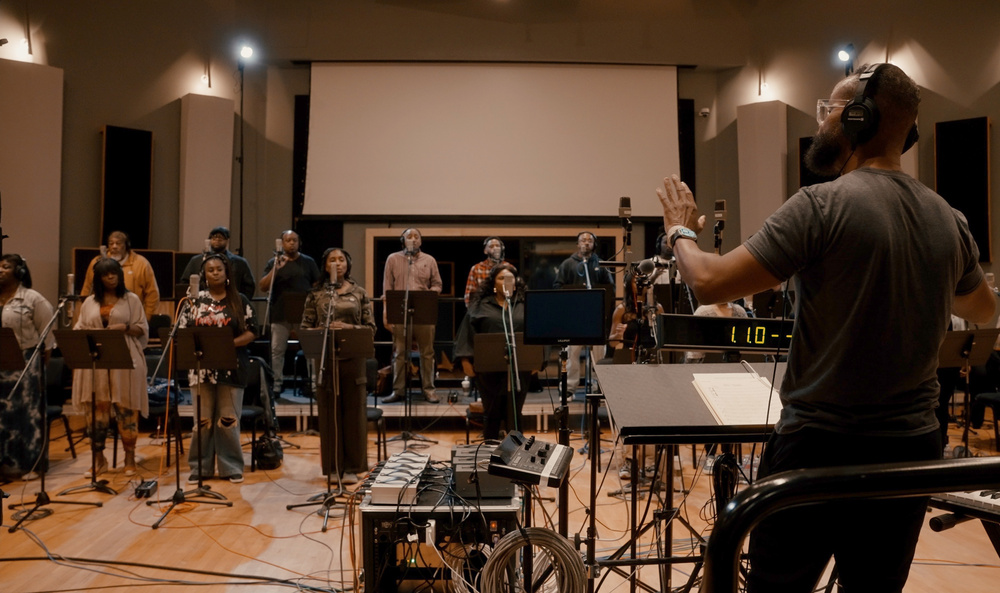
Spitfire’s collaboration with Mervyn Warren has produced a choral library that’s really very special indeed.
Adding flavour to the vocal library market is Spitfire Audio’s new release Mervyn Warren Choir, named after the five‑time Grammy award‑winning musician, producer and vocal arranger who curated and produced the project, which the literature says aims to capture “the unique timbre and expressive power of an elite Black choir”.
To that end, Mervyn Warren — who has worked with a dazzling range of artists and producers — brought together 20 highly accomplished professional vocalists for the project. The talents of this group were harnessed to create a versatile choral library, suitable for everything from film music composition to pop, jazz, neo‑soul and R&B productions.
Core Techniques
The recordings are divided into three master categories — Full Choir, Soprano & Alto, Tenor & Bass — all featuring near‑identical articulations: long and short versions of vowels (Ah, Oh, Ooh), warm, rich Mmms; percussive Doos; and powerful, soaring Yeahs. Building upon this are pre‑layered presets: Dual Longs and Shorts (two sounds per patch); Stacked Longs and Shorts (three or more sounds combined together); Morphs (transitioning from one vocal technique to another); Legatos; and Aleatoric Hairpins featuring sounds performed with variable dynamics for movement and texture. To round things off, there’s a Body Percussion kit (Hand and Thigh Claps, Stomps, Breaths, Finger Snaps and Chest Beats), and a Long Whispers & Breaths preset that brings a sound‑design element to the mix.
With a download size of 11.5 GB, the library runs in Spitfire’s Ensemble player with main controls that should be familiar to Spitfire users: Expression and Dynamics faders, and knob controls for Vibrato, Reverb and Tightness. In addition, a Morph control knob allows for morphing between articulations. For the Legato patches, the Legato Offset knob can be used to adjust the legato interval.
The Technique Switcher on the main page displays all available articulations for each preset, allowing selection either by keyswitching or simply clicking on the icon. Shift‑clicking lets you use multiple articulations within a patch at the same time. Turn on Adv to access the Advanced section, which provides keyswitch and round robin controls. Each preset contains three mic signals: Close, capturing the direct sound of the vocal; stereo Room mic; and Mix, the default setting, which is a balanced mix of the two mic signals.
You are reading one of the locked Subscribers-only articles from our latest 5 issues.
You've read 30% of this article for FREE, so to continue reading...
- ✅ Log in - if you have a Digital Subscription you bought from SoundOnSound.com
- ⬇️ Buy & Download this Single Article in PDF format £0.83 GBP$1.49 USD
For less than the price of a coffee, buy now and immediately download to your computer, tablet or mobile. - ⬇️ ⬇️ ⬇️ Buy & Download the FULL ISSUE PDF
Our 'full SOS magazine' for smartphone/tablet/computer. More info... - 📲 Buy a DIGITAL subscription (or 📖 📲 Print + Digital sub)
Instantly unlock ALL Premium web articles! We often release online-only content.
Visit our ShopStore.