

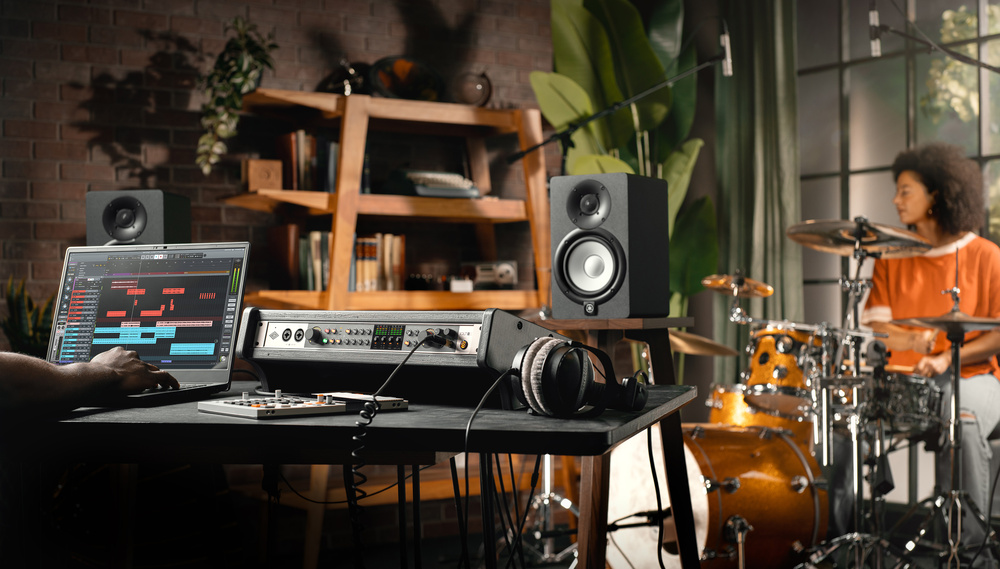
UA’s Volt range reaches its full potential with their rackmounting, multi‑channel USB interface, the Volt 876.
Universal Audio have built up an incredibly strong brand by marrying vintage and modern sensibilities. In part by cultivating relationships with other big names from the analogue world, they’ve generated a strong association with the golden age of tape‑based recording — yet, since the late ’90s, the products on which they’ve built this reputation have been digital. The UAD‑2 Powered Plug‑in platform, the Apollo range of Thunderbolt audio interfaces and the Sphere modelling mics all major on traditional values, but they realise those values through DSP. An all‑UA recording system can thus mimic the sonic qualities of tracking to tape, on vintage mics, through a classic console and outboard, but it does so within a modern computer‑based environment.
The cost of such a system is a tiny fraction of the gear it emulates, but even so, UA have historically positioned their plug‑ins and Apollo interfaces towards the premium end of the market. To cater for those whose budget won’t stretch that far, they more recently introduced the Standard Series modelling microphones and the Volt line of audio interfaces. The Standard mics offer basic modelling options through the Hemisphere plug‑in, while the Volt range dispense with the Apollos’ built‑in DSP, and connect via USB rather than Thunderbolt.
Until now, the Volt range has been comprised of small, bus‑powered, desktop models with small I/O counts, no digital I/O, and basic hardware input monitoring. If you wanted ADAT expansion, or low‑latency input mixing in UA’s Console software, you’d have to step up to the Apollo range. That’s all changed with the introduction of the Volt 876.
Volt Face
The new model boasts numerous features that, within UA’s product range, were previously found only in Apollos. It’s a mains‑powered, full‑width 1U device that comes with removable rubber feet and rack ears, and its rugged metal case is surprisingly deep and heavy. This is partly because it features a built‑in mains power supply, something that will have Apollo owners casting envious glances. On the analogue side, it sports eight mic/line inputs on combi XLR/jack sockets, with the first two located on the front panel. The front‑panel inputs offer a high‑impedance mode for tracking electric guitars. At the other end of the front panel you’ll find two independent headphone outputs, augmenting the eight line outputs on the rear panel.
 Most of the Volt 876’s I/O is on the rear panel, with only the first two inputs and the headphone outputs at the front.
The 876 is the first Volt to feature digital I/O, and it’s pretty comprehensive. You get two sets of optical Toslink in and out sockets, for either stereo S/PDIF or up to 16 channels of ADAT Lightpipe I/O, plus word clock in and out. There’s also MIDI in and out on full‑sized DIN sockets, while connection to the host computer is made using a single Type‑C USB port.

The Volts cannot host UAD‑2 plug‑ins, and consequently do not implement Apollo features such as Unison modelling mic preamps, or low‑latency monitoring through plug‑ins in UAD Console. Instead, Volt preamps have a switchable Vintage mode, and on some models, a preset FET compressor based on UA’s classic 1176 design. Both features operate in the analogue domain, and both are available on all eight of the Volt 876’s analogue inputs.
However, with so many different settings available for each 876 channel, UA have moved away from the analogue, one‑button‑per‑function control paradigm of previous Volts. Instead, a set of eight illuminated buttons is used to select one or more inputs, whereupon a rotary controller and a further set of buttons are used to adjust preamp parameters for the selected inputs. In other words, although the preamps on the Volt 876 don’t support Unison, they are nevertheless fully recallable and under digital control. A 60dB gain range is available, calibrated in 1dB steps, and adjacent odd/even input pairs can be linked to maintain gain matching for stereo recording.
To the right of the input controls is a bank of eight five‑segment LED meters, and to the right of this, you’ll find the Volt 876’s ‘master section’ controls. A main encoder with LED halo governs the output level at the first pair of outputs, which are designated monitor outs. There’s also a separate mute button, but it’s the other three controls that help to differentiate the Volt 876 from comparable interfaces. The Dim/Talk button simultaneously dims the monitor outputs and engages the 876’s built‑in talkback. By default, this uses a small mic embedded in the front panel, which is also available as a recording source to your DAW. The 876 also implements a slightly more basic version of the Apollos’ speaker switching, whereby it’s possible to designate outputs 3+4 as being an alternate monitor output pair, and use the Alt button to toggle between these and the main monitor outs. And lastly, there’s a button labelled Direct, which lights up green when engaged.
Going Direct
The desktop Volts offer a very simple hardware‑based implementation of direct monitoring. That approach wouldn’t really cut the mustard on an interface that can potentially be handling more than 20 inputs, so UA have brought this into the digital world too, making the 876 the first Volt to be controllable from their familiar UAD Console app.
Within UAD Console, you’ll see a new mixer pane that presents all of the 876’s digitally controllable features. This means it’s possible to control all the abovementioned preamp parameters, and to set up monitor balances that draw on all the analogue and digital inputs, plus a stereo loopback channel. As well as having a fader, mute, solo and pan controls, each input channel also has sends to two dedicated Cue buses, meaning that in effect, you can create three different low‑latency cue mixes. These can be distributed between the 876’s main monitor outs and its two headphone outputs. However, DAW return channels don’t appear in the Console mixer at all, so if you want your previously recorded signals to appear both in the main mix and one or both of its Cue buses, you’ll need to arrange this within your DAW, or output to the loopback...
You are reading one of the locked Subscribers-only articles from our latest 5 issues.
You've read 30% of this article for FREE, so to continue reading...
- ✅ Log in - if you have a Digital Subscription you bought from SoundOnSound.com
- ⬇️ Buy & Download this Single Article in PDF format £0.83 GBP$1.49 USD
For less than the price of a coffee, buy now and immediately download to your computer, tablet or mobile. - ⬇️ ⬇️ ⬇️ Buy & Download the FULL ISSUE PDF
Our 'full SOS magazine' for smartphone/tablet/computer. More info... - 📲 Buy a DIGITAL subscription (or 📖 📲 Print + Digital sub)
Instantly unlock ALL Premium web articles! We often release online-only content.
Visit our ShopStore.