You are here

DAW Software

A DAW, which stands for Digital Audio Workstation, is a software tool that enables users to capture, modify, and create audio content. It is utilised in various contexts such as music production, sound design, game audio, film and TV post-production, and podcasting.

Primary uses of a DAW

The primary purposes of contemporary Digital Audio Workstation software comprise: 

Recording: All DAWs enable users to capture audio from different sources like microphones, instruments, and MIDI controllers using an Audio Interface connected to the computer.

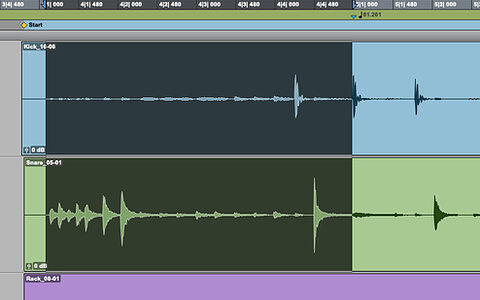
Editing:  DAWs enable users to cut, copy, paste, and rearrange sections of audio files. They also provide a range of tools for improving the quality of audio, including noise reduction, EQ, and compression.

Mixing: Digital Audio Workstations enable users to blend various audio tracks, modifying volumes, positioning, and adding effects to produce a unified end result.

Mastering: Digital Audio Workstations (DAWs) provide features like loudness normalisation and EQ adjustments to ensure the final audio meets industry standards.

Advantages of utilising a Digital Audio Workstation

Efficiency: DAWs enable users to efficiently record, edit, and produce audio with ease, cutting down on time and effort when compared to traditional analogue techniques.

Flexibility: DAWs offer a wide range of tools and features that allow users to customise their audio production process and achieve the desired results.

Collaboration: Numerous DAWs provide tools that enable users to work together and collaborate on projects from different locations, simplifying the process of collaborating on audio projects such as podcasts and song creation.

Portability: Digital Audio Workstations are compatible with different devices such as desktop computers (Mac/PC) , laptops and tablets, allowing users to work on audio projects conveniently from any location.

There are many popular software DAWs, some of which come built into the Operating System of your favourite computer, such as Apple GarageBand on Macs. Sound On Sound regularly covers all the top brands in its monthly DAW Masterclasses. From Steinberg Cubase and Avid Pro Tools, PreSonus Studio One and Apple Logic Pro, MOTU Digital Performer to Ableton Live, Reason Studios Reason and Cockos Reaper, you'll find how-to techniques and tips for all of these and other DAWs collected under the sections shown above.

  • link

    PreSonus Studio One 5

    Digital Audio Workstation

    Studio One continues to battle the big hitters with a broad range of enhancements and new features.

    Reviews Sep 2020
  • link

    Pro Tools: Exploring Avid Pro Multiband Splitter

    Avid Pro Tools Tips & Techniques

    We explore Avid's Pro Multiband Splitter plug‑in.

    Techniques Sep 2020
  • link

    Using MIDI Controllers With Reason

    Reason Tips & Techniques

    Reason has two completely different systems for configuring MIDI sources. We unpick some of the confusion around this to find the best ways to sequence and play Reason from external devices.

    Techniques Sep 2020
  • link

    MIDI Control Change In Ableton Live

    Ableton Live Tips & Techniques

    Max For Live's versatile MIDI CC devices open up a world of creative control.

    Techniques Aug 2020
  • link

    How To Use Cubase's Spectral Comparison EQ

    Steinberg Cubase Pro Tips & Techniques

    Cubase Pro's Spectral Comparison EQ makes it easy to figure out why things sound too different or too similar!

    Techniques Aug 2020
  • link

    Getting More From DP's MasterWorks Plug-ins: Part2

    MOTU Digital Performer Tips & Techniques

    We continue our exploration of DP's MasterWorks plug‑in suite.

    Techniques Aug 2020
  • link

    Pro Tools: What's New In 2020.5?

    Avid Pro Tools Tips & Techniques

    Pro Tools 2020.5 brings some handy options for project sharing, plus enhanced EUCON integration.

    Techniques Aug 2020
  • link

    Studio One: Music Editor Tricks

    PreSonus Studio One Tips & Techniques

    Studio One's Music Editor is more than just a piano roll.

    Techniques Aug 2020
  • link
    PreSonus Studio One 5

    PreSonus Studio One 5 unveiled

    Major update adds clip launching, plus enhanced MIDI and mixer functionality

    Major update adds clip launching, an integrated score editor, enhanced MIDI and mixer functionality, and more.

    News
  • link

    Cubase: Delta Monitoring | Audio Examples

    Hear For Yourself

    Check out these audio files that accompany this issue's Cubase workshop.

    Techniques Jul 2020
  • link

    Cubase: Delta Monitoring Explained

    Steinberg Cubase Pro Tips & Techniques

    With some simple signal routing, Cubase can tell you exactly what a plug‑in is doing to your audio.

    Techniques Jul 2020
  • link

    Double-tracking In Logic Pro

    Apple Logic Pro X Tips & Techniques

    Here's how to create a convincing double-tracking effect in Logic Pro X.

    Techniques Jul 2020
  • link

    Pro Tools: Groups vs Folder Tracks

    Avid Pro Tools Tips & Techniques

    Pro Tools' new Folder tracks make a neat alternative to Groups and VCAs.

    Techniques Jul 2020
  • link

    Reason: Using The MIDI Out Rack

    Reason Tips & Techniques

    We look at what you can do with Reason's new MIDI Out Rack device.

    Techniques Jul 2020
  • link

    Studio One: Template Tricks

    PreSonus Studio One Tips & Techniques

    Making the most of Studio One's templates.

    Techniques Jul 2020
  • link

    Auto-Tune comes to Reason

    Classic pitch correction now available as a Rack Extension

    Antares' classic pitch-correction processor is now available as a Rack Extension with CV connectivity.

    News
  • link

    Sending MIDI From Reason To Live

    Ableton Live Tips & Techniques

    Reason version 11.2 now lets you drag MIDI clips into Live from three of Reason's MIDI-based devices: the Redrum drum machine, the Matrix step sequencer and the Dr Octo Rex Rex-file player.

    Techniques Jun 2020
  • link

    Pro Tools: Folder Tracks In 2020.3

    Avid Pro Tools Tips & Techniques

    We explore the 2020.3 update and specifically Pro Tools' new Folder Tracks.

    Techniques Jun 2020
  • link

    Podcast Template Use In Studio One

    PreSonus Studio One Tips & Techniques

    We explore the new Podcast Production template in Studio One.

    Techniques Jun 2020
  • link

    Podcast Dialogue Editing In Cubase

    Steinberg Cubase Pro Tips & Techniques

    Reduce the time you spend on podcasting post-production, with these Cubase voice-editing tips.

    Techniques Jun 2020
  • link

    Podcasting In GarageBand

    A Beginner's Guide

    Apple's GarageBand recording software comes free with every Mac/iPad and has everything you need to make pro-sounding podcasts. We show you how...

    Techniques Jun 2020

Pages

Subscribe to RSS - DAW Software