You are here

DAW Software

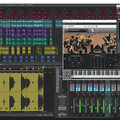
A DAW, which stands for Digital Audio Workstation, is a software tool that enables users to capture, modify, and create audio content. It is utilised in various contexts such as music production, sound design, game audio, film and TV post-production, and podcasting.

Primary uses of a DAW

The primary purposes of contemporary Digital Audio Workstation software comprise: 

Recording: All DAWs enable users to capture audio from different sources like microphones, instruments, and MIDI controllers using an Audio Interface connected to the computer.

Editing:  DAWs enable users to cut, copy, paste, and rearrange sections of audio files. They also provide a range of tools for improving the quality of audio, including noise reduction, EQ, and compression.

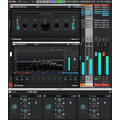
Mixing: Digital Audio Workstations enable users to blend various audio tracks, modifying volumes, positioning, and adding effects to produce a unified end result.

Mastering: Digital Audio Workstations (DAWs) provide features like loudness normalisation and EQ adjustments to ensure the final audio meets industry standards.

Advantages of utilising a Digital Audio Workstation

Efficiency: DAWs enable users to efficiently record, edit, and produce audio with ease, cutting down on time and effort when compared to traditional analogue techniques.

Flexibility: DAWs offer a wide range of tools and features that allow users to customise their audio production process and achieve the desired results.

Collaboration: Numerous DAWs provide tools that enable users to work together and collaborate on projects from different locations, simplifying the process of collaborating on audio projects such as podcasts and song creation.

Portability: Digital Audio Workstations are compatible with different devices such as desktop computers (Mac/PC) , laptops and tablets, allowing users to work on audio projects conveniently from any location.

There are many popular software DAWs, some of which come built into the Operating System of your favourite computer, such as Apple GarageBand on Macs. Sound On Sound regularly covers all the top brands in its monthly DAW Masterclasses. From Steinberg Cubase and Avid Pro Tools, PreSonus Studio One and Apple Logic Pro, MOTU Digital Performer to Ableton Live, Reason Studios Reason and Cockos Reaper, you'll find how-to techniques and tips for all of these and other DAWs collected under the sections shown above.

  • link

    What's New In DP10?

    MOTU Digital Performer Tips & Tricks

    Take our tour of the new features in DP10.

    Techniques Sep 2019
  • link

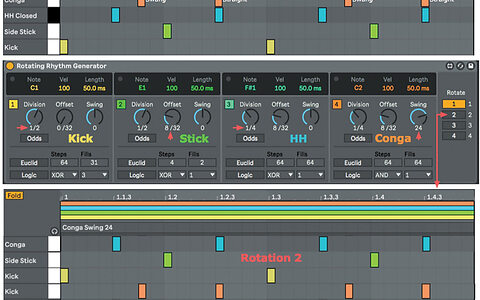
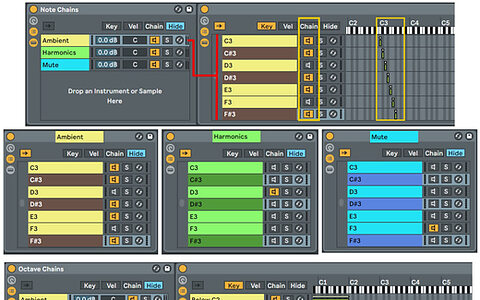
    How To Create 'Prepared' Instruments In Ableton Live

    Ableton Live Tips & Techniques

    We get avant–garde with some seriously experimental ways to use synthesis, sampling and effects to 'prepare' any instrument by altering its sound note-by-note.

    Techniques Sep 2019
  • link

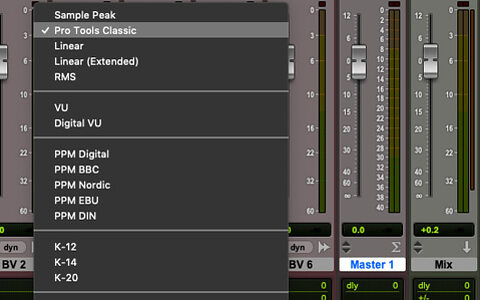
    How To Optimise Pro Tools Preferences

    Avid Pro Tools Tips & Tricks

    The Pro Tools Preferences offer a surprising number of ways to configure operation to your tastes.

    Techniques Sep 2019
  • link

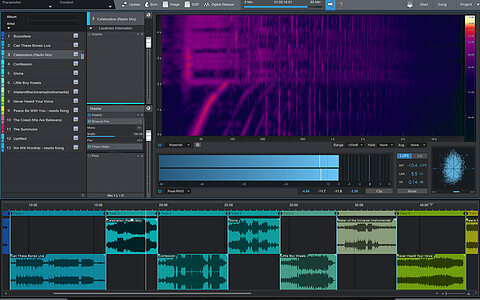
    How To Stack Synths In Studio One's Multi-Instrument Environment

    PreSonus Studio One Tips & Techniques

    Studio One's Multi-Instrument environment can make even the simplest instrument sound like a million dollars! Find out how...

    Techniques Sep 2019
  • link
    uz39NJII2sU.jpg

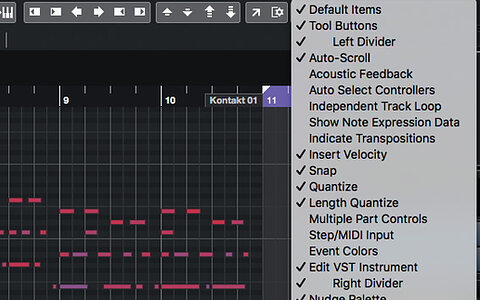
    Cubase Pro: Melodyne With ARA 2 [Videos]

    Video Tutorials

    Here are five unlocked Video Tutorials that accompany this month's Cubase Tips & Techniques column, so that our print-only readers don't miss out. Enjoy!

    Techniques Sep 2019
  • link

    Bitwig Studio 3

    Music Production Software

    Innovative music creation platform Bitwig takes a big leap forward with the introduction of an open-ended modular environment.

    Reviews Sep 2019
  • link

    Cubase Pro: Audio Alignment & ADR | Audio

    Hear For Yourself

    Cubase Pro 10's Audio Alignment Panel can do more than just deliver tight backing vocals!

    Techniques Aug 2019
  • link

    Cubase Pro: Audio Alignment & ADR

    Steinberg Cubase Pro Tips & Techniques

    Cubase Pro 10's Audio Alignment Panel can do more than just deliver tight backing vocals!

    Techniques Aug 2019
  • link

    Ableton Live: What's New In 10.1

    Ableton Live Tips & Techniques

    Ableton Live 10.1, the first incremental upgrade to Live 10, has something for everyone and multiple improvements for most users.

    Techniques Aug 2019
  • link

    Logic Pro X: Extracting MIDI Plug-in Data

    Apple Logic Pro X Tips & Techniques

    Logic's MIDI plug-ins are great, but getting access to the data they output can be tricky. Here's how it's done...

    Techniques Aug 2019
  • link

    Magix ACID Pro Next

    Loop-based Production Software For Windows

    ACID Pro is the original loop-based remixing program, and the Next version opens up new possibilities thanks to the intriguing Stem Maker.

    Reviews Aug 2019
  • link

    Pro Tools Licensing Changes In 2019.5

    Avid Pro Tools Tips & Techniques

    The iLok system is here to stay, but there are now more alternatives to a physical dongle.

    Techniques Aug 2019
  • link

    How To Run Reason With Modular Synths

    Propellerhead Reason Tips & Techniques

    We show you how to get Reason and your hardware or software modular synths speaking the same language.

    Techniques Aug 2019
  • link

    Studio One: New MIDI Note Actions

    PreSonus Studio One 4.5 Tips & Techniques

    The new MIDI Note Actions introduced in Studio One 4.5 offer intriguing creative possibilities.

    Techniques Aug 2019
  • link

    Cakewalk: Sonitus Effects

    Cakewalk Tips & Techniques

    They may be old, but the Sonitus effects bundled with Cakewalk are surprisingly powerful.

    Techniques Jul 2019
  • link

    Cubase Pro: Reference Tracks

    Steinberg Cubase Pro Tips & Techniques

    Cubase offers various options for comparing your mixes with reference tracks.

    Techniques Jul 2019
  • link

    Ableton: Swapping Kit Pieces On The Fly

    Ableton Live Tips & Techniques

    We show you how to chop and change drum kit pieces on the fly in Ableton Live.

    Techniques Jul 2019
  • link

    Pro Tools: Losing Time

    Avid Pro Tools Tips & Techniques

    We look at the different options for adding and removing time at the start of a Pro Tools session.

    Techniques Jul 2019
  • link

    Studio One: Focal Chords

    PreSonus Studio One Tips & Techniques

    Studio One's Chord track is much more than just an auto-arrangement device.

    Techniques Jul 2019
  • link

    Modular I/O In Reason

    Propellerhead Reason Tips & Techniques

    We show you how to connect audio, MIDI and CV between Reason and your virtual modular.

    Techniques Jul 2019
  • link

    Cakewalk: Customisable Workspace

    Cakewalk / Sonar Tips & Techniques

    Change the look and feel of Cakewalk to suit your workflow.

    Techniques Jun 2019

Pages

Subscribe to RSS - DAW Software