You are here

DAW Software

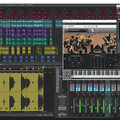
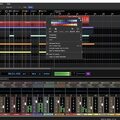
A DAW, which stands for Digital Audio Workstation, is a software tool that enables users to capture, modify, and create audio content. It is utilised in various contexts such as music production, sound design, game audio, film and TV post-production, and podcasting.

Primary uses of a DAW

The primary purposes of contemporary Digital Audio Workstation software comprise: 

Recording: All DAWs enable users to capture audio from different sources like microphones, instruments, and MIDI controllers using an Audio Interface connected to the computer.

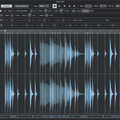
Editing:  DAWs enable users to cut, copy, paste, and rearrange sections of audio files. They also provide a range of tools for improving the quality of audio, including noise reduction, EQ, and compression.

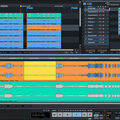
Mixing: Digital Audio Workstations enable users to blend various audio tracks, modifying volumes, positioning, and adding effects to produce a unified end result.

Mastering: Digital Audio Workstations (DAWs) provide features like loudness normalisation and EQ adjustments to ensure the final audio meets industry standards.

Advantages of utilising a Digital Audio Workstation

Efficiency: DAWs enable users to efficiently record, edit, and produce audio with ease, cutting down on time and effort when compared to traditional analogue techniques.

Flexibility: DAWs offer a wide range of tools and features that allow users to customise their audio production process and achieve the desired results.

Collaboration: Numerous DAWs provide tools that enable users to work together and collaborate on projects from different locations, simplifying the process of collaborating on audio projects such as podcasts and song creation.

Portability: Digital Audio Workstations are compatible with different devices such as desktop computers (Mac/PC) , laptops and tablets, allowing users to work on audio projects conveniently from any location.

There are many popular software DAWs, some of which come built into the Operating System of your favourite computer, such as Apple GarageBand on Macs. Sound On Sound regularly covers all the top brands in its monthly DAW Masterclasses. From Steinberg Cubase and Avid Pro Tools, PreSonus Studio One and Apple Logic Pro, MOTU Digital Performer to Ableton Live, Reason Studios Reason and Cockos Reaper, you'll find how-to techniques and tips for all of these and other DAWs collected under the sections shown above.

  • link

    Free Sonar OS X Alpha coming Autumn

    We get the full story from Cakewalk CTO

    After many years of rumours, Cakewalk have announced an alpha testing phase for Sonar OS X, marking the first time...

    News
  • link

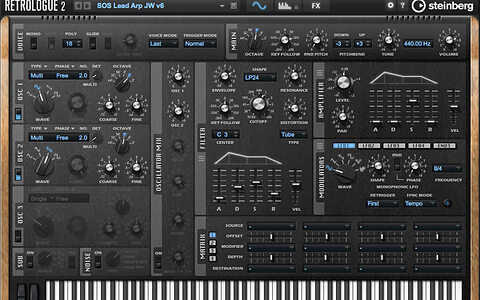
    Cubase Workshop: Retrologue 2

    Cubase Tips & Techniques

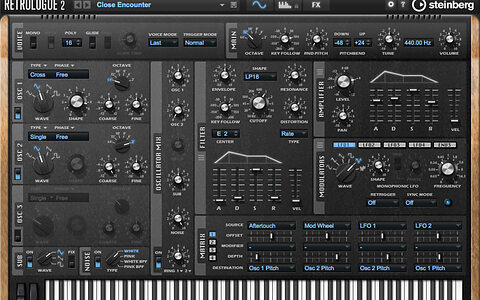
    Learn to make the most of Cubase 8.5’s Retrologue 2 synth.

    Techniques Jun 2016
  • link

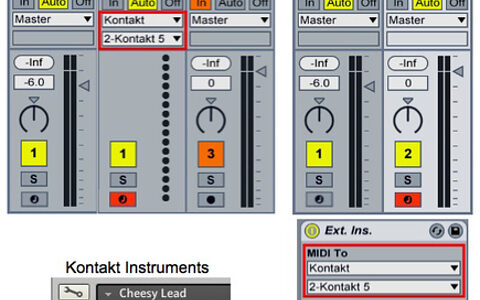
    Using Kontakt In Ableton Live

    Live Tips & Techniques

    How to drag all your instruments into the same instance of Kontakt and set them up to use separate Kontakt MIDI inputs and audio outputs...

    Techniques Jun 2016
  • link

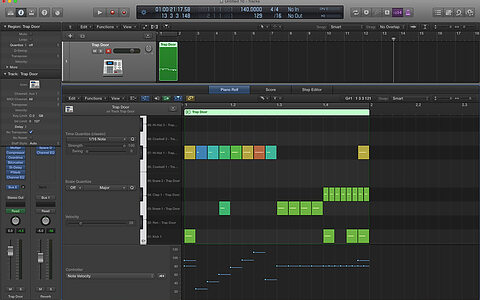
    Using Logic Pro X's Step Editor

    Logic Tips & Techniques

    Program drums and automate effects faster with Logic’s Step Editor.

    Techniques Jun 2016
  • link

    Part 1: Cloud Collaboration In Pro Tools 12.5

    Pro Tools Tips & Techniques

    Pro Tools 12.5 lets you collaborate remotely with other users. Here’s how to get started.

    Techniques Jun 2016
  • link

    Tape Effects In Reaper

    Reaper Tips & Techniques

    How to recreate open-reel tape trickery in Reaper.

    Techniques Jun 2016
  • link

    Reason: Create ReFills & REX Files

    Reason Tips & Techniques

    We show you how to create your own ReFills and REX files in Reason.

    Techniques Jun 2016
  • link

    Mid-Sides EQ'ing In Sonar

    Sonar Tips & Techniques

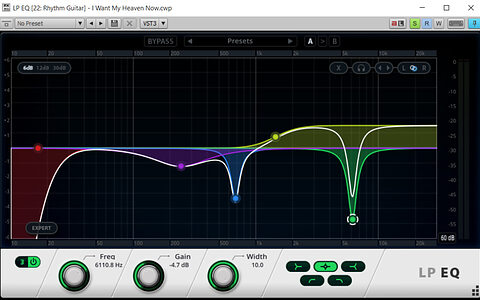
    Sonar’s new LP EQ lets you perform Mid-Sides EQ’ing with ease.

    Techniques Jun 2016
  • link

    Track Grouping In Studio One

    Studio One Tips & Techniques

    Understanding the way track grouping works will help keep your Studio One projects under control.

    Techniques Jun 2016
  • link

    Propellerhead Reason 9 revealed

    New devices, sounds, and creative tools added

    Propellerhead Software today announced Reason 9, the latest version of the DAW, which introduces...

    News
  • link

    Cubase: Designing Retrologue 2 Patches

    Cubase Tips & Techniques

    Cubase 8.5 introduced Retrologue 2, a powerful virtual analogue synth, and its presets are great — but rolling your own patches can be a lot of fun.

    Techniques May 2016
  • link

    A Different Drummer

    Ableton Live Tips & Techniques

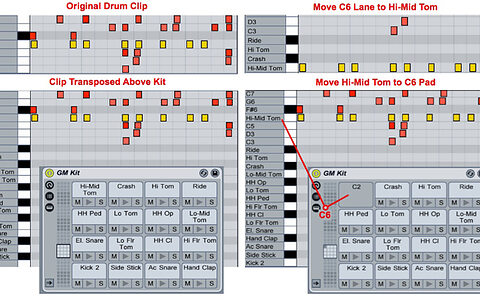
    Live offers a number of ways to intelligently remap MIDI drum parts.

    Techniques May 2016
  • link

    Logic Pro 10.2.1

    Logic Tips & Techniques

    With integration for Music Memos, new batch processing tools and expanded multithreading support, the Logic Pro 10.2.1 update gives you more power than ever.

    Techniques May 2016
  • link

    Pro Tools: Track Freeze In 12.4

    Pro Tools Tips & Techniques

    We explore the ins and outs of the new Track Freeze function in Pro Tools 12.4.

    Techniques May 2016
  • link

    Reaper: Getting In Trim

    Reaper Tips & Techniques

    Reaper’s automation lacks a relative trim mode, but now you can add your own.

    Techniques May 2016
  • link

    Reason: Work In Progress

    Reason Tips & Techniques

    We show you how to organise your musical scrapbook in Reason.

    Techniques May 2016
  • link

    Bus & VCA Routing In Samplitude Pro

    Samplitude Tips & Techniques

    Samplitude Pro X2’s aux buses, submix buses and VCAs add up to a powerful and flexible routing system.

    Techniques May 2016
  • link

    Sonar: Finishing Projects

    Sonar Tips & Techniques

    Tie up those loose ends and declare your projects finished!

    Techniques May 2016
  • link

    Studio One 3.2 Update

    Studio One Tips & Techniques

    It may look like a humble point upgrade, but Studio One v3.2 brings with it some significant innovations.

    Techniques May 2016
  • link

    Cakewalk 2016.03 adds AAS synth, Melodyne tempo detection

    Latest update also adds in-app help module

    Cakewalk announce the new monthly release of SONAR — 2016.03 — for SONAR Artist, Professional...

    News
  • link

    Apple GarageBand 2.1

    DAW App For iOS

    GarageBand 2.1 now  supports the iPad Pro, but also has new features to benefit all users. When you start a new Song, you now have the option to use Tracks (as before) or the new Live Loops.

    Reviews Apr 2016

Pages

Subscribe to RSS - DAW Software