You are here

DAW Software

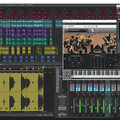
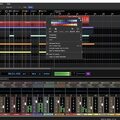
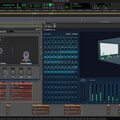
A DAW, which stands for Digital Audio Workstation, is a software tool that enables users to capture, modify, and create audio content. It is utilised in various contexts such as music production, sound design, game audio, film and TV post-production, and podcasting.

Primary uses of a DAW

The primary purposes of contemporary Digital Audio Workstation software comprise: 

Recording: All DAWs enable users to capture audio from different sources like microphones, instruments, and MIDI controllers using an Audio Interface connected to the computer.

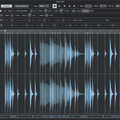
Editing:  DAWs enable users to cut, copy, paste, and rearrange sections of audio files. They also provide a range of tools for improving the quality of audio, including noise reduction, EQ, and compression.

Mixing: Digital Audio Workstations enable users to blend various audio tracks, modifying volumes, positioning, and adding effects to produce a unified end result.

Mastering: Digital Audio Workstations (DAWs) provide features like loudness normalisation and EQ adjustments to ensure the final audio meets industry standards.

Advantages of utilising a Digital Audio Workstation

Efficiency: DAWs enable users to efficiently record, edit, and produce audio with ease, cutting down on time and effort when compared to traditional analogue techniques.

Flexibility: DAWs offer a wide range of tools and features that allow users to customise their audio production process and achieve the desired results.

Collaboration: Numerous DAWs provide tools that enable users to work together and collaborate on projects from different locations, simplifying the process of collaborating on audio projects such as podcasts and song creation.

Portability: Digital Audio Workstations are compatible with different devices such as desktop computers (Mac/PC) , laptops and tablets, allowing users to work on audio projects conveniently from any location.

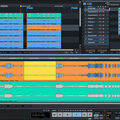
There are many popular software DAWs, some of which come built into the Operating System of your favourite computer, such as Apple GarageBand on Macs. Sound On Sound regularly covers all the top brands in its monthly DAW Masterclasses. From Steinberg Cubase and Avid Pro Tools, PreSonus Studio One and Apple Logic Pro, MOTU Digital Performer to Ableton Live, Reason Studios Reason and Cockos Reaper, you'll find how-to techniques and tips for all of these and other DAWs collected under the sections shown above.

  • link

    Patch Notes

    Sonar Tips & Techniques

    Get creative with Sonar’s new Universal Routing Technology...

    Techniques Dec 2015
  • link

    Conform & Control

    Studio One Tips & Techniques

    Even complex audio recordings can be conformed to Studio One’s timeline — with very useful results.

    Techniques Dec 2015
  • link

    Backup To The Future

    Cubase Tips & Techniques

    Your Cubase project is recorded, mixed and mastered... but is it secure?

    Techniques Dec 2015
  • link
    XllIqoyc6P8.jpg

    NI iMaschine 2 intros 3D Touch support

    Create full tracks on-the-go with arranger, step sequencing, chord and arp modes

    Native Instruments have today introduced iMaschine 2 – the follow up to their acclaimed beat making...

    News
  • link

    Space Race

    Cubase Tips & Techniques

    Efficient management of Cubase’s Workspaces can be a great help when you need to work quickly.

    Techniques Nov 2015
  • link

    Duck Tails | Media

    Logic Tips & Techniques

    Audio files to accompany the article.

    Techniques Nov 2015
  • link

    Too Good To M-S

    Ableton Live Tips & Techniques

    We investigate the creative potential of Mid-Sides processing in Live.

    Techniques Nov 2015
  • link

    Duck Tails

    Logic Tips & Techniques

    Combining dynamics processing with Logic Pro X’s reverbs and other plug-ins can produce some very creative ducking effects.

    Techniques Nov 2015
  • link

    Reaper To Go

    Cockos Reaper Tips & Techniques

    Unlike most DAWs, Reaper can be run from an external drive without leaving a trace on the host machine!

    Techniques Nov 2015
  • link

    Sample Minded

    Sonar Tips & Techniques

    Sample your own instruments in Sonar.

    Techniques Nov 2015
  • link

    Unlooping The Loop

    Studio One Tips & Techniques

    Studio One offers all the tools you need to derive endless variations from a simple loop.

    Techniques Nov 2015
  • link

    HD For All

    Pro Tools Tips & Techniques

    The latest native Pro Tools versions offer powerful features that were once restricted to HD systems.

    Techniques Nov 2015
  • link

    Unlooping The Loop | Media

    Studio One Tips & Techniques

    Audio files to accompany the article.

    Techniques Nov 2015
  • link

    Services Rendered

    Cubase Tips & Techniques

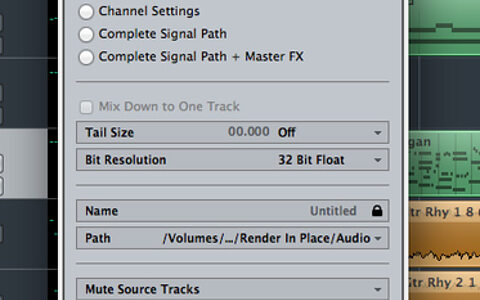
    Whether archiving projects, creating stems or saving CPU resources, Cubase 8’s Render In Place feature has you covered.

    Techniques Oct 2015
  • link

    Inside Out

    Pro Tools Tips & Techniques

    Pro Tools 12 makes radical improvements to the way inputs and outputs are handled, which benefit all users.

    Techniques Oct 2015
  • link

    Studio One: Mid-Sides In The Channel Editor

    PreSonus Studio One Tips & Techniques

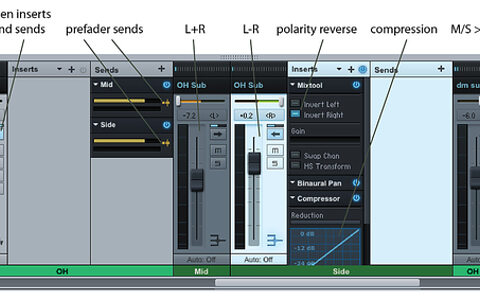
    Studio One 3’s new Channel Editor opens up a host of possibilities, including creative M-S processing.

    Techniques Oct 2015
  • link

    Hands On

    Ableton Tips & Techniques

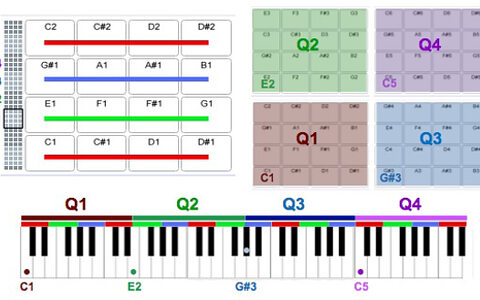
    We get tactile with Ableton Live’s 64 Pad Drum Rack.

    Techniques Oct 2015
  • link

    Pull The Plug-In

    Logic Tips & Techniques

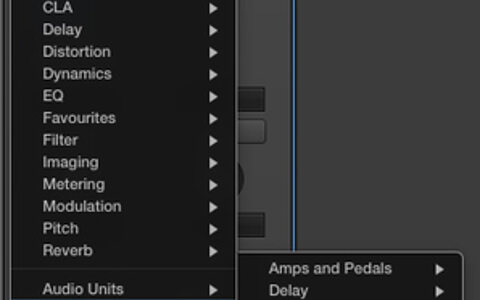
    Tidy away unused instruments and effects and put your favourites within easy reach with Logic’s Plug-in Manager.

    Techniques Oct 2015
  • link

    Independent Beats

    Reason Tips & Techniques

    Cut the cord and make music with just your laptop and Reason.

    Techniques Oct 2015
  • link

    Stuck In The MIDI

    Sonar Tips & Techniques

    Get to grips with Sonar’s latest MIDI editing tools.

    Techniques Oct 2015
  • link

    Reverb Rating | Media

    Audio files to accompany the article.

    Cubase Pro 8 gives you four different reverb plug-ins to choose from, but which one should you be using?

    Techniques Sep 2015

Pages

Subscribe to RSS - DAW Software